Numbers to Words Converter
Convert any number to words instantly — for checks, cheques, invoices, contracts or schoolwork. Supports the International (million, billion) and Indian (lakh, crore) systems, decimals and currency.
About Numbers to Words Converter
A numbers to words converter turns a numeric value such as 1,25,000 or 4506.75 into its written form, "one lakh twenty five thousand" or "four thousand five hundred six point seven five". Version 2.0 of the ToolsPivot converter works as a number to words translator in 13 languages, supports both the International and Indian numbering systems, and formats money in 35 currencies with cheque ready wording. Everything runs inside your browser, so the amounts you type never reach a server. Accountants, lawyers, students, and anyone filling in a check (cheque outside the United States) can copy a correct written amount in seconds.
Online Numbers to Words Converter Overview
Core functionality. The converter reads any number you type and returns it spelled out in words. A tolerant parser strips commas and spaces, detects a leading minus sign, and separates the integer part from the fractional part before the numbers to words conversion begins. English output comes from a dependency free engine built for this tool, which is what allows number system, currency, "and" style, and letter case to be controlled separately. The other twelve languages route to a locally bundled copy of the open source n2words library.
Primary users and use cases. Bank customers writing cheques, accountants preparing invoices, lawyers drafting contracts, teachers setting spelling exercises, and developers verifying their own conversion logic all reach for a tool like this. The Indian numbering option matters most in India, Pakistan, Bangladesh, Nepal, and Sri Lanka, where lakh and crore appear on cheque leaves, GST invoices, and salary slips.
Problem and solution. Writing an amount by hand invites two errors: the wrong spelling ("fourty" instead of "forty") and the wrong scale (treating ten lakh as ten million rather than one million). Either mistake can get a cheque returned or create ambiguity in a signed contract. Typing the figure once and copying the output removes both risks. When the amount needs converting between currencies first, the currency converter handles the exchange rate side before you spell anything out.
Key Benefits of the Numbers to Words Converter
- Nothing leaves your device: The engine runs client side. Salary figures, settlement amounts, and cheque values are never transmitted, logged, or retained.
- Two numbering systems on one page: International (million, billion) and Indian (lakh, crore) sit behind one toggle, so cross border invoicing does not need two tools.
- Independent controls: Number system, currency, "and" style, and letter case are four separate settings, not one regional preset that decides all four.
- Correct minor units: Thirty five currencies each carry the right sub unit and plural form, so you get "ninety nine paise" and "fifty pence" rather than a generic "cents".
- Cheque ready wording: An optional "only" suffix closes the amount so no words can be appended after it.
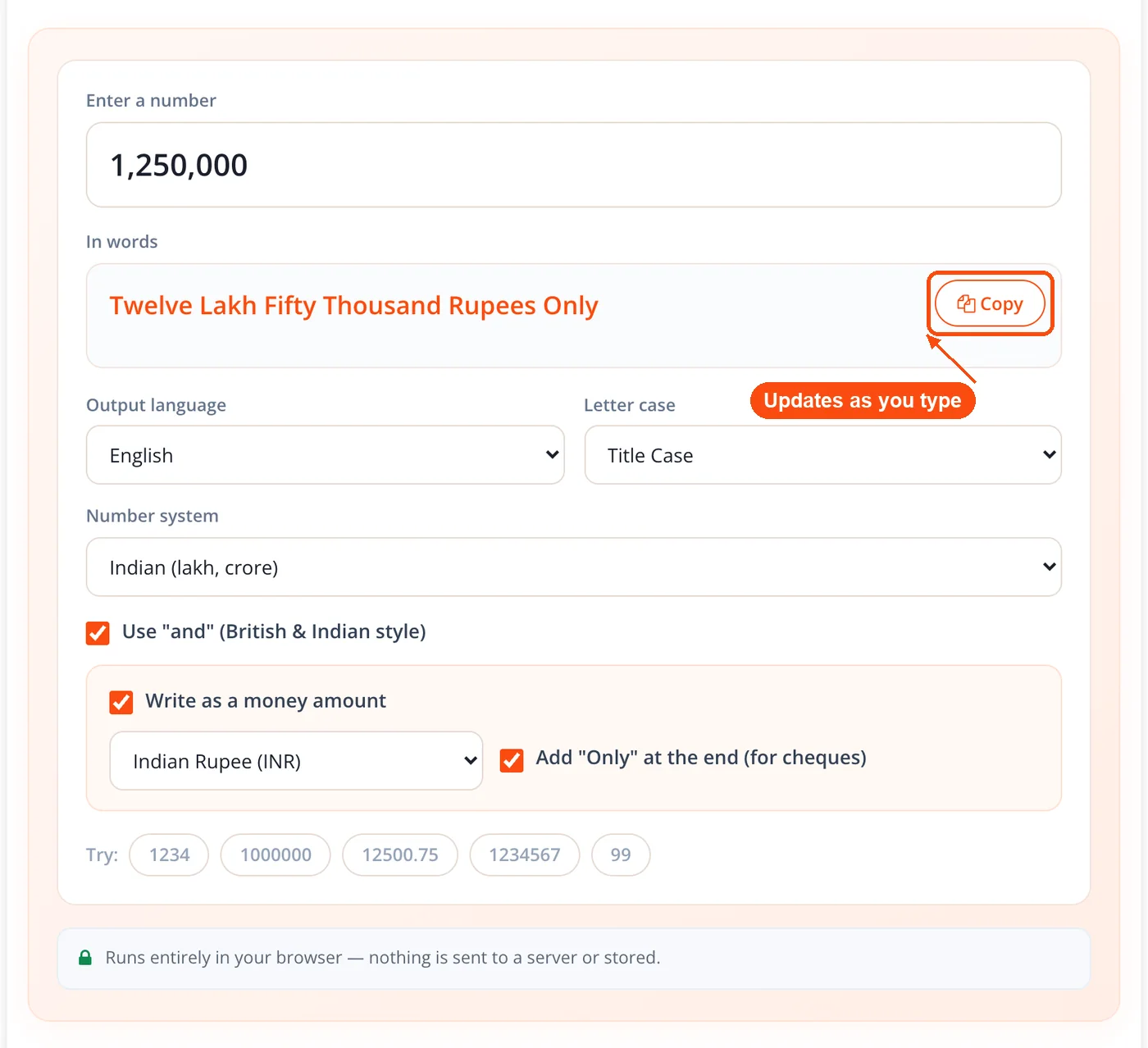
- Live output: Words appear as you type, with a one tap copy button and no convert step.
- Thirteen languages: Spanish, Portuguese, French, German, Italian, Russian, Arabic, Chinese, Korean, Turkish, Indonesian, and Persian join English in the output dropdown.
- No account and no limits: Convert numbers to words as often as you need, the way every free utility on ToolsPivot works, from the word counter to the unit converter.
Core Features of the Numbers to Words Converter
- String based English engine: Integer digits are grouped and converted as text rather than floating point numbers, so precision does not degrade around the sixteen digit mark where float arithmetic begins rounding.
- International scale words: thousand, million, billion, trillion, quadrillion, quintillion, and sextillion, grouped every three digits.
- Indian scale words: thousand, lakh, crore, arab, kharab, neel, and padma, grouped three digits then two.
- The "and" toggle: British and Indian phrasing produces "one hundred and one" and "one thousand and five". American style omits the conjunction entirely.
- Currency and cheque mode: The integer becomes the major unit and the two digit fraction becomes the minor unit, each pluralised correctly, giving "one rupee and ninety nine paise" or "one penny" against "fifty pence".
- Zero sub unit currencies: Japanese yen, South Korean won, and Vietnamese dong carry no minor unit, so the converter omits the fractional words instead of inventing them.
- Generic amount option: A no currency name setting spells the figure as a plain amount, for templates where the currency label is printed separately.
- Four letter cases: Sentence case, Title Case, UPPERCASE, and lowercase, applied through a Unicode aware transform so Cyrillic, Arabic, and Chinese output behaves sensibly. If the paragraph around the amount needs the same treatment, the change text case tool applies it to a whole block.
- Tolerant parsing: Commas and spaces are stripped, a leading hyphen or true Unicode minus sign is recognised, and non numeric input returns an empty result rather than an error.
- Copy and example chips: One tap copies the output, and clickable sample values load instantly. Developers checking their own implementation can paste both strings into text compare.
How ToolsPivot Numbers to Words Converter Works
- Enter the number. Type or paste any value into the input field. Commas, spaces, decimals, and a leading minus sign are all accepted.
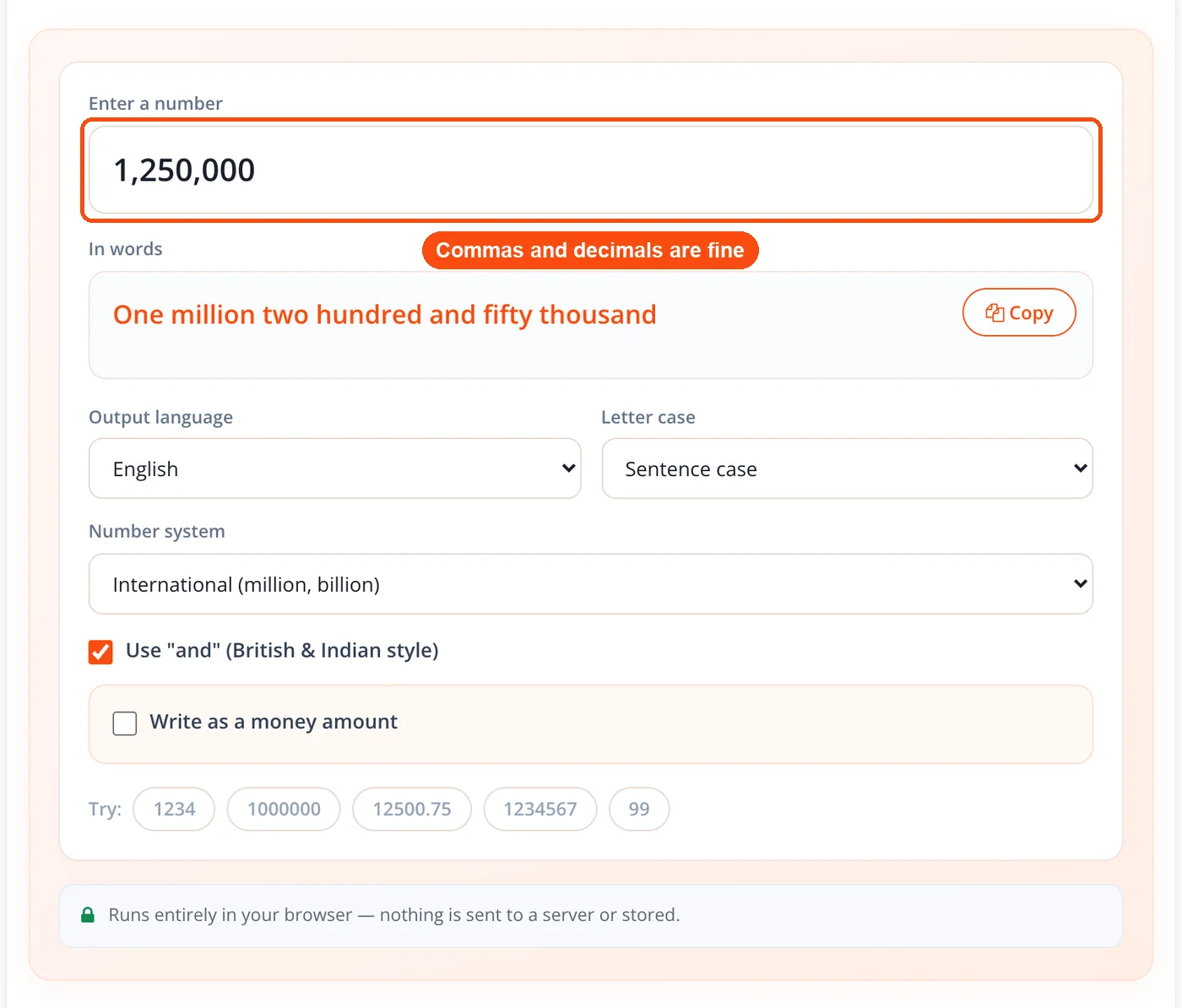
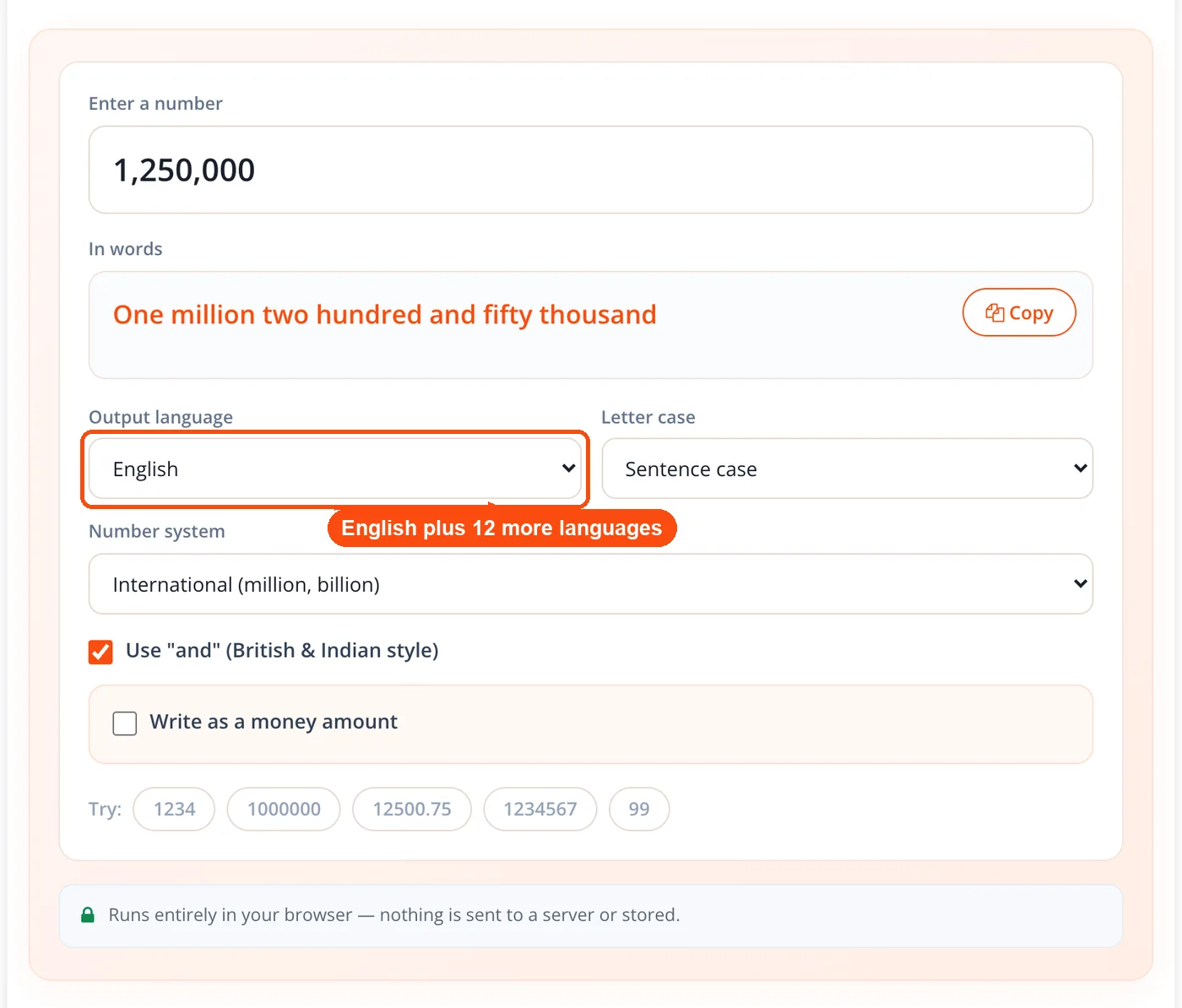
- Choose the output language. English routes to the custom engine. The other twelve languages route to the bundled n2words build for that locale.
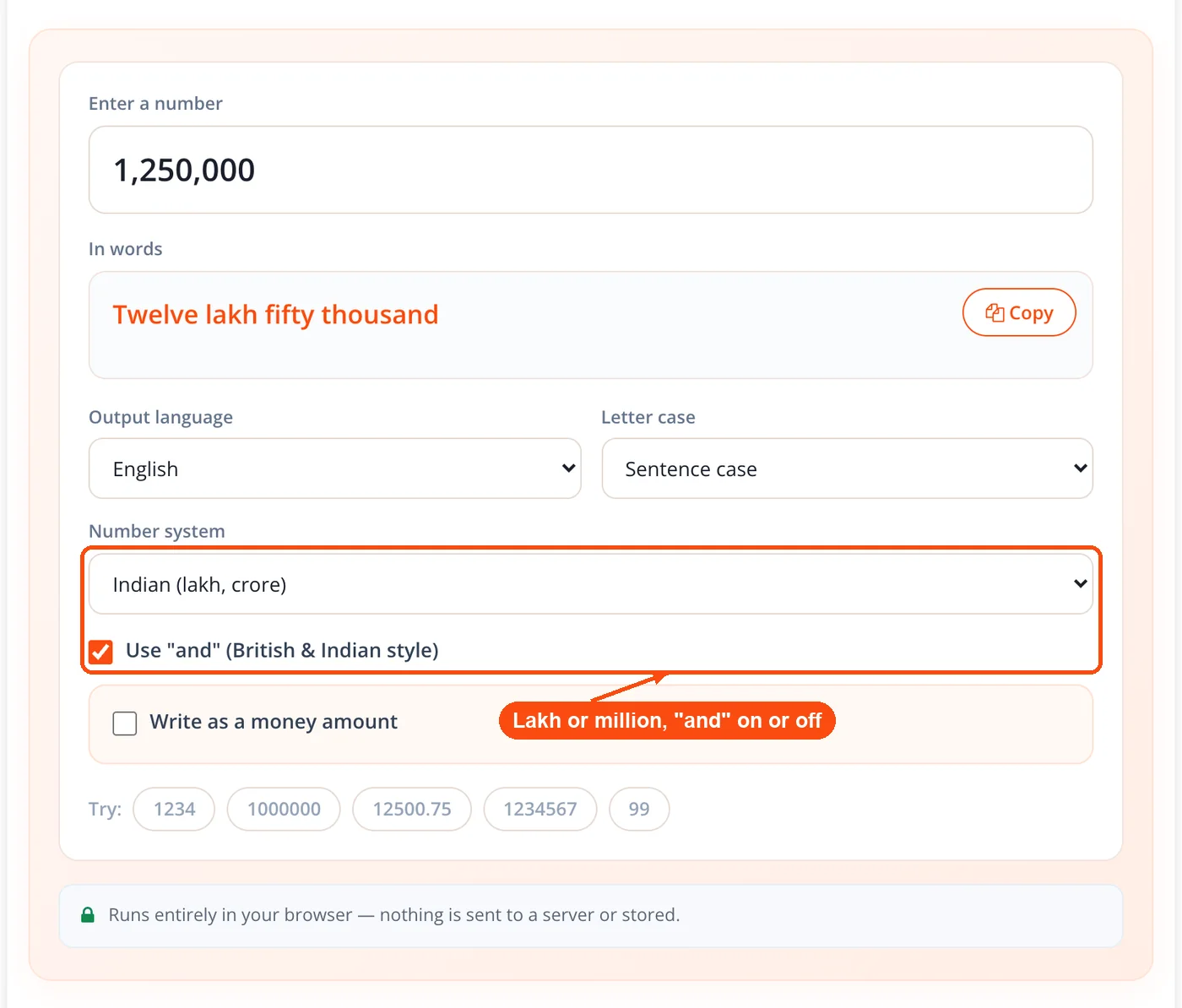
- Set the number system and "and" style. Pick International for million and billion, or Indian for lakh and crore, then decide whether the conjunction appears.
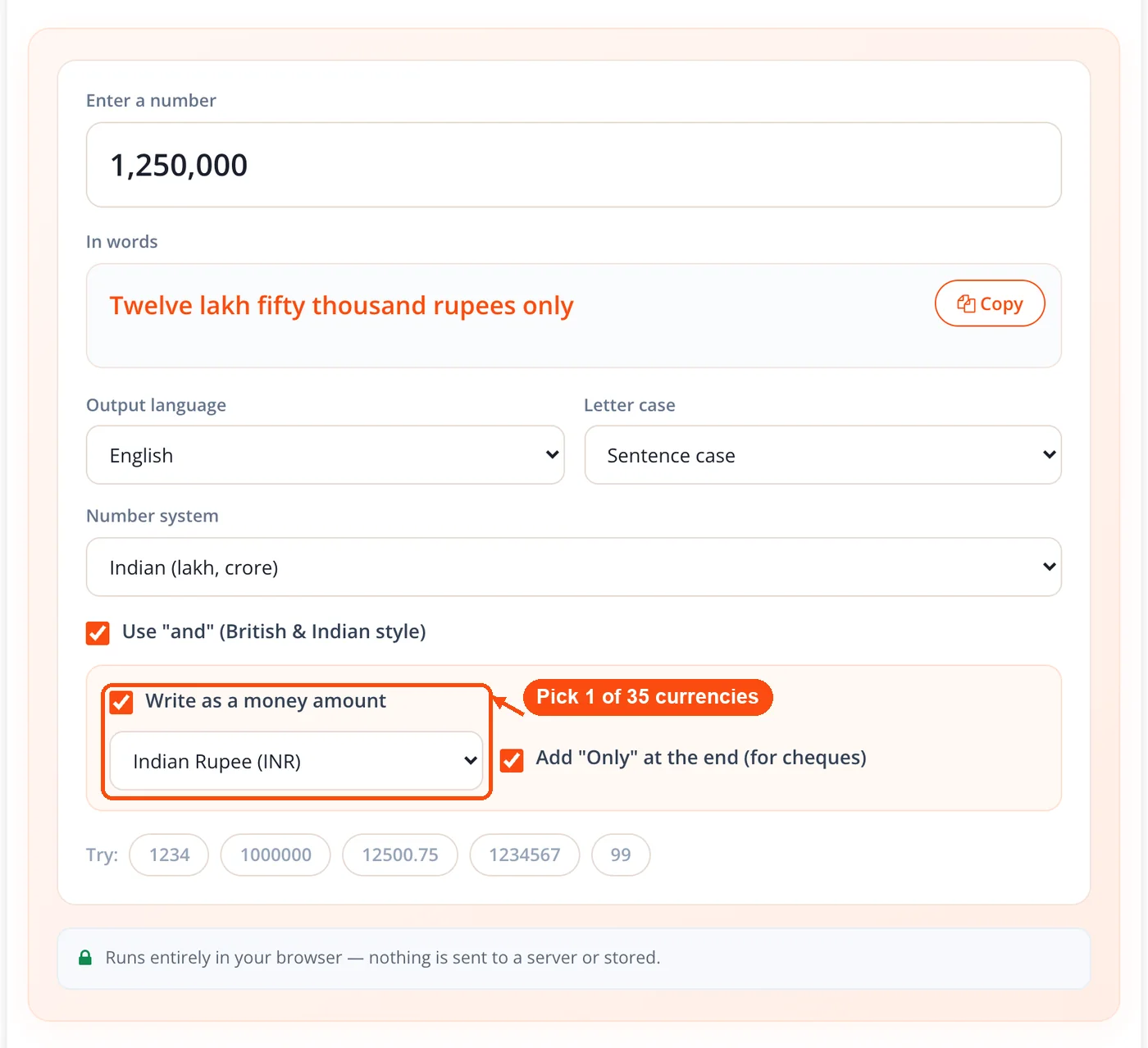
- Switch on money mode and pick a currency. Choose from 35 currencies (or a plain amount with no currency name), then add the "only" suffix if the words are going onto a cheque.
- Choose the letter case. Sentence case suits prose, Title Case suits cheques, and UPPERCASE suits some legal instruments.
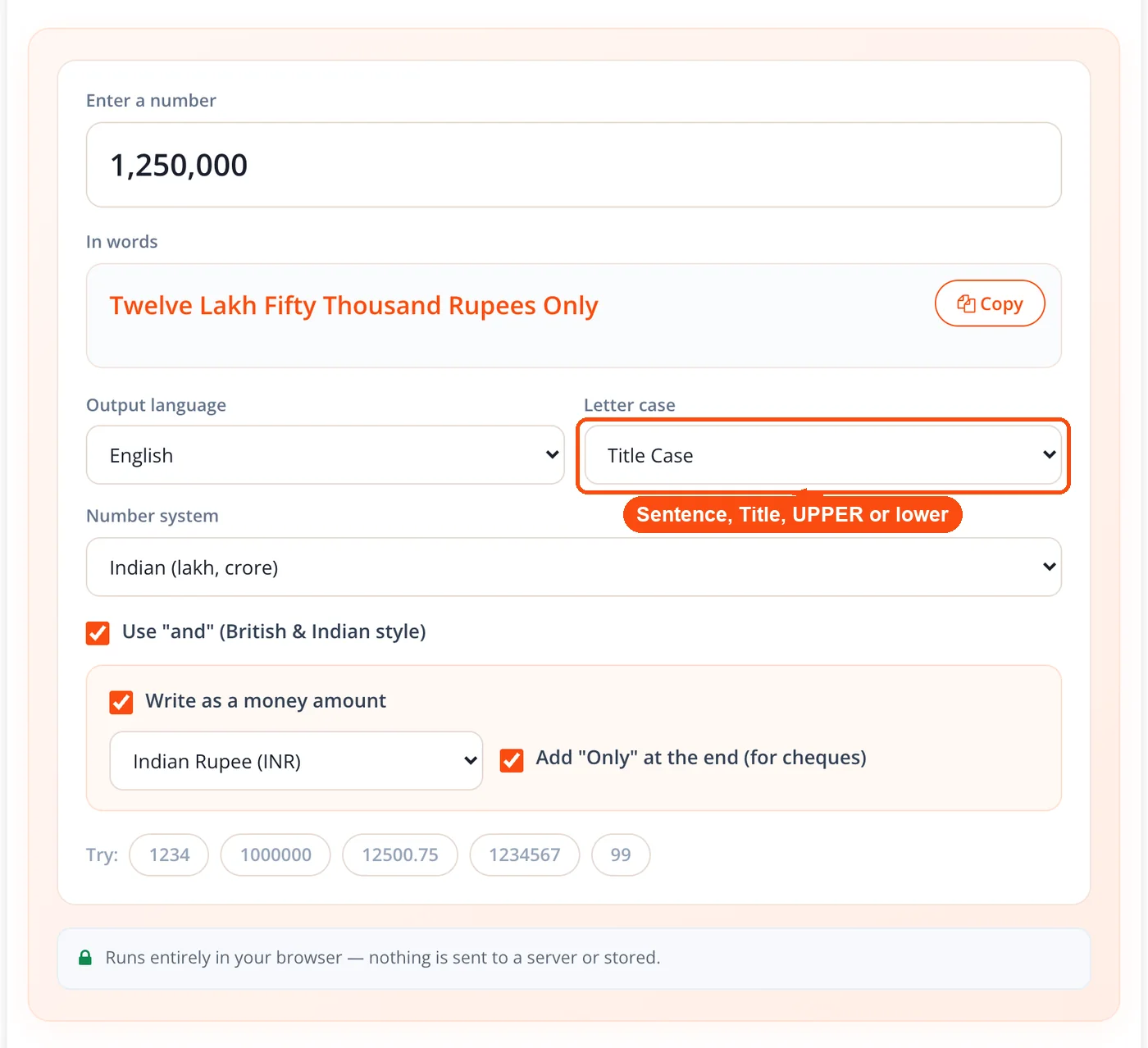
- Copy the result. The output updates as you type, so the copy button is the only click the task requires.
When to Use the Numbers to Words Converter
Reach for this converter whenever a document requires an amount in both figures and words. It turns the amount in numbers to words you can copy straight onto the page. That pairing exists for one reason: the written form is harder to alter than a digit, and banks treat it as the governing value when the two disagree.
- Writing a cheque: For check writing, numbers to words output has to be exact, because the words line governs the payment and a spelling slip can delay or void it.
- Preparing an invoice: GST invoices in India and many export documents require an amount in words beside the total.
- Drafting a contract: Loan agreements, settlement deeds, and promissory notes state values twice for exactly this reason. Run the surrounding clause through the grammar checker once the amount is in place.
- Teaching place value: A student can check "write 4,506 in words" against the tool immediately.
- Working across the lakh and million divide: One toggle prevents the commonest cross border scale error.
Two edge cases are worth naming. The converter does not round, so an amount with more than two decimal places is not trimmed to a currency sub unit for you, and it does not produce ordinals such as "twenty first".
Use Cases and Applications
Indian Vendor Cheque
Context: A small business owner in Pune is paying a supplier ₹12,45,300.50 by cheque. Process: - Enter 1245300.50 and select the Indian number system. - Switch on money mode, choose Indian Rupee, and enable "and". - Add the "only" suffix and set Title Case. Result: The output reads twelve lakh forty five thousand three hundred rupees and fifty paise only, ready to copy onto the leaf. The recipient bank details can be confirmed separately with the IFSC code finder, or the payment can be sent digitally instead using the UPI QR code generator.
Cross Border Invoice
Context: A Bengaluru agency bills a New York client and quotes the same figure to its own accounts team. Process: - Enter the figure once and copy the International wording for the client invoice. - Flip the number system toggle to Indian and copy the lakh wording for internal books. - Leave the currency on US Dollar for both outputs. Result: One value, two correct written forms, with no mental arithmetic between ten lakh and one million. Because the currency picker and the number system toggle are independent, the rupee is never forced on the dollar amount.
Property Deed
Context: A conveyancing paralegal is drafting a sale deed that states the consideration in figures and words. Process: - Enter the consideration and select UPPERCASE for the words clause. - Enable the British and Indian "and" style, which most deed precedents follow. - Copy the string directly into the clause template. Result: The clause matches the precedent on the first pass. If the instrument carries a date in Roman form, the Roman numerals date converter produces it.
Revenue Reconciliation
Context: A publisher writes a quarterly summary that states earnings in words for the board pack. Process: - Calculate the quarter's total, then paste it into the converter. - Select Sentence case and leave money mode off for a clean numeric reading. - Copy the words into the summary paragraph. Result: The board pack reads consistently. Ad revenue can be estimated first with the AdSense calculator, and crypto holdings valued through the Bitcoin price calculator.
International and Indian Numbering Systems Compared
The two systems group digits differently, which changes the words entirely above one hundred thousand. The International system inserts a separator every three digits; the Indian system places the first after three digits and every two after that.
| Numeric value | International system | Indian system |
|---|---|---|
| 1,000 | One thousand | One thousand |
| 100,000 | One hundred thousand | One lakh |
| 1,000,000 | One million | Ten lakh |
| 10,000,000 | Ten million | One crore |
| 1,000,000,000 | One billion | One hundred crore |
Both readings describe the same quantity. Which one belongs on the page depends on who receives the document, not on which currency is attached to it. That distinction matters, because most free converters bolt the Indian system onto the rupee and refuse to offer lakh wording for any other currency. Here the two settings stay separate.
Writing an Amount in Words on a Check or Cheque
The "and" question. American usage reserves the conjunction for the boundary between dollars and cents, so 145 reads "one hundred forty five". British and Indian usage places it before the final pair. Neither is wrong, which is why it is a toggle.
The "only" suffix. Ending with "only" prevents anyone from appending text after your amount. It is standard on Indian, Pakistani, and British cheques.
Hyphenation and case. Compound numbers from twenty one to ninety nine take a hyphen, while scale words never hyphenate to each other. Cheques and legal clauses usually take Title Case or UPPERCASE; running prose takes sentence case.
Spelling traps. "Forty" has no letter u, and "ninety" keeps its e. When several written amounts are assembled into a schedule, the comma separating tool formats the list cleanly.
Language Coverage and What Each Language Supports
Thirteen languages produce native word output. For numbers to words, English output comes from the in house engine. The other twelve use n2words, which returns each locale's own cardinal words along with its own decimal reading, so Spanish gives "punto" and French gives "virgule" where English gives "point". That lets you translate numbers to words in Spanish, French, Russian, or Arabic directly, instead of converting to English and translating afterwards.
Five languages the site interface supports are deliberately absent from the output dropdown: Japanese, Vietnamese, Bengali, Urdu, and Telugu. Rather than silently returning English words under a Japanese label, the converter leaves them out. The interface remains translated into all 18 site languages.
Currency mode, the "and" toggle, and the Indian numbering system apply to English output only. Those options hide automatically when another language is selected, because the grammar behind them is English specific.
Honest Limitations of This Converter
Non English output uses a general purpose library. The twelve non English languages rely on n2words rather than the string based English engine, so extremely large values keep full precision only in English. For everyday amounts this makes no difference.
Arabic output has minor spacing quirks. Some values return from n2words with irregular spacing. The words stay accurate and readable, but a visual check is worth the second it takes.
Scale words have a ceiling. International labels stop at sextillion and Indian labels stop at padma. Larger numbers still parse, but no named scale word waits for them.
Currency and cheque mode are English only. Cheque grammar is written in English by design, the standard practice in India as well as Britain and North America.
No ordinals, no rounding, no batch input. The tool spells cardinal numbers one value at a time. It will not turn 21 into "twenty first", round 4.567 for you, or accept a pasted column of figures.
Non numeric input returns nothing. The output area stays empty rather than showing an error, which is deliberate but can briefly look like a broken tool.
Frequently Asked Questions
Yes, with no account, no daily cap, and no premium tier. Every language, currency, and option is available to everyone.
Thirteen: English, Spanish, Portuguese, French, German, Italian, Russian, Arabic, Chinese, Korean, Turkish, Indonesian, and Persian. Each returns that language's native cardinal words rather than a translation.
Yes. Selecting the Indian number system switches the scale words to thousand, lakh, crore, arab, kharab, neel, and padma, with the three then two digit grouping Indian banks expect.
Yes. The number system toggle and the currency picker are separate controls, so lakh and crore wording works with dollars, pounds, or any of the 35 currencies. Most free converters tie the Indian system to the rupee.
American style omits the conjunction, giving "one hundred forty five". British and Indian style includes it, giving "one hundred and forty five". The toggle switches between them, and neither form is incorrect.
The suffix closes the line so that no additional words can be written after your amount. It is standard practice on Indian, Pakistani, and British cheques as a fraud prevention measure.
Thirty five, plus a generic amount option that omits the currency name. Each one is mapped to its correct major and minor unit with proper singular and plural forms, such as rupee and paise or pound and pence.
The converter omits the fractional words entirely. Japanese yen, South Korean won, and Vietnamese dong have no sub unit in everyday use, so no cents equivalent is invented.
No. The engine runs in your browser with no API calls and no logging, so it is safe for real salary figures and settlement amounts. The n2words library is self hosted rather than pulled from a content delivery network.
Yes to both. Decimal numbers to words work by spelling the fractional part separately from the integer, and a leading hyphen or Unicode minus sign marks a negative number. In money mode a two digit fraction becomes the minor unit.
The English engine converts digits as text rather than floating point values, so accuracy holds well past the point where float arithmetic starts rounding. The practical ceiling is vocabulary: sextillion internationally, padma in the Indian system.
Word output for those five is not available in the underlying library, so they are excluded rather than returned as English words under the wrong label. The interface is still translated into all 18 site languages.
Yes. Turn off the "and" toggle, select US Dollar, and pick Title Case. US banks also accept the fractional cents convention, so "and 50/100" can replace the spelled out cents.
Work from the largest group down: 4,506 becomes four thousand five hundred six. Standard English style hyphenates compound numbers from twenty one to ninety nine but never joins scale words such as hundred or thousand. American style leaves out "and" (one hundred one), while British and Indian style keeps it (one hundred and one), and the converter gives you either one.


