What is My IP Address v2.0
See your public IP address, approximate location, ISP, and connection details instantly. Everything runs in your browser, so your IP is never logged.
Location looks wrong? Here's why
IP geolocation maps your IP to your internet provider's registered network, which can be a city or region away from where you actually are. It is never your exact street address. Mobile networks, VPNs, and recycled IP ranges make it less precise. To correct it, submit your location to the geolocation databases (MaxMind, Google, IPinfo).
About What is My IP Address
My IP Address from ToolsPivot is a free tool that shows your public IPv4 and IPv6 addresses, your approximate location, your ISP, and a VPN indicator, all in one place. Most IP lookup pages guess your city, drop a pin on a house you have never lived in, and sell you a VPN on the way out. This tool does the opposite. It runs entirely in your browser, never logs your IP, and tells you honestly how accurate the location really is instead of pretending it knows your street.
You open the page and your public IPv4 shows up in about a second, with a copy button next to it. Underneath sit your IPv6 address, ISP, network operator, ASN, timezone, and a map that draws a circle around your general area rather than a dot on your door. There is a VPN check that explains its reasoning, a browser and device panel, and a search box for looking up any other IP you paste in. No sign-up, no download, nothing sent to a ToolsPivot server.
What My IP Address Shows You
The tool reads from four separate sources, and knowing which field comes from where explains why some are exact and others approximate. IPv4 and IPv6 come straight from an address-echo service, so they are precise. Location, ISP, and ASN come from a geolocation database, which is an educated guess. Your local IP comes from your browser's networking layer, and your device details come from the browser itself and never touch the network.
Here is what each block reports and how much you can trust it:
- Public IPv4: The address every website and API sees when you connect. This is exact, not a guess, and it is different from the private address your router hands each device at home.
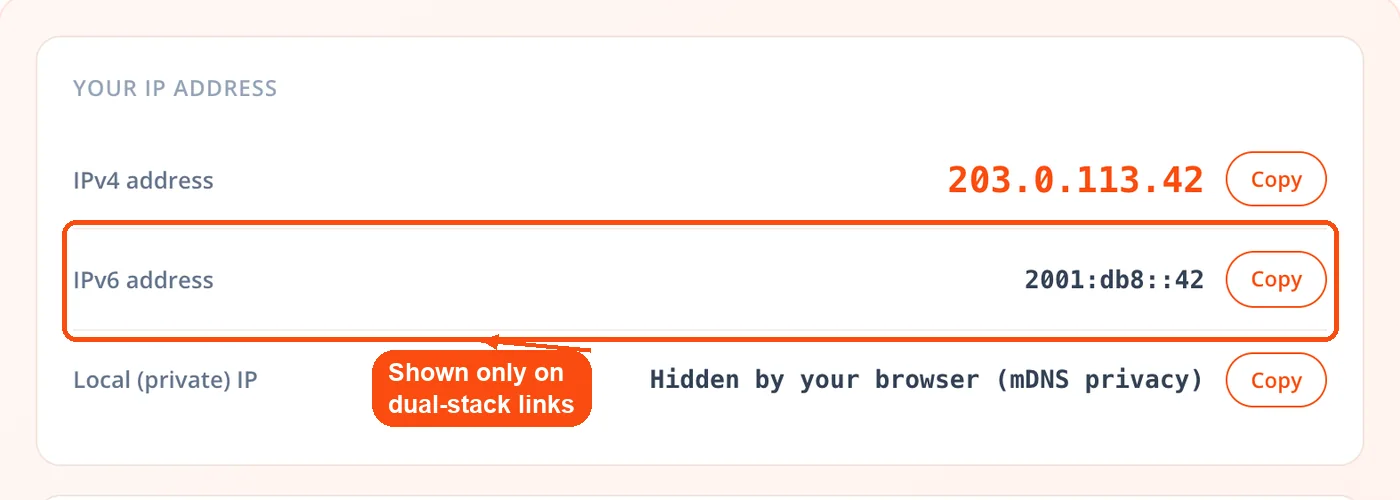
- Public IPv6: Shown separately when your connection is dual-stack. If you are on an IPv4-only network, the tool says so plainly rather than leaving a blank you have to interpret.
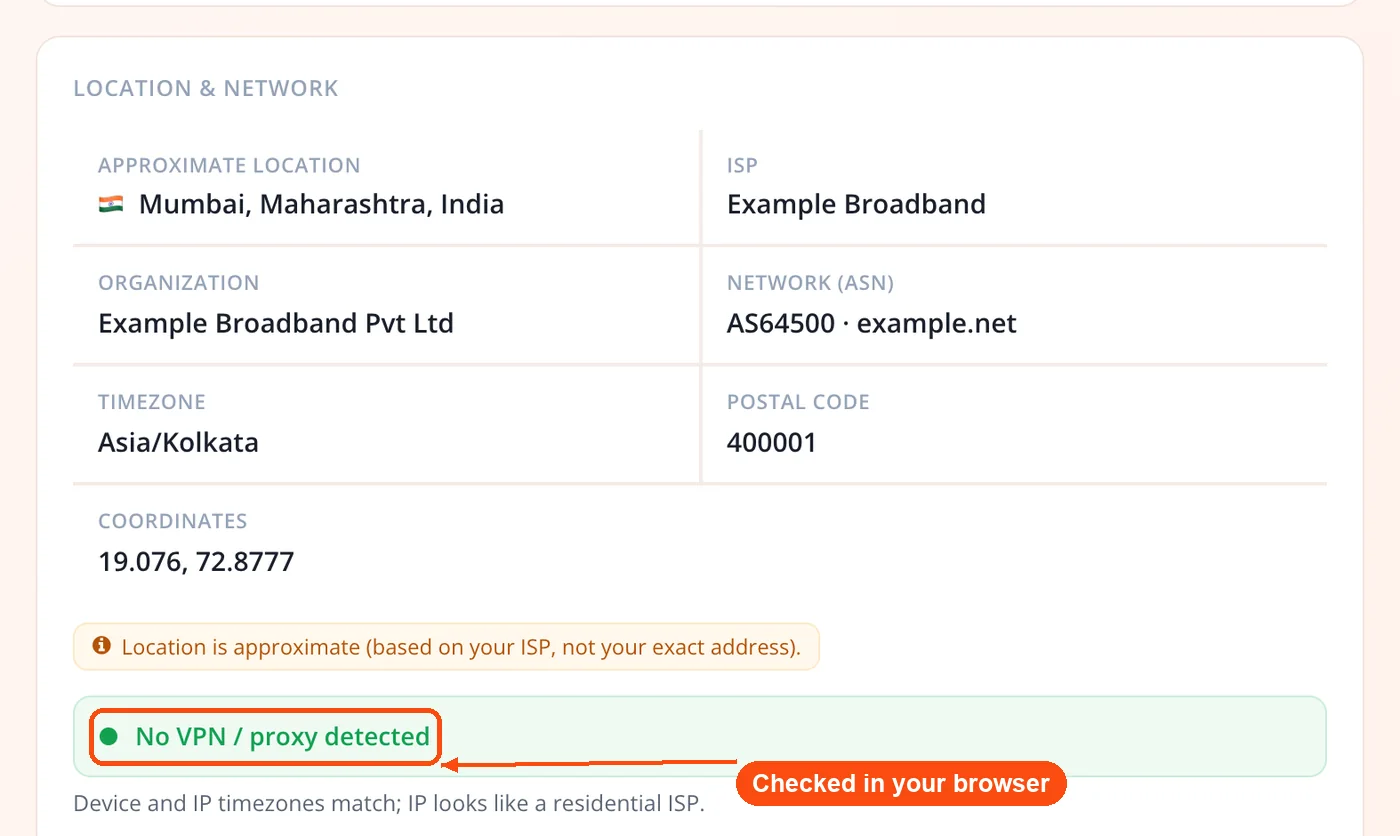
- Approximate location: City, region, country, and a flag, pulled from a geolocation database. It is labelled approximate on purpose, because it maps to your ISP's registered network, not your home.
- ISP and organization: The provider running your connection. If you see a company you do not recognize, your traffic is likely routing through a VPN, proxy, or corporate gateway.
- Network (ASN): The Autonomous System Number that identifies the network your IP belongs to. Useful for confirming whether an address sits in a residential range or a datacenter.
- Timezone, postal, coordinates: Derived from the same database entry. Coordinates plot the center of a broad area, not a rooftop.
- Local (private) IP: Your device's address on your own network, gathered through your browser. Modern browsers often mask this for privacy, and the tool reports that honestly instead of failing silently.
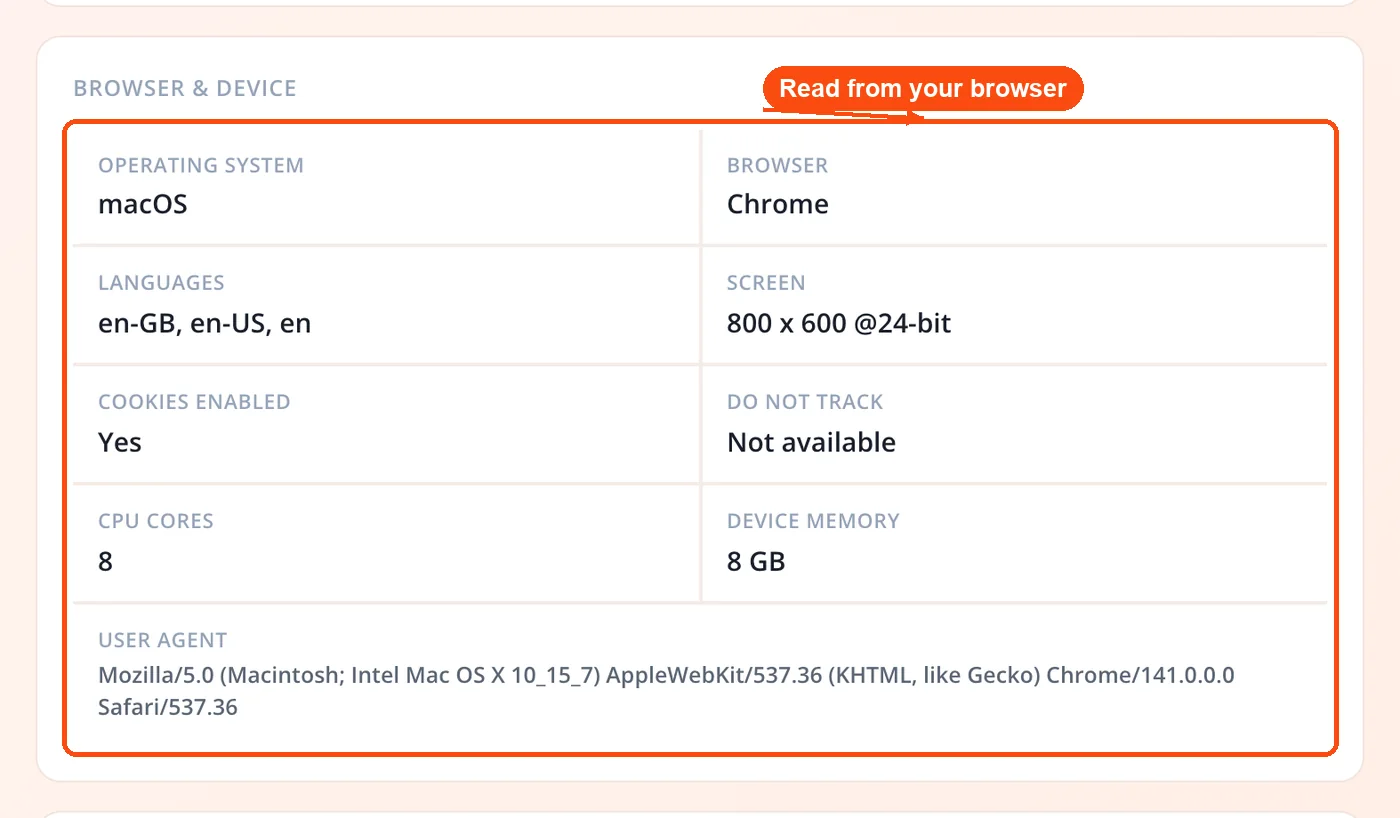
- Browser and device panel: Your operating system, browser, screen size, language, and CPU cores, read directly from your browser with no lookup. For a fuller breakdown of what your browser exposes, ToolsPivot's browser detector covers plugins and rendering details too.
Why the Location Is Approximate, and How Wrong It Can Be
IP geolocation maps your address to your internet provider's registered network, which can sit a city or region away from where you actually are. It is never your exact street. The honest way to think about it is in tiers: country is nearly always right, region is usually right, and city is a coin flip in much of the world.
The published numbers back this up. MaxMind, one of the largest geolocation vendors, reports roughly 99.8% accuracy at the country level, about 80% at the US state level, and around 66% at the city level within a 50 km radius. Outside well-mapped countries the city figure drops further, sometimes below 40%. One academic comparison found that two reputable databases, handed the same IP, disagreed on the city by an average of 620 kilometers.
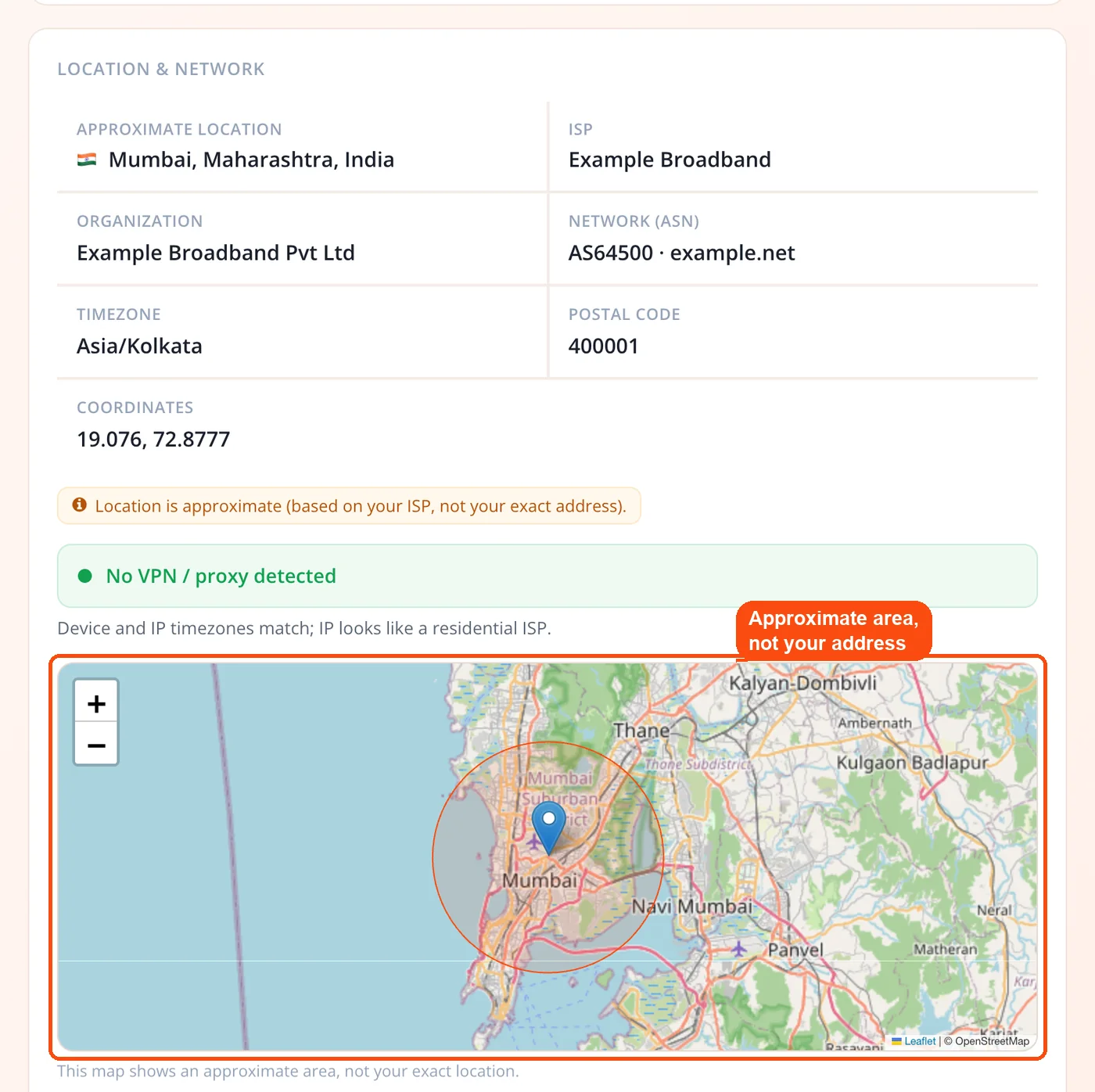
That is why ToolsPivot draws a radius circle instead of a pin. MaxMind's own licensing terms tell developers that coordinates are not precise, must not identify a household, and should be shown with an accuracy radius, guidance most consumer lookup sites quietly ignore. A few things push accuracy down hard: mobile carriers route many users through one regional hub, VPNs and proxies report the server's location rather than yours, and databases drift as ISPs reassign address blocks. You can submit a correction to the geolocation databases (MaxMind, Google, IPinfo) to fix a persistent error. To sanity-check where a server actually sits rather than where you do, the domain to IP converter resolves any hostname to its address, and the Class C IP checker shows whether two addresses share the same network block.
How ToolsPivot My IP Address Works
The tool runs as a sequence of small, independent checks, so a failure in one never blanks the page.
- Fetch your public IPv4. Your browser asks a keyless address-echo service for your public IPv4 and displays it immediately with a copy button.
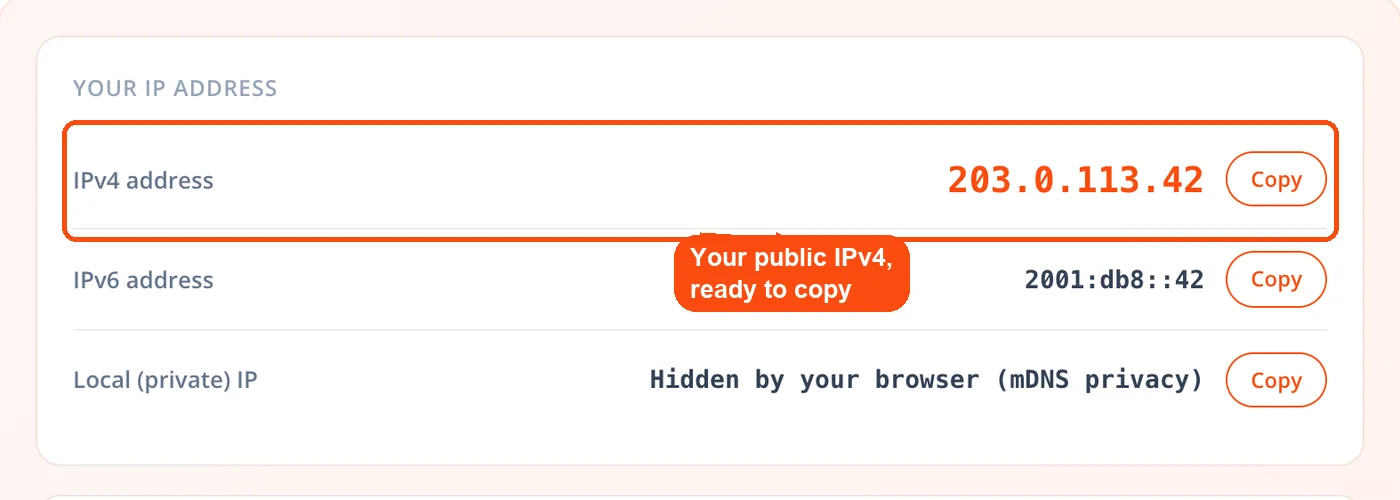
- Fetch your IPv6 separately. A second request to an IPv6-only endpoint resolves only if your connection supports it, and reports an IPv4-only connection honestly when it does not.
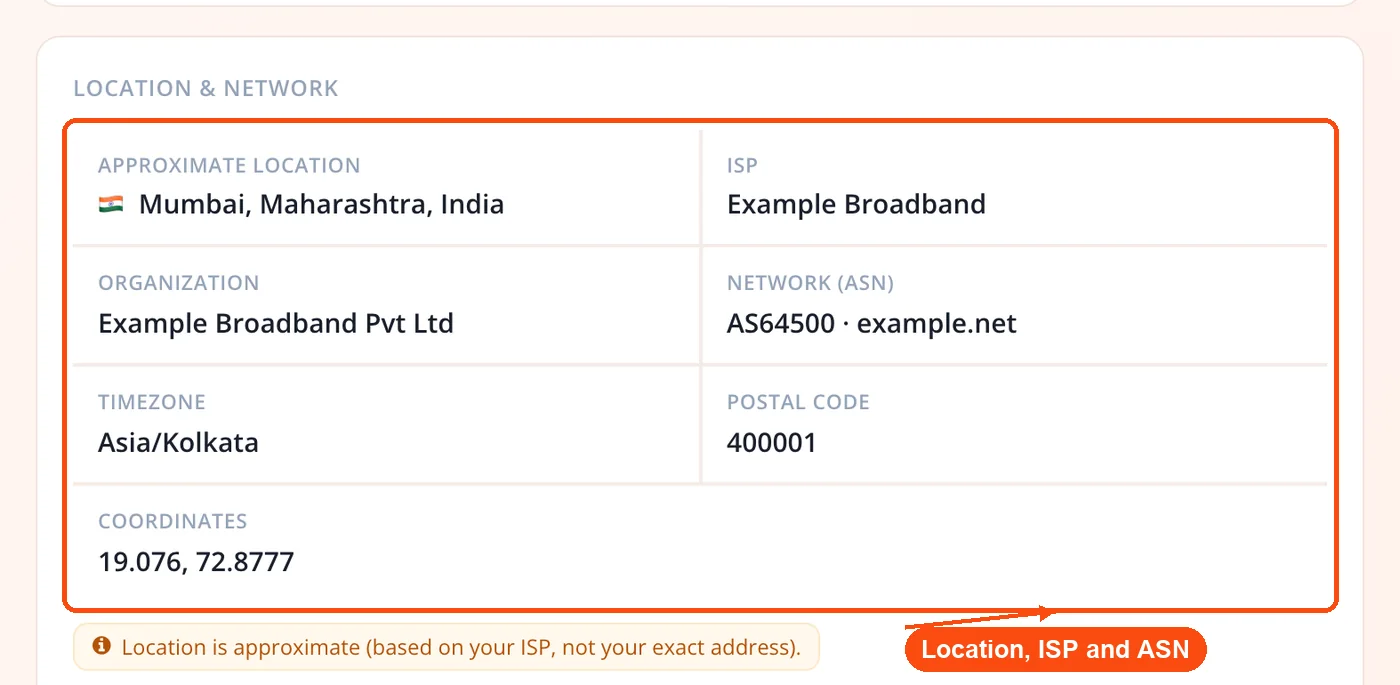
- Geolocate the address. Your IPv4 goes to a keyless geolocation service that returns city, region, country, ISP, organization, ASN, timezone, postal code, and coordinates, with a fallback service if the first one fails.
- Draw the map. The coordinates plot an OpenStreetMap view through a self-hosted map library, rendered as a radius circle and marker rather than a pinpoint.
- Run the VPN indicator. Two client-side signals compare your device clock against the IP's timezone and check the network operator against known hosting providers.
- Reveal your local IP and device details. Your browser's networking layer surfaces your private IP, and the browser panel reads your device details with no further network calls.
How the VPN and Proxy Indicator Works
The VPN check is an honest indicator with its reasoning shown, not a hard verdict. Rather than claiming certainty it cannot deliver, it runs two client-side signals and tells you which one fired, so you can judge the result yourself.
The first signal is a timezone mismatch. It compares your device's UTC offset against the offset reported for your IP's location, comparing the offsets numerically rather than the zone names, so a labelling quirk like "Asia/Calcutta" versus "Asia/Kolkata" never triggers a false alarm. The second is a hosting heuristic that checks whether your network operator matches a known VPN, cloud, or datacenter provider such as AWS, OVH, or M247. If either fires, the tool says "Likely VPN or proxy" and names the reason; otherwise it reports no VPN detected.
This is deliberately more modest than commercial detection APIs, which lean on large paid databases of flagged addresses. Even those tools admit the ceiling: one popular proxy checker openly reports false positives and roughly 95% accuracy. The difference here is transparency. You see the signal, not just a red or green light, which matters when you are diagnosing your own connection.
Who Uses an IP Lookup, and When
A quick IP check is one of those tasks you ignore until something breaks, and then it saves real time. These are the situations where it earns its place.
- Remote workers verifying a VPN. Before opening an IT ticket, load the page. If the ISP and city still show your home connection instead of the corporate gateway, the tunnel never established. Two-second diagnosis.
- Sysadmins whitelisting an IP. Firewall rules and access lists need your current public address. Grab it here, paste it into the allow rule, done, and confirm the server itself is reachable with the website status checker.
- Developers confirming DNS. After updating an A record, check whether the address matches what a DNS lookup returns before assuming propagation is complete.
- Home users setting up port forwarding. Game servers, cameras, and smart-home hubs need your public IP for remote access. If yours starts with 100.64 through 100.127, you are behind Carrier-Grade NAT and forwarding will not work without calling your ISP.
- Privacy-conscious users running leak tests. After enabling a VPN, confirm the IP and ISP switched to the provider. Then check the local IP block, since browser networking can expose your real address even with a VPN active, and inspect the HTTP headers your connection sends to see what else leaks.
- Anyone checking a suspicious address. Paste any IP into the lookup box to see its location, ISP, and ASN, then run it through the blacklist lookup to see whether it is flagged for spam.
What Your IP Reveals, and What It Does Not
Your public IP tells any website you visit which city and ISP you are on, and that is roughly the ceiling of what strangers can learn from it. Advertisers use it for location targeting, and streaming services use it to enforce regional catalogs. Your ISP can link the address to your subscriber account, but only under a legal order.
What an IP cannot do is pinpoint your house, reveal your name, or reach into your device. It is a network identifier, not a personal one. The geolocation attached to it belongs to your ISP's infrastructure, which is why the city is sometimes off by tens of miles. If privacy is the goal, a VPN swaps your real address for the server's, and you can verify it worked by watching the ISP field change here before and after you connect. If it does not change, the tunnel failed. When you are testing a login or a form and need a throwaway identity rather than a real address, the fake address generator produces sample data safely.
Static vs Dynamic IPs
Most home connections use a dynamic IP that your ISP reassigns from a pool, so it can change after a reboot, an outage, or a routine DHCP lease renewal, typically every few days to a few weeks. Static IPs stay fixed permanently, which is why businesses pay a few dollars a month extra: mail servers, VPNs, and access lists all need an address that does not move.
To find out which you have, check your address today and again in a week. If the number moved, it is dynamic. If you run a mail server, a changing address is a real problem, because a fresh IP carries no sender reputation and your messages can land in spam. When you are chasing a deliverability issue, pair a check here with a WHOIS lookup to see who registered the address block.
Why This Tool Over the Alternatives
Plenty of sites will show you your IP. What sets ToolsPivot apart is what it refuses to do, and how honestly it handles the parts that are genuinely uncertain.
- Honest about accuracy. The single biggest complaint about IP tools is a wrong location. This one names your ISP, labels the location approximate, draws a radius instead of a pin, and explains why it can be off.
- Genuinely private. It runs fully in your browser, self-hosts its map library so your visit never leaks to a third-party CDN, and never logs your IP. The only outbound calls are the lookup itself and the map tiles.
- No VPN sales funnel. Many popular lookup pages exist to sell a subscription. This one shows your data and stops, with no affiliate box wedged between you and the answer.
- Everything on one page. IPv4, IPv6, local IP, VPN indicator, browser panel, and any-IP lookup, without clicking through to five separate tools.
- Keyless and free. No backend, no API keys, no rate-limited paid tier. Check as often as you want.
Honest Limitations
No IP tool is magic, and this one is upfront about where its readings get soft. Being clear about the edges is more useful than a confident number you cannot rely on.
- The VPN check is an indicator, not a verdict. It runs on two client-side signals, so a VPN whose server sits in your own timezone and uses a residential-looking network can slip past it.
- Your local IP is often hidden. Modern browsers mask the private address through mDNS, so this field frequently reads as hidden by design, not broken.
- Location is deliberately approximate. It is ISP-level, never your exact address, and city accuracy varies widely by country and connection type.
- IPv6 depends on your network. If your connection is IPv4-only, there is no IPv6 to show, and the tool will tell you so.
- Geolocation data drifts. Databases update on a schedule, so a recently reassigned address can show a stale location until the next refresh.
Frequently Asked Questions
Yes, it is completely free with no usage limits. You can check your IP as often as you like without an account or any personal details, and the tool runs entirely in your browser.
No. An IP maps to an approximate area, usually a city or metro region, not a street address. Geolocation ties IPs to ISP infrastructure, which can be tens of miles off, and only your ISP can link an address to a specific subscriber under a legal order.
Your public IP is the address the internet sees, assigned by your ISP, while your private IP is what your router gives each device on your local network, like 192.168.1.x. This tool shows both: the public address up top, and the local one via your browser when it is not masked for privacy.
Yes, when your connection supports it. IPv6 is queried separately from IPv4, so if you are on an IPv4-only network the tool reports that plainly instead of leaving the field blank.
Load the page without the VPN and note your IP and ISP, then connect and reload. If both switch to the VPN provider's server, the tunnel is active. If the ISP still shows your home provider, the connection failed.
IP geolocation records where your ISP registers its network, which can be a hub in a neighboring city rather than your actual location. Country accuracy runs near 99.8%, but city accuracy sits around 66% within a 50 km radius and lower in some countries, which is common with mobile carriers and regional ISPs.
It is an indicator, not a guarantee. It flags a likely VPN when your device timezone conflicts with your IP's location or when your network operator matches a known hosting provider, and it shows you which signal fired so you can judge the result yourself.
Yes. A search box lets you paste any IP and see its approximate location, ISP, ASN, and timezone. For checking many addresses at once, the bulk GEO IP locator handles them in a single batch.
For most home connections, yes. ISPs assign dynamic IPs that can change after a router reboot or a DHCP lease renewal, while business accounts often use fixed static addresses. Check yours a week apart to see whether it rotates.
Carrier-Grade NAT is when your ISP shares one public IP among many customers to conserve IPv4 addresses. If your address falls in the 100.64.0.0 to 100.127.255.255 range you are likely behind it, which blocks port forwarding and can disrupt gaming and self-hosted services.
On the same Wi-Fi network, yes, both share the router's single public IP even though each has its own private address locally. Switch your phone to cellular data and it picks up a different public IP from your mobile carrier.
No. Every site you visit already sees your public IP, so this tool only shows you what others can already see. It never logs your address, sets no tracking cookie, and shares nothing with third parties.


