About Free Grammar Checker Online
ToolsPivot's grammar checker is a free online tool that scans your text for spelling, grammar, punctuation, and style errors across 27+ languages, including six English dialects (US, UK, Australian, Canadian, New Zealand, and South African). Unlike Grammarly's free tier, which caps certain features behind a paywall, ToolsPivot gives you full error detection with no account, no download, and no character limit.
How ToolsPivot's Grammar Checker Works
ToolsPivot's grammar checker uses pattern-recognition algorithms paired with a language-processing engine that reads your text in context, not just word by word. When you paste a paragraph, the tool breaks it into tokens (individual words and punctuation marks), then checks each token against grammar rules specific to your selected language. It flags errors using colored highlights directly in your text. Click any highlighted phrase to see the exact issue and a suggested fix.
Basic spell checkers only match words against a dictionary. They'll catch "teh" but miss "their" when you meant "there." ToolsPivot's engine reads the sentence structure around each word, so it works as a sentence grammar checker and catches context-dependent mistakes that dictionary-based tools skip. The same engine powers checks across all 27 supported languages, so switching from English to French or German doesn't reduce accuracy. If you also need to check your meta tags for errors, ToolsPivot has a separate analyzer for that.
Spell and Grammar Checker Features
Spelling correction with context awareness: Flags misspelled words and catches homophones like "affect" vs. "effect" or "its" vs. "it's" based on the surrounding sentence.
Grammar rule detection: Identifies subject-verb agreement errors, incorrect tense usage, misplaced modifiers, and sentence fragments. Each flagged error includes a one-click replacement suggestion.
Punctuation checking: It works as a punctuation and grammar checker in one pass. It spots missing commas, misplaced apostrophes, incorrect semicolon usage, and extra periods. If you're unsure about comma splices or Oxford commas, this feature handles both.
Style and tone markers: Blue highlights flag style issues like redundant phrasing, awkward word order, or overly complex sentences. These aren't "errors" per se, but they weaken your writing.
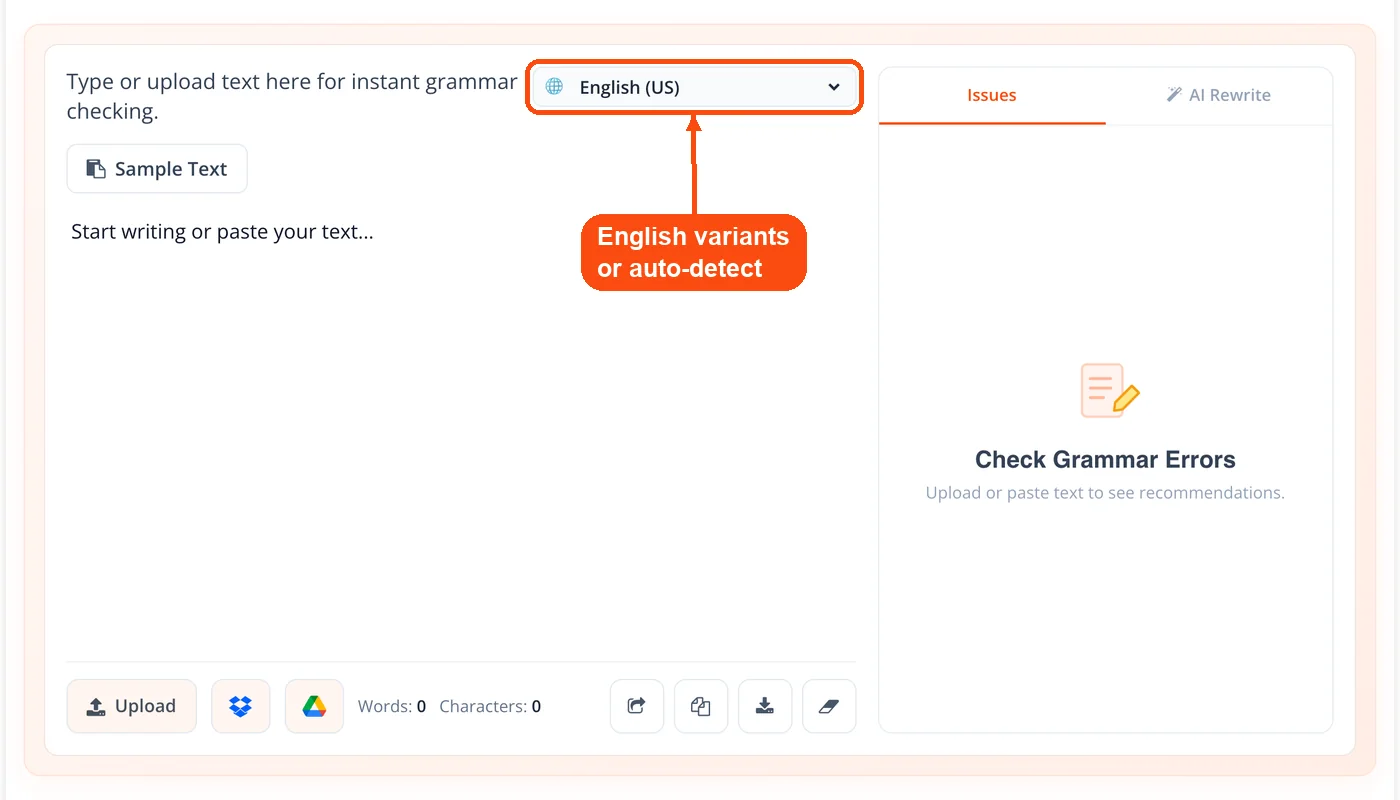
Six English dialect options: Select US, British, Australian, Canadian, New Zealand, or South African English. The tool adjusts spelling rules accordingly, so "colour" won't get flagged if you're writing in British English.
27+ language support: Beyond English, the checker supports Spanish, French, German, Dutch, Portuguese, Russian, Italian, Polish, Chinese, Japanese, Ukrainian, Romanian, and more. Each language has its own grammar rule set, so it doubles as a Spanish, French, or German grammar checker.
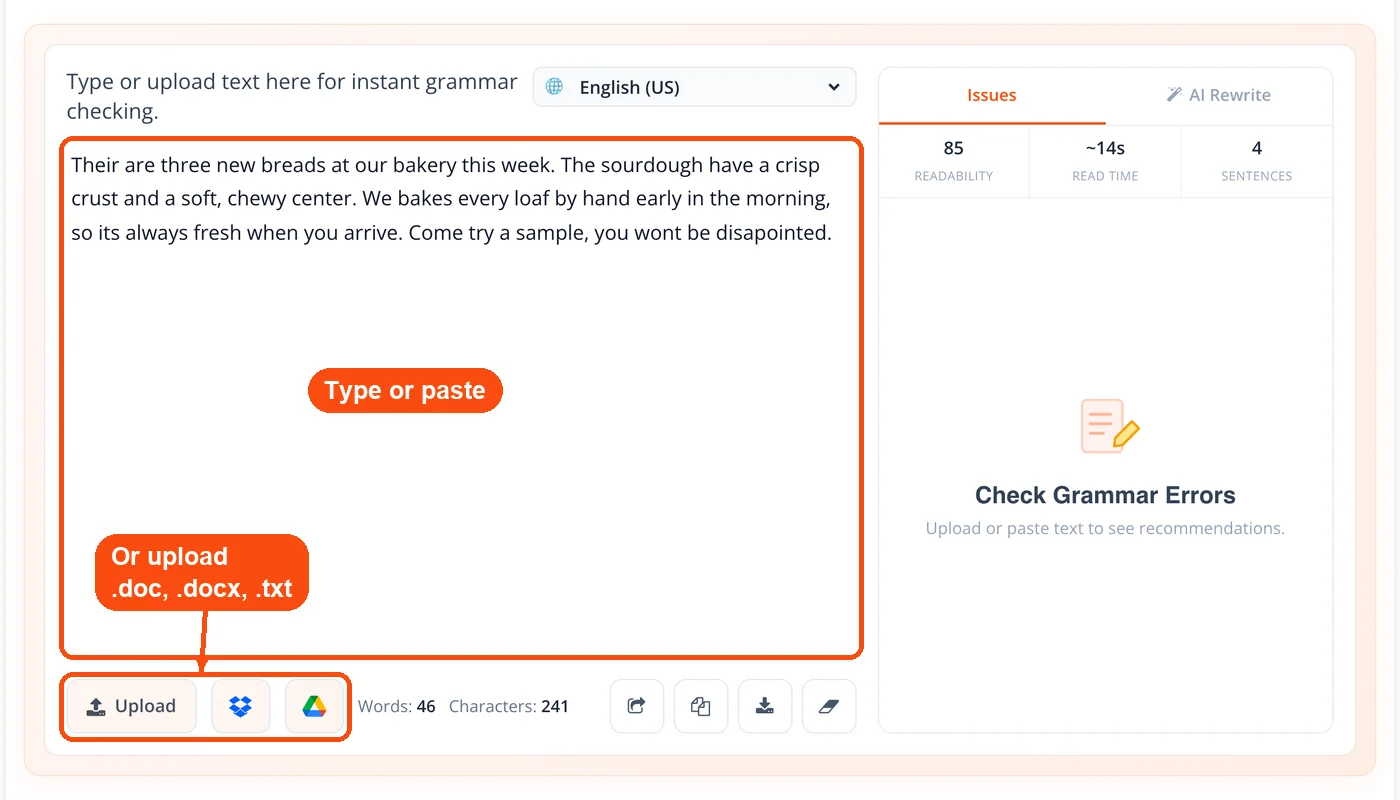
Document upload: Don't want to copy-paste? Upload .doc, .docx, or .txt files directly. The tool processes the full document and highlights errors the same way it handles pasted text. You can also generate a meta tag for the same content once it's clean.
AI Rewrite: Switch to the AI Rewrite tab to use it as an AI grammar checker. It rewrites your whole text in a Standard, Formal, Casual, or Confident tone, lists each change it made, and lets you apply the result in one click.
Auto-detect language: Not sure which language setting to pick? Leave it on auto-detect, and the engine identifies the language from your text automatically.
How to Use ToolsPivot's Grammar Checker
Open the tool: Go to toolspivot.com/grammar-checker. No sign-up or login required.
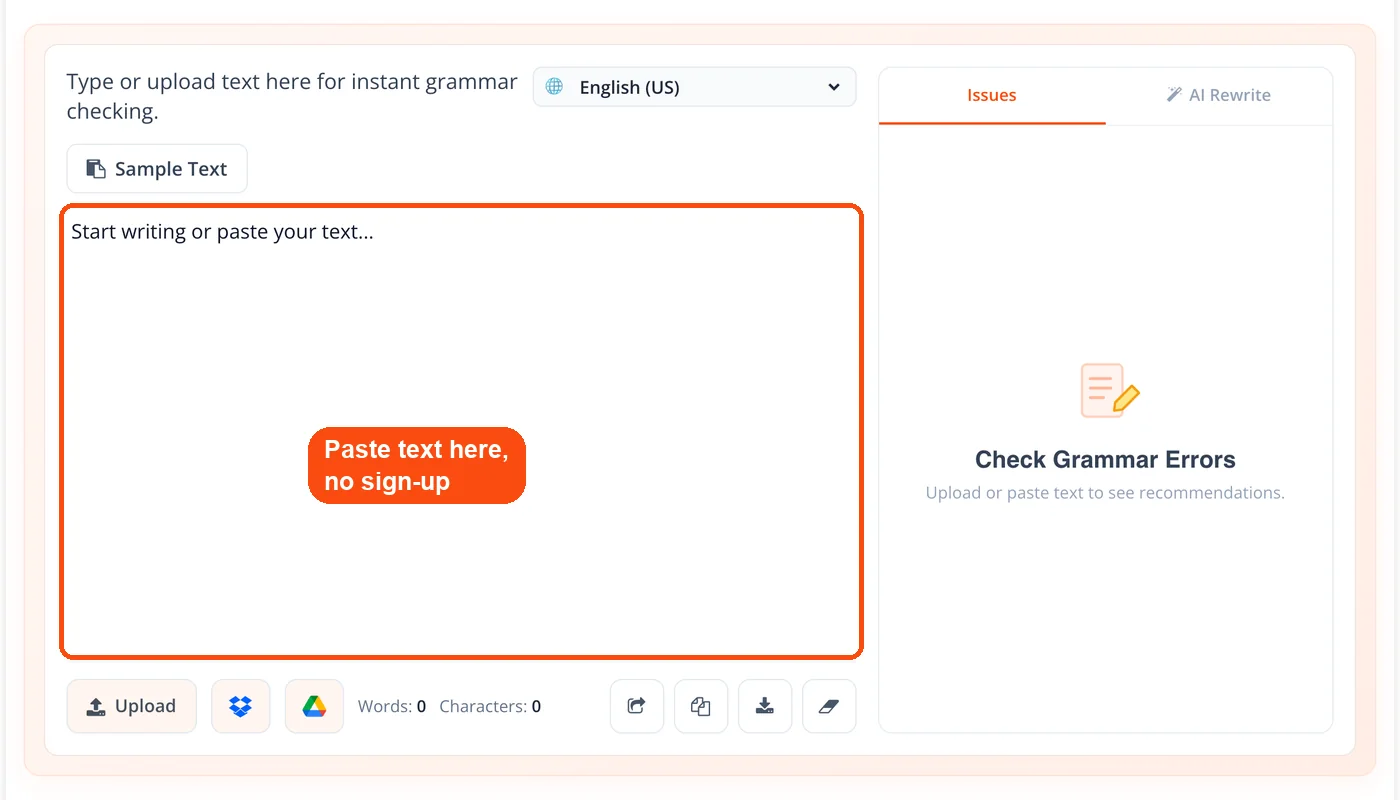
Paste your text or upload a file: Type directly into the text box, paste content from any source, or click the file upload button to load a .doc, .docx, or .txt document.
Select your language and dialect: Choose from the dropdown menu. For English, pick your preferred variant (US, GB, AU, CA, NZ, ZA). Or leave it on auto-detect.
Let it check automatically: There is no button to press. ToolsPivot scans your content a moment after you stop typing or pasting and underlines errors in color. The scan takes a few seconds, even for longer documents.
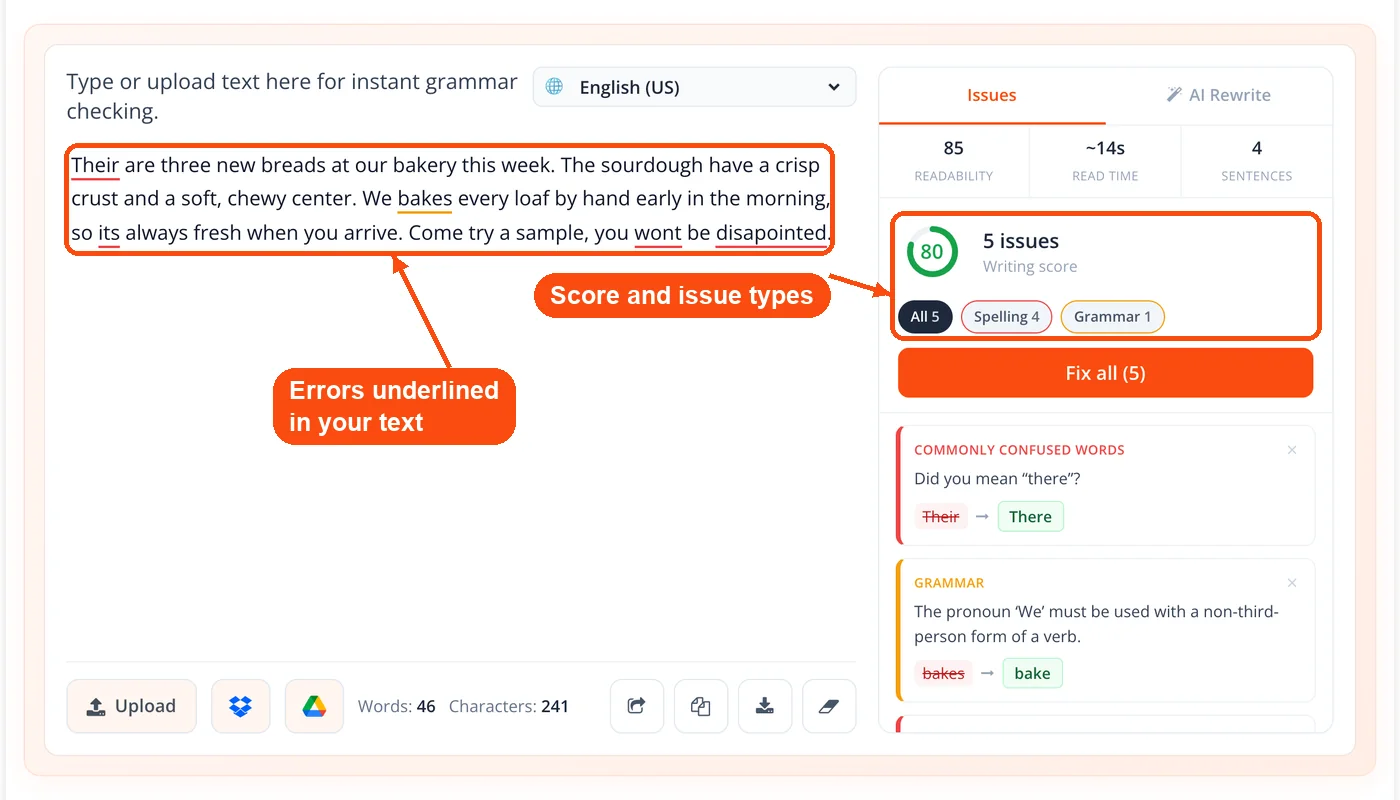
Review and fix each error: Each issue is listed on the right with the reason and a suggested correction. Click the suggestion to apply it, click × to skip it if the original phrasing is intentional, or use Fix all to apply every suggestion at once.
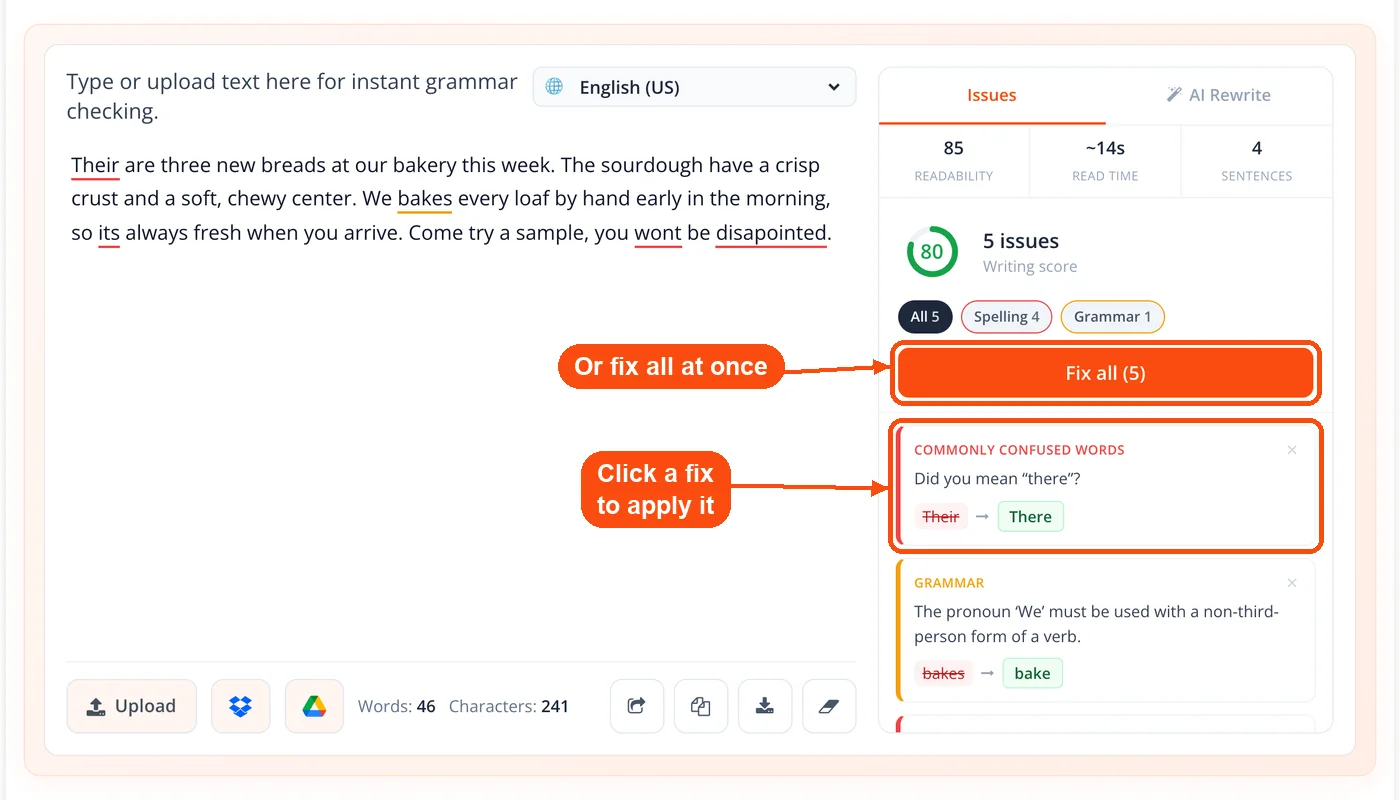
Reading Your Grammar Report
The colored highlights in your results aren't random. Each color signals a different type of issue, and understanding them helps you fix problems faster instead of clicking through every flag blindly.
Red or pink highlights point to clear errors: misspellings, wrong verb forms, broken grammar rules. These are the ones you should fix first because they'll confuse readers or make your writing look careless. A red flag on "recieve" means it should be "receive." A red flag on "they was" means it should be "they were."
Blue highlights are style suggestions. The sentence is technically correct, but the phrasing could be tighter or clearer. You might see a blue flag on "5 P.M. in the afternoon" because "in the afternoon" is redundant when you've already written "P.M." These are judgment calls. Fix them when clarity matters (professional emails, published articles). Skip them when the style is intentional (creative writing, casual posts).
Not every flag needs action. Grammar checkers, including ToolsPivot's, sometimes misread intentional fragments, brand names, or industry jargon. If a highlighted phrase is correct in your context, skip it. The tool gives you information; the final call is always yours.
Why Use ToolsPivot's Grammar Checker
Zero barriers to start: No account creation, no email verification, no credit card. Open the page, paste your text, and the check starts on its own. Most competing tools (Grammarly, Ginger, Scribens) either require sign-up or limit free usage to a set number of characters per day.
Full multilingual coverage at no cost: Some free grammar checkers only support English. ToolsPivot covers 27+ languages with the same depth of grammar rule detection. If you write in Spanish and English, you don't need two different tools: pick Spanish from the dropdown and it becomes a grammar checker Spanish writers can use for free. Pair this with ToolsPivot's article rewriter to polish your text after fixing errors.
English dialect precision: A grammar checker that treats all English as American English is useless for someone writing in British or Australian English. This English grammar checker online lets you pick from six variants, so "organise" stays correct when you need it to.
File upload saves time: Rather than copy-pasting 3,000 words into a text box, upload your Word document directly. The tool processes the file and returns flagged errors in the same interface. Run it alongside ToolsPivot's word counter to check length before submission.
Style checking beyond grammar: Most free checkers stop at spelling and basic grammar. ToolsPivot also flags style issues: redundancy, awkward phrasing, and readability problems. Check your readability score separately for a deeper analysis.
Works on any device: The tool runs entirely in the browser. No app to install, no extension to manage. It works on desktop, tablet, and phone across Chrome, Firefox, Safari, and Edge.
No daily usage caps: Some free grammar checkers (like Scribens with its 8,000-character daily limit or Canva's 50-use lifetime cap on free accounts) restrict how much you can check. ToolsPivot doesn't impose daily or monthly limits.
Who Needs a Grammar Checker (And When)
A freelance writer finishing a 2,500-word blog post for a client runs the draft through ToolsPivot before delivery. The tool catches a subject-verb agreement error in the introduction and two comma splices buried in the middle. Fixing those three issues takes 30 seconds. Sending a draft with those errors? That could cost the client relationship.
An ESL professional writing a cover letter in American English switches the dialect to US and pastes the letter into ToolsPivot. The checker flags "programme" (British spelling) and suggests "program." It also catches an incorrect preposition ("interested on" should be "interested in"). These are subtle mistakes that a non-native speaker might not notice, but a hiring manager will.
A small business owner updating product descriptions on Shopify runs each description through the grammar checker before publishing. Clean copy builds trust with buyers. According to a survey by Global Lingo, 59% of consumers said they wouldn't buy from a company with obvious grammar or spelling mistakes on its website. ToolsPivot's keyword density checker can then verify the descriptions aren't overstuffed with product terms.
A student submitting an essay checks it for grammar first, then runs it through ToolsPivot's plagiarism checker to verify originality. Two tools, same platform, no switching between websites.
ToolsPivot vs. Other Free Grammar Checkers
| Feature | ToolsPivot | Grammarly (Free) | LanguageTool (Free) | QuillBot (Free) |
|---|---|---|---|---|
| Sign-up required | No | Yes | No | No |
| Languages supported | 27+ | English only (free) | 30+ | 7 |
| English dialect options | 6 (US, UK, AU, CA, NZ, ZA) | 4 (US, UK, CA, AU) | 6 | 4 |
| File upload | Yes (.doc, .docx, .txt) | Yes | No (free tier) | Yes |
| Character/word limit | None | None | 10,000 chars/check | None |
| Style suggestions | Yes | Limited (free) | Premium only | Yes |
| Browser extension | No | Yes | Yes | Yes |
Grammarly is the most popular grammar checker by user count (40+ million users), but its free version locks style and tone feedback behind a premium subscription that costs around $12/month. LanguageTool offers open-source transparency and excellent multilingual support, but the free version caps each check at 10,000 characters and reserves style suggestions for paid users. QuillBot bundles grammar checking with paraphrasing tools, which is useful but can feel cluttered if you only need a grammar scan.
ToolsPivot's advantage is simplicity: full grammar, spelling, punctuation, and style checking with zero sign-up, zero cost, and zero feature restrictions. If you need browser-level integration (checking emails as you type in Gmail, for example), Grammarly or LanguageTool's extensions are better suited. But for checking a document, blog post, or email draft before sending? ToolsPivot handles it without friction. And once your text is error-free, run it through the SEO checker or AI meta description generator for SEO polish.
Common Grammar Mistakes the Tool Catches
Knowing what errors to look for helps you spot patterns in your own writing. These are the five most frequently flagged issues across millions of grammar checks, and ToolsPivot catches all of them.
Subject-verb agreement: "The list of items are on the table" should be "is on the table." The subject is "list" (singular), not "items." This trips up even experienced writers when phrases come between the subject and verb.
Comma splices: "I went to the store, I bought milk" joins two complete sentences with just a comma. Fix it with a period, semicolon, or conjunction. ToolsPivot flags these with a punctuation highlight.
Homophones: "Your" vs. "you're," "their" vs. "there" vs. "they're," "its" vs. "it's." Dictionary-based spell checkers miss these because the words are spelled correctly. Context-aware checkers like ToolsPivot catch them because the surrounding sentence reveals the error.
Missing or extra commas: "Let's eat grandma" and "Let's eat, grandma" have very different meanings. The tool flags missing commas in direct addresses, after introductory clauses, and in compound sentences.
Incorrect prepositions: "Interested on" (should be "in"), "different than" vs. "different from," "comprised of" (contested but widely flagged). These errors are especially common for non-native English speakers, and they're hard to catch by re-reading alone. ToolsPivot's paraphrasing tool can also help you rephrase awkward constructions after the grammar check.
Quick Answers About ToolsPivot's Grammar Checker
Yes, 100% free with no hidden costs. You get full access to grammar, spelling, punctuation, and style checking without creating an account. There are no premium tiers, daily caps, or feature restrictions on the free version.
The tool uses the same engine behind LanguageTool, which detected 19 out of 20 errors in independent testing by Scribbr. Accuracy varies by language and text complexity, but for standard English writing, it catches the majority of grammar, spelling, and punctuation errors reliably.
Yes. ToolsPivot requires no registration, no email address, and no account. Open the page and paste your text; the check runs automatically. Your content isn't stored on any server after the check completes.
Yes. The grammar checker runs in any mobile browser (Chrome, Safari, Firefox) on both iOS and Android. The interface adjusts to smaller screens, and you can paste text or upload documents from your phone.
ToolsPivot accepts .doc, .docx, and .txt files. Upload your document directly instead of copy-pasting. The tool processes the full file and displays errors in the same highlighted format as pasted text.
It depends on what you need. Grammarly offers browser extensions, tone detection, and real-time writing feedback across apps. ToolsPivot offers broader multilingual support (27+ languages vs. English-only for Grammarly's free tier), no sign-up requirement, and no feature restrictions. For quick document checks, ToolsPivot is faster to access. For always-on writing assistance, Grammarly's extension model works better.
The best grammar checker is the one that fits where and how you write. If you want checks inside Gmail or other apps as you type, a browser extension such as Grammarly or LanguageTool suits you better. If you want to check a draft or document for free, with no sign-up and in 27+ languages, ToolsPivot checks grammar, spelling, punctuation, and style in one pass.
Both. Blue-highlighted phrases flag style issues like redundant wording, awkward phrasing, and unnecessary complexity. These suggestions go beyond basic grammar rules and help you write more clearly. For deeper style analysis, pair it with the keyword rank checker to track how polished content affects your search performance.
Yes. ToolsPivot supports 27+ languages including Spanish, French, German, Dutch, Portuguese, Russian, Italian, Polish, Chinese, Japanese, and more. Select the language from the dropdown menu, or leave it on auto-detect and the tool identifies the language automatically.
A few seconds for most texts. Even documents over 5,000 words typically complete in under 10 seconds. Processing time depends on text length and your internet connection speed, but results appear almost instantly for standard-length articles and emails.
No. Text is processed in real time and isn't saved on ToolsPivot's servers after the check finishes. If you're working with confidential documents (legal contracts, medical records, financial reports), the tool doesn't retain or log your content. For extra security, check your site's safety with the website safety checker.
The dialect setting changes which spellings get flagged. In US English mode, "colour" is marked as an error (should be "color"). In UK English mode, "color" gets flagged instead. It also adjusts punctuation preferences, like single vs. double quotation marks, and certain vocabulary differences.
Yes. The grammar checker catches the types of errors that lose points in academic writing: comma splices, run-on sentences, subject-verb disagreement, and incorrect punctuation. After checking grammar, use the text compare tool to review changes between your draft and final version before submission.
The tool focuses on grammar, spelling, and punctuation errors first. Some passive voice constructions get flagged as style issues (blue highlights), but it doesn't flag every passive sentence. For dedicated readability and style analysis including passive voice frequency, run your text through a readability scoring tool as a follow-up step.
