Urdu Typing Tool
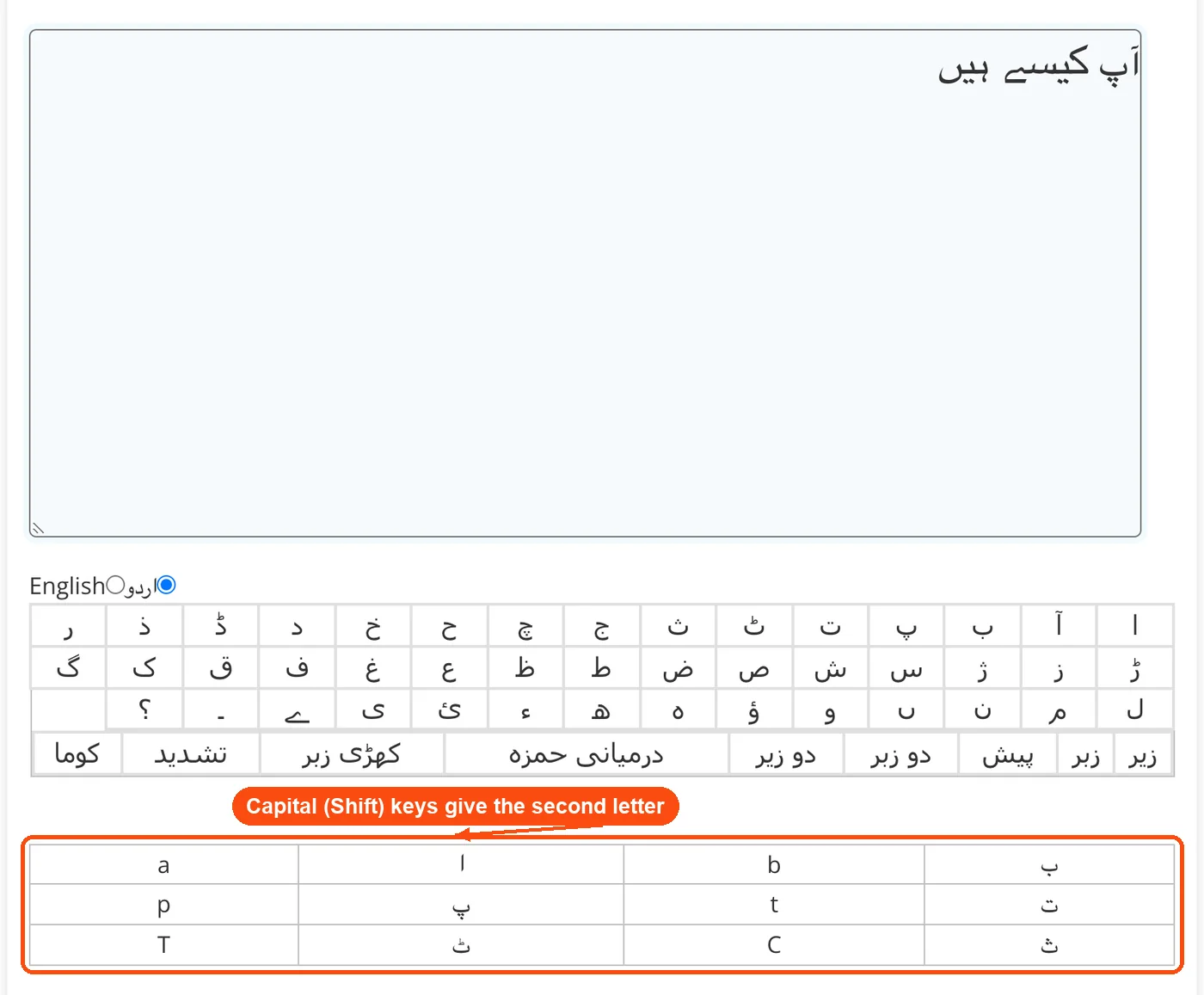
| a | ا | b | ب |
| p | پ | t | ت |
| T | ٹ | C | ث |
| j | ج | c | چ |
| H | ح | K | خ |
| d | د | D | ڈ |
| Z | ذ | r | ر |
| R | ڑ | z | ز |
| X | ژ | s | س |
| x | ش | S | ص |
| J | ض | v | ط |
| V | ظ | e | ع |
| G | غ | f | ف |
| q | ق | k | ک |
| g | گ | l | ل |
| m | م | n | ن |
| w | و | o | ہ |
| h | ھ | u | ء |
| i | ی | y | ے |
About Urdu Typing Tool
ToolsPivot's Urdu Typing Tool makes English to Urdu typing easy, right in your browser. Type words the way they sound on your regular English keyboard, and each key you press turns into the matching Urdu letter instantly, as Unicode text you can paste anywhere. Unlike InPage and other desktop software that costs $250+ and requires installation, ToolsPivot runs free online with no downloads, no sign-up, and no character limits.
How to Type in Urdu with an English Keyboard
Here is how to type Urdu with English keyboard keys, with no Urdu layout to install:
Open the tool page: Visit the Urdu Typing Tool in any browser on your phone, tablet, or computer. No plugins or font downloads needed.
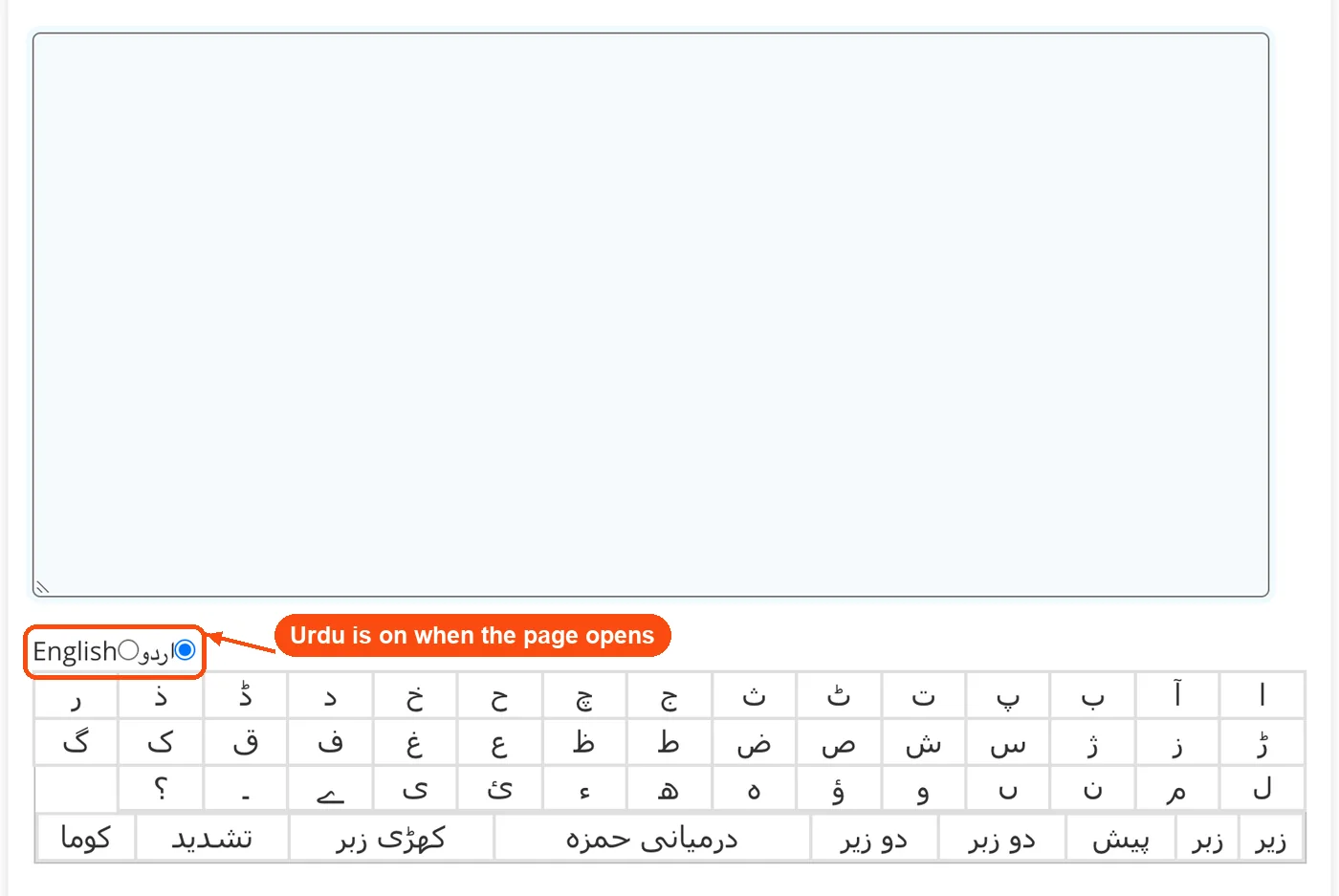
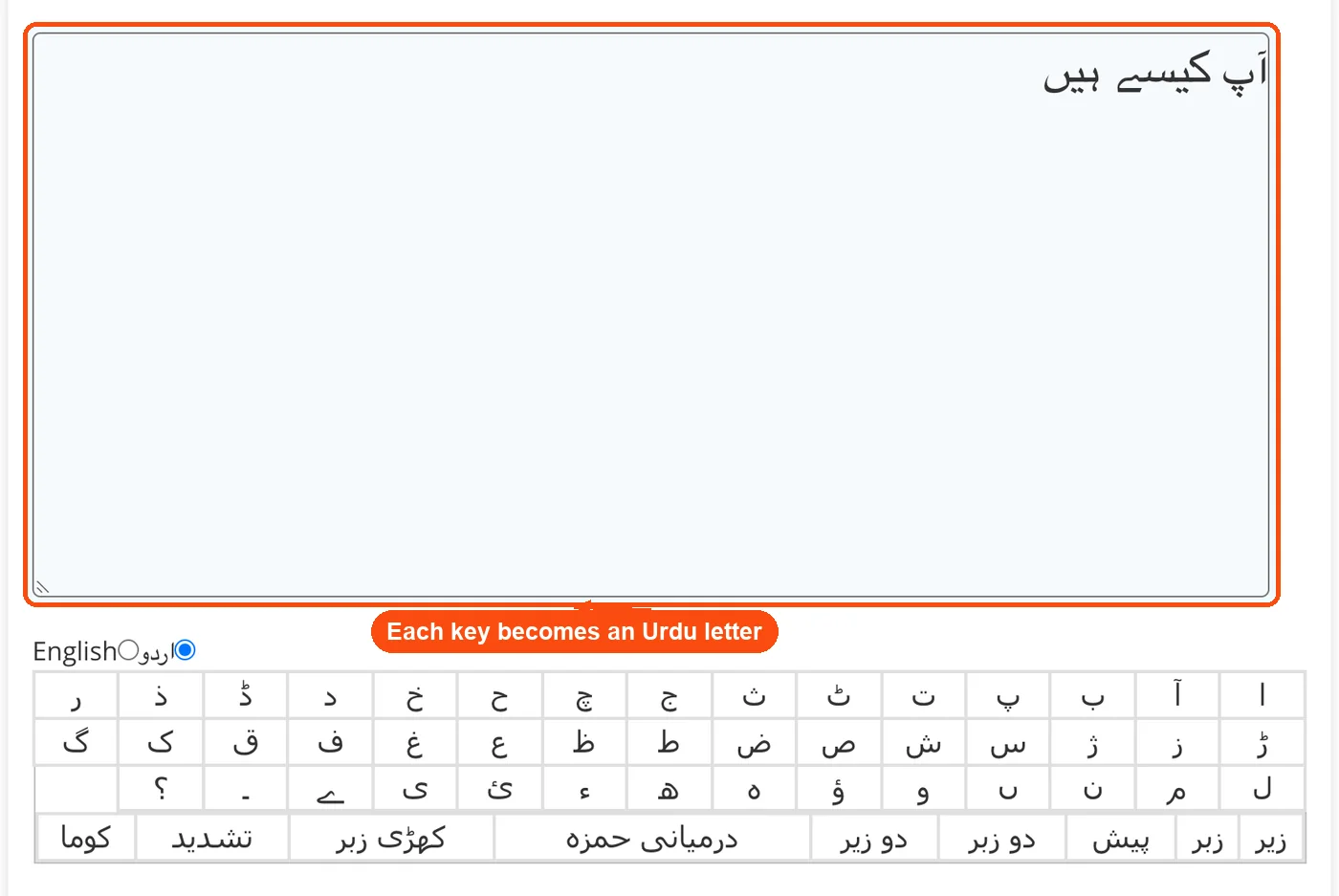
Type in Roman Urdu: With اردو selected under the box, each English key you press becomes the Urdu letter that sounds like it: a gives ا, p gives پ, k gives ک. For example, type "Ap kisy oiN" (the capitals with Shift) to get آپ کیسے ہیں.
Use Shift for extra letters: Shift gives the second letter on a key, such as Shift+a for آ, Shift+n for ں and Shift+t for ٹ. The key chart under the keyboard lists every pair.
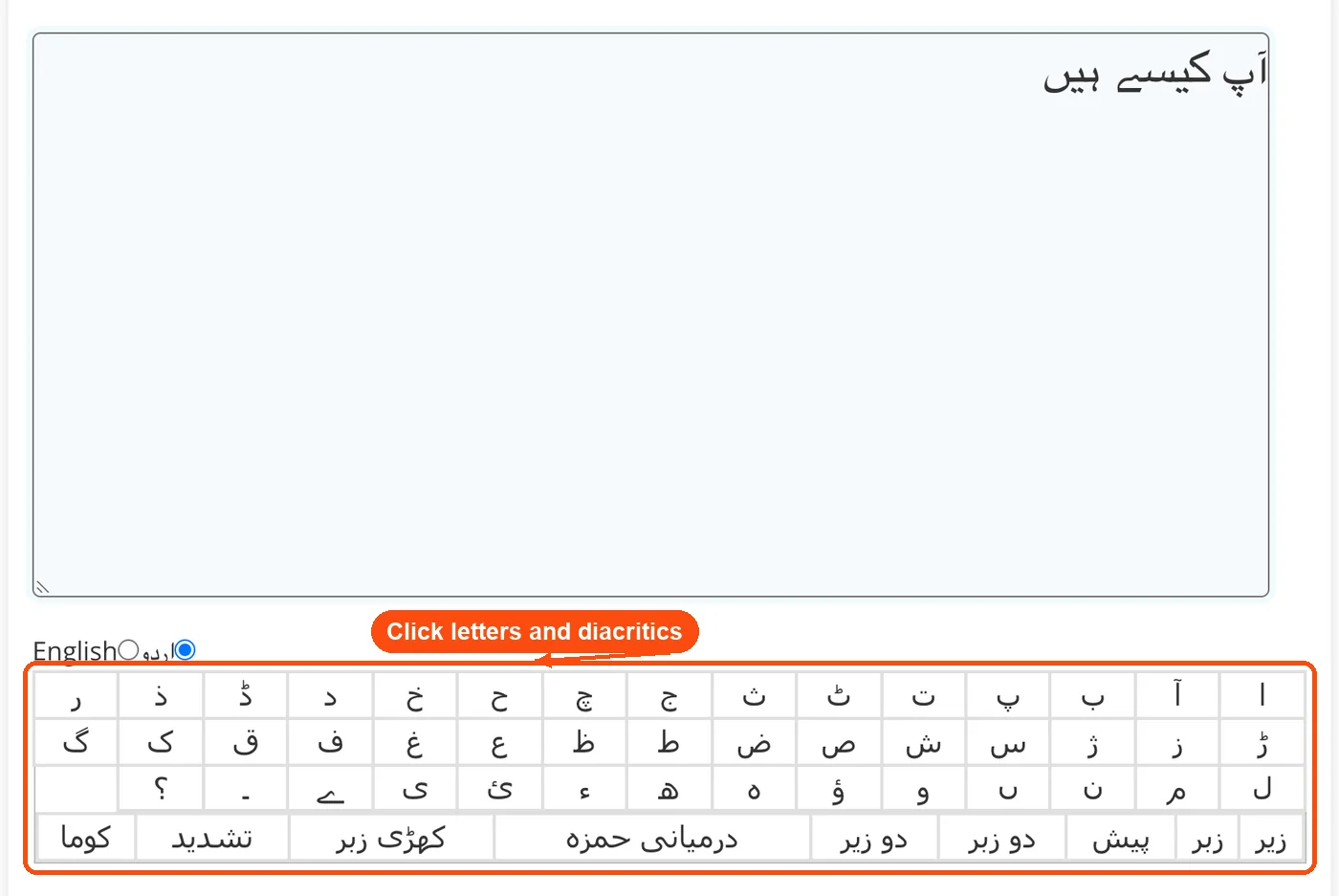
Click letters and marks: Use the on-screen keyboard to click any Urdu letter or add diacritics like zabar, zer, pesh and tashdeed. Switch to English under the box when you need Latin text in the same document.
Copy your text: Select the finished Urdu text in the box and copy it with Ctrl+C (Cmd+C on a Mac). Paste it into WhatsApp, Facebook, Google Docs, email, or any app that supports Unicode.
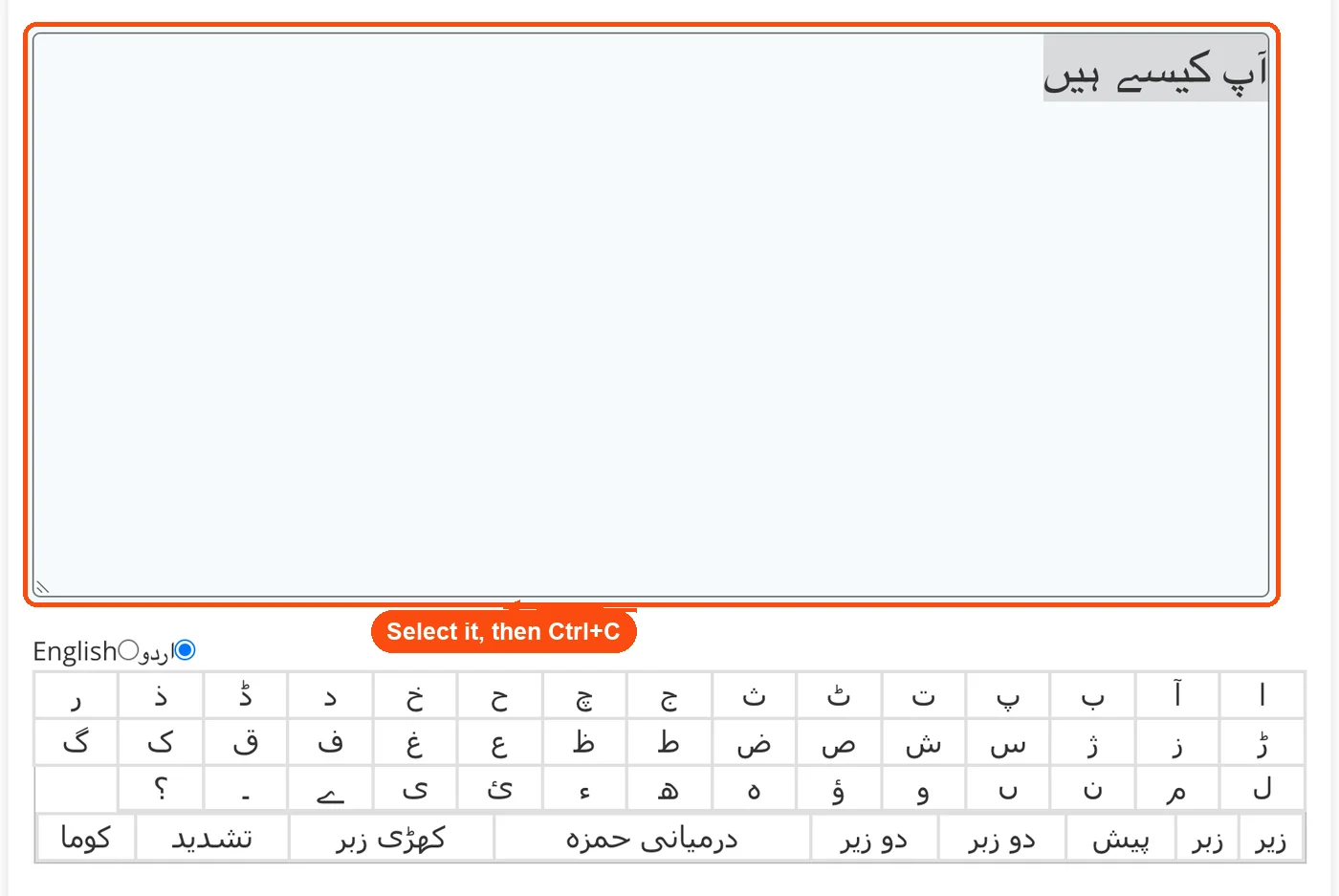
The virtual keyboard chart below the text area also lets you click individual Urdu characters if you need a letter you can't find on the keys.
What ToolsPivot's Urdu Typing Tool Does
This tool sits at the crossroads of transliteration and text editing. You type English phonetics, and it handles the script conversion one key at a time.
Phonetic key mapping: Maps each Roman letter to its closest Urdu equivalent, with Shift giving the second letter on a key. Typing "x" produces ش, Shift+k produces خ, and Shift+g produces غ.
Urdu and English toggle: Two buttons under the text box switch between Urdu and English input, so you can mix Latin words, names, or links into the same text.
58-character virtual keyboard: A full on-screen Urdu typing keyboard displays all characters in a clickable grid. Useful when you need a specific letter that the phonetic system doesn't map cleanly.
Right-to-left rendering: Output text displays in proper RTL (right-to-left) direction with correct Nastaliq character joining. Letters change shape based on their position within a word, just like handwritten Urdu.
Unicode output: Every character generated follows the Unicode standard. This means your text displays correctly in Microsoft Word, Google Docs, WordPress, social media platforms, and email clients without extra fonts.
Easy copy: Select the text in the box and press Ctrl+C (Cmd+C on a Mac) to copy it, then paste it into WhatsApp, Word, email, or any app that supports Unicode.
Unlimited text length: There's no cap on how many words or characters you can type. Write a quick WhatsApp message or draft an entire blog post. The tool handles both.
If you need to check the length of your Urdu text after conversion, the word counter tool works with Unicode text and gives you character, word, and sentence counts.
Benefits of ToolsPivot's Urdu Typing Tool
Free Urdu typing tools exist across the web. So why pick this one for easy Urdu typing? A few practical reasons stand out.
Zero installation barrier: Open a browser, start typing. No keyboard drivers, no font packs, no language settings to configure. This matters when you're using a shared computer, a library PC, or a work laptop where you can't install software.
Works on every device: The same tool runs on Windows, Mac, Linux, Android, and iOS without any difference in functionality. You don't need a separate app for your phone.
No account required: Many competing tools ask you to register before giving full access. ToolsPivot doesn't. You get all features the moment the page loads.
Phonetic input is faster: Typing "pakistan zindabad" is quicker than hunting for پ, ا, ک on a virtual keyboard. The transliteration method lets you write at close to your normal English typing speed.
Professional Nastaliq output: The text you copy isn't some generic Arabic font. It renders in Nastaliq calligraphic style, the script standard for formal Urdu used in newspapers, government documents, and published books.
Privacy by default: Text processing happens in your browser. Your Urdu content doesn't get uploaded to a server, stored in a database, or shared with third parties. That's a real concern for people typing sensitive business or personal messages.
Pairs with other text tools: After typing Urdu, you might want to convert that text to audio or run it through a plagiarism checker before publishing. ToolsPivot's toolkit connects these workflows.
Online Urdu Typing vs. InPage and Desktop Tools
People who need to write Urdu on a computer usually face three options: install an Urdu keyboard layout through their operating system, buy desktop software like InPage, or use an online typing tool. Each has trade-offs.
Installing the Urdu Phonetic Keyboard Layout v1.1 (designed by CRULP, the Center for Research in Urdu Language Processing) through Windows or macOS settings gives you system-wide Urdu typing. But it requires admin access, takes 10-15 minutes to set up, and you still need to memorize the key positions or keep an on-screen keyboard open. On Windows 11, the built-in Urdu layout isn't even phonetic by default, which means the letter placement doesn't match English sounds at all.
InPage remains the standard for Urdu publishing in Pakistan. Professional publishers and newspapers rely on it. But the latest version costs $250, only runs on Windows, and its interface hasn't changed much since the early 2000s. For someone who just needs to type a few paragraphs of Urdu, that's overkill.
An online tool like ToolsPivot's fills the gap between those two extremes. You don't need admin access. You don't pay anything. And the phonetic approach means you can start typing in seconds rather than spending time configuring settings. The trade-off? You need an internet connection, and heavy-duty publishing features (like precise font control or page layout) aren't part of the package.
For most people, an online tool covers 90% of Urdu typing needs: social media posts, emails, chat messages, short documents, and blog content. If you're a professional publisher producing books or magazines, InPage still has its place. For everything else, browser-based typing is the faster path.
Who Gets the Most Out of This Tool
Urdu is spoken by over 230 million people worldwide, ranking as the 10th most spoken language globally. A huge portion of those speakers live in countries or work in environments where English-only keyboards are the norm. That's where this tool fits in.
Diaspora communities abroad
Pakistanis and Indian Muslims living in the US, UK, Canada, UAE, and Europe often need to write Urdu for family messages, community announcements, or religious content. Their computers and phones default to English. Switching to a full Urdu keyboard layout feels cumbersome for occasional use. Typing Roman Urdu and converting it takes about 10 seconds to learn.
Social media managers targeting Pakistani audiences
Brands reaching Pakistani consumers on Facebook, Instagram, and TikTok know that Nastaliq Urdu posts get significantly higher engagement than Roman Urdu. But most social media tools don't include Urdu keyboards. A quick workflow: type your caption here, check the character count, copy the Nastaliq text, and paste it into your scheduling app.
Students and academics
Urdu literature students writing research papers need properly formatted Urdu text for citations, quotes, and references. University computers rarely have InPage installed. This tool gives them publication-ready Urdu text they can paste into Word documents or Google Docs. The paraphrasing tool can help rephrase English abstracts and summaries that accompany Urdu research papers.
Freelance content writers
The Urdu content market is growing fast. Freelancers on Fiverr and Upwork writing Urdu blog posts, product descriptions, and marketing copy can draft content here and refine it using the article rewriter or check their work with the grammar checker for the English portions of bilingual content.
Customer support teams
Companies with Urdu-speaking customers sometimes need agents to respond in Nastaliq script rather than Roman Urdu. Typing professional replies takes seconds with phonetic input, and a quick copy and paste keeps response times low. If your team uses response templates, the duplicate line remover helps clean up repeated phrases before sending.
Reading the Phonetic Character Map
The character reference table on the tool page shows how each English key maps to an Urdu letter. Understanding this map helps you type faster and troubleshoot when a word doesn't convert the way you expect.
Lowercase letters map to the basic Urdu consonants. So "a" gives you ا (alif), "b" gives you ب (bay), "p" gives you پ (pay), and "k" gives you ک (kaf). Uppercase letters handle the heavier or aspirated sounds. "T" (capital) produces ٹ (retroflex ttay), "D" produces ڈ (retroflex ddal), and "R" produces ڑ (retroflex rray). These retroflex sounds don't exist in English or Arabic, which is why they get their own uppercase mappings.
A few characters use less obvious assignments. The letter "x" maps to ش (sheen), while "X" maps to ژ (zhey). Capital "C" gives you ث (say), and "H" gives you ح (hey). If you can't find a character through typing, the clickable virtual keyboard below the text area lets you insert it directly.
Urdu has 39 basic consonants and several vowel markers (diacritical marks called "aeraab"). Characters also change shape depending on whether they appear at the beginning, middle, or end of a word. The tool handles these contextual forms automatically during conversion, so you don't need to worry about picking the right character shape.
For text that mixes Urdu and English, you might want to run the final output through a readability checker to make sure the English portions stay clear and accessible.
Common Questions About Urdu Typing Online
Yes, 100% free with no limits. You can type unlimited characters and words without creating an account. There are no paid tiers, no daily usage caps, and no features locked behind a paywall. The tool is fully functional the moment you open the page.
No. The tool runs entirely in your web browser. You don't need to install fonts, keyboard drivers, language packs, or browser extensions. Any device with a modern browser (Chrome, Firefox, Safari, Edge) works.
The conversion is exact rather than a guess: each key always gives the same Urdu letter, so you get precisely what you type. The key chart under the keyboard shows every pair, and once you know the few Shift letters you can type any Urdu word. For example, Ap kisy oiN gives آپ کیسے ہیں.
Yes. The tool is fully responsive and works on Android and iOS phones and tablets. The phonetic typing method works with your phone's default English keyboard, so you don't need to download a separate Urdu keyboard app.
Google's Urdu Input Tool (Gboard) requires downloading a keyboard app and configuring your phone's language settings. ToolsPivot's version runs directly in a browser tab with zero setup. Because it maps each English key to an Urdu letter in the page itself, it works on any device, including PCs and Macs, without installation.
No. InPage is professional Urdu publishing software used for books, newspapers, and magazines. It includes page layout, font selection, and print formatting tools. ToolsPivot's Urdu Typing Tool is a lighter solution for typing and converting Urdu text that you can paste into other applications. If you need basic Urdu text rather than full publishing features, this tool is faster and free.
Yes. The tool outputs standard Unicode text that's compatible with Word, Google Docs, LibreOffice, email clients, and every modern application. Copy the text and paste it anywhere. The Urdu characters display correctly without needing extra fonts on most systems.
You can type any Urdu content, including poetry, prose, and formal documents. The phonetic approach handles all standard Urdu words. For specialized diacritical marks (zabar, zer, pesh), use the virtual keyboard's character grid to insert them precisely.
No. Text processing happens locally in your browser. ToolsPivot does not upload, store, or access your typed content on any server. Nothing is saved, so your text exists only in the box on your screen.
Your text is not saved automatically, so closing the tab or a browser crash clears the box. For anything longer than a quick message, copy your text into a document or notes app as you go.
Roman Urdu uses English letters to spell Urdu words phonetically (like "shukriya" instead of شکریہ). It's informal and widely used in texting. This tool converts that Roman input into proper Nastaliq Urdu script, which is the standard for formal communication, publishing, and professional content. The text case changer handles English text formatting if you're working on bilingual documents.
This tool is built specifically for Urdu and its 58-character set. While Urdu shares many characters with Arabic and Pashto, it includes retroflex consonants (ٹ, ڈ, ڑ) that are unique to South Asian languages. For Arabic text, you'd need a dedicated Arabic typing tool. The small text generator handles English text styling if you're mixing scripts.
The tool focuses on Urdu alphabet characters and the Nastaliq script. Standard Western numerals (0-9) work in the text area alongside Urdu text. If you need Eastern Arabic numerals (۰-۹) commonly used in Urdu publishing, you can insert them through the virtual keyboard or copy them from a URL encoder/decoder that handles special character encoding.
Each letter key types its Urdu letter the moment you press it, and Shift gives the second letter on that key. Standard shortcuts like Ctrl+A (select all) and Ctrl+C (copy) work in the text area. The tool also supports the text comparison tool if you need to check two versions of your Urdu draft side by side.
Related Tools You Might Like


Report a Bug

CONTACT US
info@toolspivot.comADDRESS
Ward No.1, Nehuta, P.O - Kusha, P.S - Dobhi, Gaya, Bihar, India, 824220