A Vimeo video downloader is a free online tool that saves public Vimeo videos to your device as MP4 video or MP3 audio. ToolsPivot's Vimeo Video Downloader reads the full quality ladder up to 4K, then hands you a single playable file. Most free downloaders stop at 720p or 1080p and return silent footage on the high resolutions. This tool merges video and audio into one clean MP4, so your 4K download actually plays sound the first time you open it.
Vimeo Video Downloader Overview from ToolsPivot
ToolsPivot's Vimeo Video Downloader runs on the yt-dlp engine paired with ffmpeg, all server-side. You paste a vimeo.com or player.vimeo.com link, and the server validates it, reads the video's metadata, and builds the complete list of available resolutions. Each option shows its file size, so you know what you are getting before you commit. Lower resolutions arrive as ready-to-play MP4 files, while higher resolutions get processed and stitched into a single MP4 with the best matching audio.
Filmmakers, marketers, educators, and video editors use this tool most. Vimeo hosts professional work: short films, course lectures, client deliverables, and conference talks. People download these clips to keep offline backups, study tutorials away from an internet connection, or repurpose approved footage into new projects without re-rendering from scratch.
The core problem this solves is silent 4K. Vimeo serves high resolutions as video-only streams, so basic downloaders return footage with no sound at all. This tool fixes that by merging the video stream with its audio before delivery, turning a broken file into one that plays correctly on every device.
Key Benefits of the Vimeo Video Downloader
- True 4K with audio: Reaches the top of the quality ladder and merges sound back in, so your high-resolution files are never silent.
- MP4 and MP3 output: Save the full clip as MP4, or pull just the audio as an MP3 for voiceovers, music, or a transcript starting point.
- File sizes shown upfront: Every resolution lists its size before you download, so you can balance quality against storage on the spot.
- Showcase support: Vimeo showcases (collections) come back as separate items, so you can grab individual videos out of a curated set.
- Nothing kept: No login, no signup, and no files stored on the server once your download finishes.
- Free and unlimited: No account, no daily cap, and no paywall blocking the high resolutions other tools lock away.
- Works in 18 languages: The interface runs in 18 languages, so users worldwide get the same flow in their own.
Core Features of the Vimeo Video Downloader
- yt-dlp plus ffmpeg engine: Server-side processing handles Vimeo's adaptive streaming and joins separate streams into clean output.
- Full quality ladder: Every available resolution appears, from low SD right up to 4K when the source supports it.
- Automatic audio merging: Video-only high-resolution streams get combined with the best audio track into one MP4.
- MP3 extraction: Convert any supported video to an MP3 audio file in a single step, no separate converter needed.
- Showcase handling: Collection links return each video as its own downloadable item rather than a single jumbled file.
- Two URL formats accepted: Works with both
vimeo.com page links and player.vimeo.com embed links.
- File size preview: Each download option displays its size, so a large 4K file never catches you off guard.
- Private video detection: Password-protected or private videos are flagged clearly instead of failing without explanation.
- No installation: Runs in any browser on desktop, tablet, or phone, with nothing to install and no extension to add.
- Abuse guard: A built-in download guard keeps the service stable and available for everyone using it.
How the Vimeo Video Downloader from ToolsPivot Works
Copy the Vimeo link: Open the video on Vimeo and copy its URL from your browser bar or the share button.
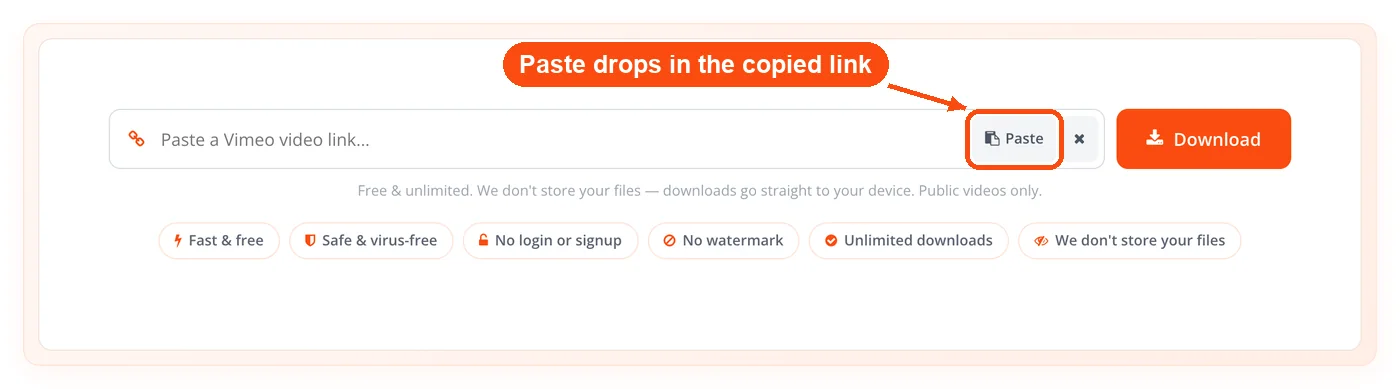
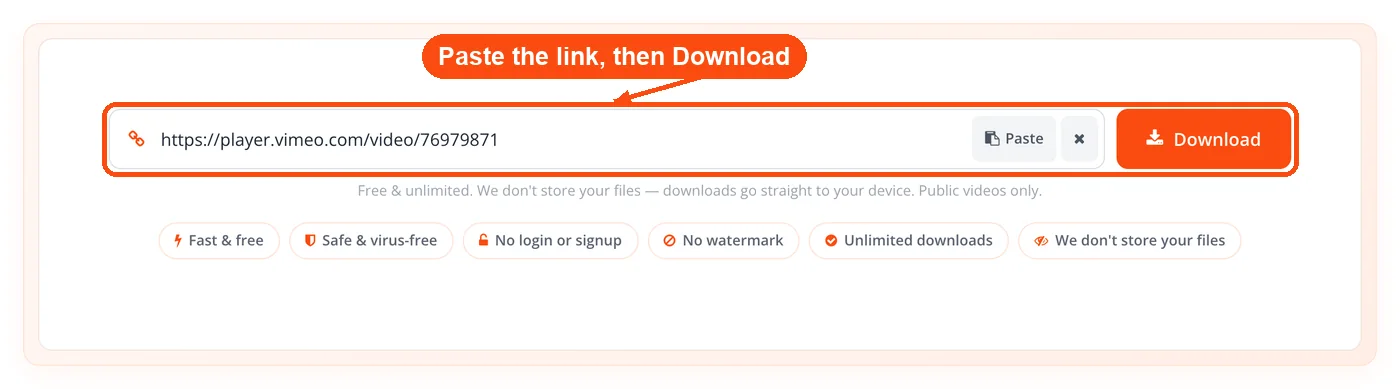
Paste it into ToolsPivot: Drop the link into the input field on the Vimeo Video Downloader page and submit.
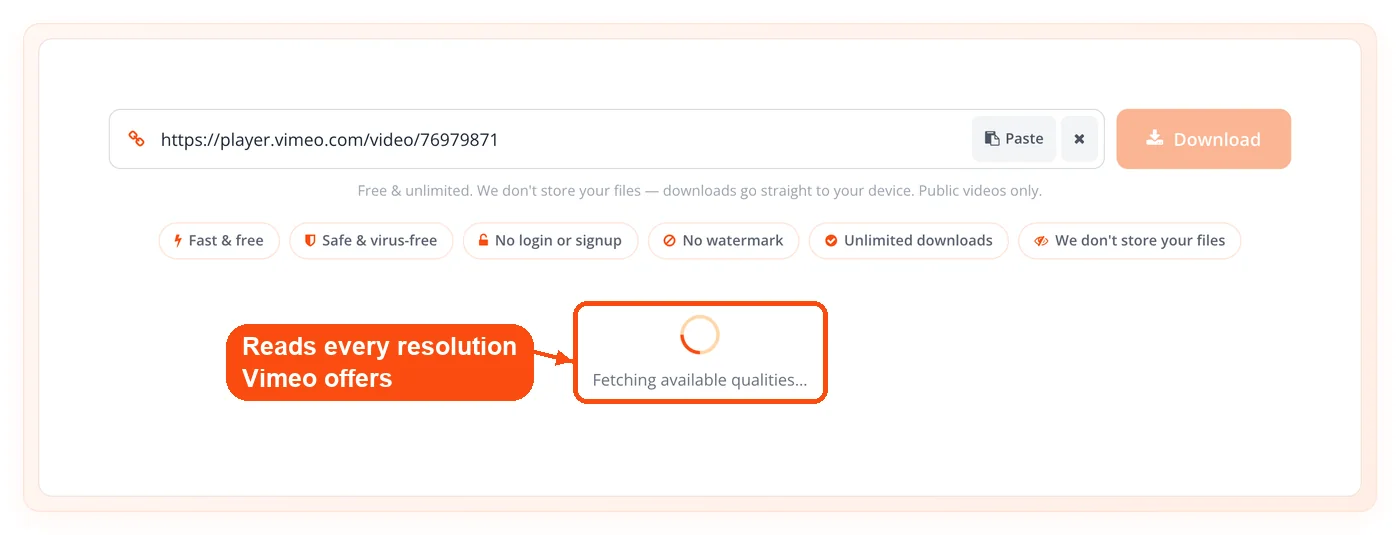
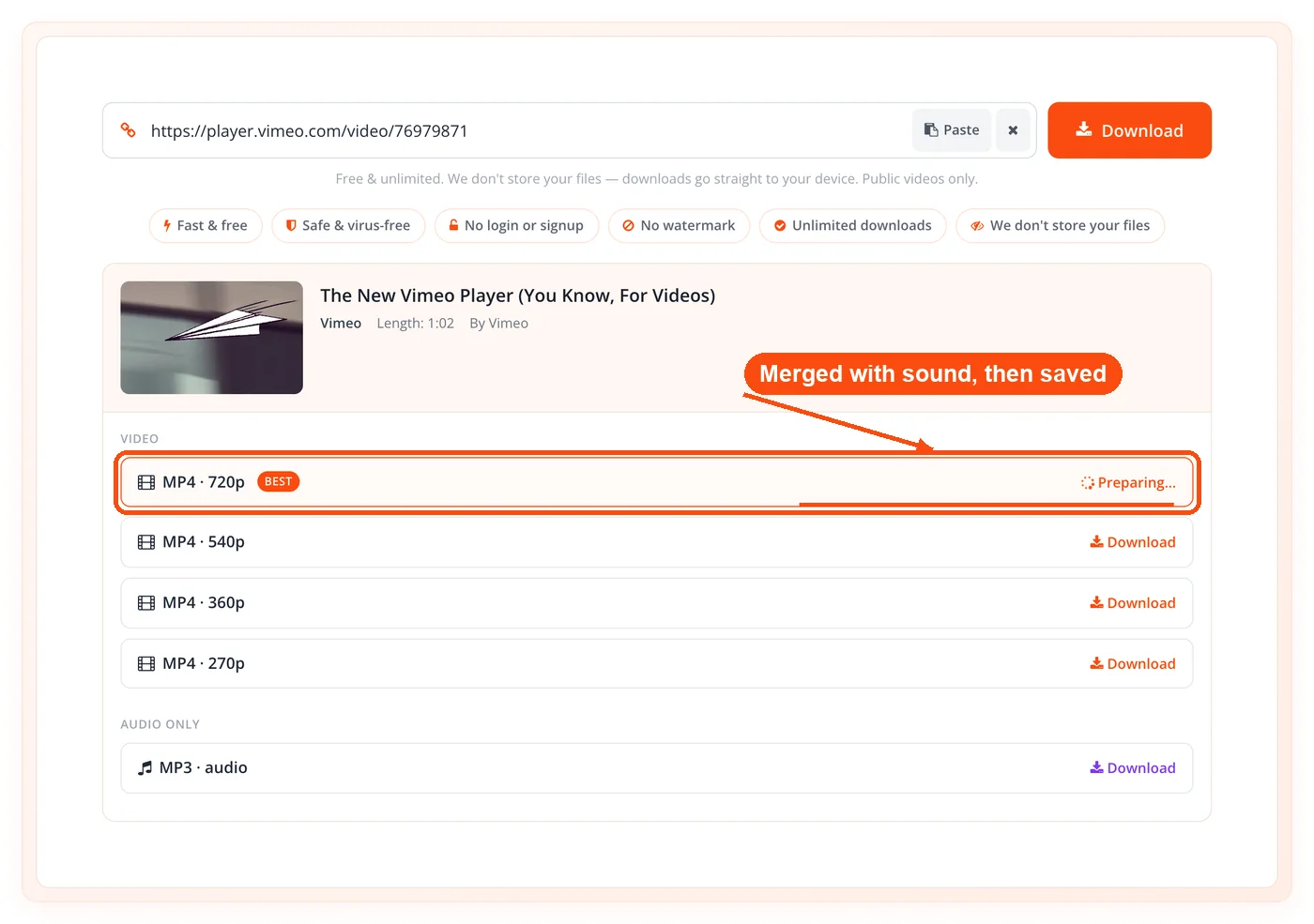
Wait for the quality ladder: The server validates the link and lists every available resolution, with file sizes when Vimeo reports them, usually in a few seconds.
Pick your quality: Choose a resolution for video, or select MP3 if you only want the audio.
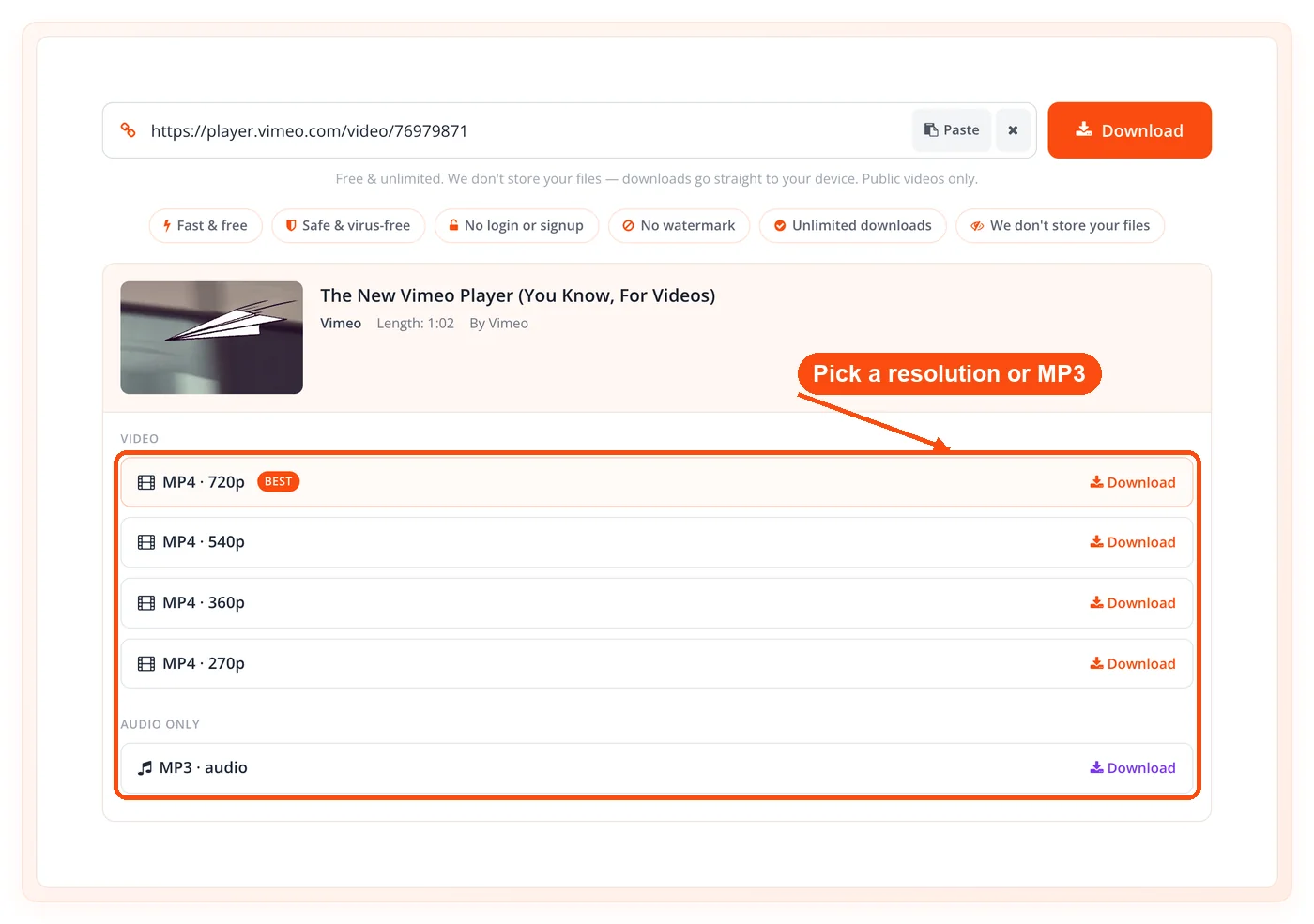
Download the file: High resolutions are merged with audio first, then the tool hands you a single MP4 or MP3 ready to play.
When to Use the Vimeo Video Downloader
Use this tool whenever you need a public Vimeo video saved as a real file instead of a stream. It is most valuable when sound matters and quality matters, which is exactly where cheaper downloaders fall apart. Here are the situations where it earns its place:
- Archiving your own uploads: Save backup copies of videos you posted to Vimeo, in case you lose the originals.
- Offline study: Download course lectures or tutorials to watch on a plane, a commute, or anywhere the connection drops.
- Repurposing approved footage: Pull brand or client clips you have permission to reuse into new edits or social cuts.
- Pulling audio for transcripts: Grab the MP3 when you need a voiceover, a podcast cut, or text from spoken content.
- Saving a full showcase: Download videos from a collection one by one without hunting for each link.
- Presentations and offline demos: Keep a high-quality clip on hand for a meeting room with no reliable internet, and add a QR code linking back to the original Vimeo page for anyone who wants the source.
For private or password-protected videos, this tool will not work, and it tells you so directly rather than pretending. Those cases need the original creator's permission and Vimeo's own download feature.
Use Cases and Applications
Filmmaker Backup Archive
Context: An independent filmmaker posted a finished short to Vimeo and later lost the master file from a failed drive.
Process:
- Paste the Vimeo link into the downloader.
- Pick the 4K option from the quality ladder.
- Download the merged MP4 with full audio.
Result: The filmmaker recovers a high-resolution copy with sound intact, ready for re-editing or re-export.
Educator Offline Classroom
Context: A teacher relies on Vimeo lecture videos but the classroom Wi-Fi is unreliable during lessons.
Process:
- Download each public lecture as a 1080p MP4 ahead of class.
- Store the files on a laptop or USB drive.
- Play them locally with no buffering.
Result: Lessons run on schedule, and students watch clean video even when the network fails completely.
Marketer Repurposing Brand Footage
Context: A marketing manager has approved brand videos on Vimeo and needs short clips for social posts.
Process:
- Save the source video in the highest quality available.
- Resize each cut for platform specs with an image resizer, and crop standout frames into thumbnails using crop image online.
- Shrink the final assets with an image compressor before upload.
Result: One source download feeds a full week of social content without quality loss or watermarks. Cross-platform teams can match branding by pulling cover art with the YouTube thumbnail downloader too.
Creator Pulling Audio and Research
Context: A YouTube creator wants the spoken audio from a Vimeo talk and a content plan around the topic.
Process:
- Extract the talk as an MP3 for reference and quoting.
- Plan companion videos with a keywords research tool.
- Study how rival videos are tagged using a YouTube tag extractor.
- Promote the finished cut with a YouTube backlinks generator once it goes live.
Result: The creator turns one Vimeo source into a researched, well-targeted video plan in under an hour. Drafting the transcript? A quick pass through a word counter keeps captions and descriptions within platform limits.
Understanding Vimeo's Quality Ladder
Vimeo's quality ladder is the set of resolutions available for a single video, and the top of it is where most downloaders break. Vimeo uses adaptive streaming, which splits a video into separate streams at different resolutions. On the higher resolutions, the video stream and the audio stream are stored apart, so a tool that grabs only the video gives you silent footage.
This downloader reads the whole ladder, then uses ffmpeg to merge the right video and audio streams into one file when you pick a high resolution. That is the difference between a 4K download that plays sound and one that does not. It is also why the file size preview matters so much at the top of the ladder: a 4K MP4 with a high frame rate can run several times larger than the same video at 1080p, and the merge step adds the audio weight on top.
If your goal is the cleanest possible playback, 1080p is often the sweet spot. It downloads faster, stays well under the size cap, and looks sharp on most screens. Reach for 4K only when you genuinely need the detail, such as re-editing footage or projecting on a large display.
Key Points:
- Adaptive streaming splits streams: High resolutions store video and audio separately on Vimeo's servers.
- Basic tools skip the merge: Without ffmpeg, downloaders return video-only files with no sound.
- File size guides your choice: A 4K MP4 can be many times larger than a 1080p version, so the size preview matters.
Is It Legal to Download Vimeo Videos?
Downloading a Vimeo video is legal when you own the content or have the creator's permission, and questionable when you do not. Most videos on Vimeo are protected by copyright, and the creator controls how their work is copied or reused. A video being public does not make it free to redistribute, edit, or post elsewhere.
This tool is built for legitimate uses: backing up your own uploads, saving content you have rights to, and downloading material the creator has cleared for reuse. It only works on public videos and refuses private or password-protected ones, which keeps the line clear. When in doubt, ask the creator first.
Key Points:
- Your own content is fine: Backing up videos you uploaded carries no copyright risk.
- Permission covers reuse: Always confirm rights before editing or republishing someone else's video.
- Public is not the same as free: Public access does not grant redistribution rights.
Limitations to Know
This tool has real boundaries, and it is better to know them before you paste a link. It works only on public Vimeo videos. Private and password-protected videos cannot be downloaded, and the tool says so directly rather than stalling or returning a broken file.
There are also processing caps that keep the service fast and fair. The server allows up to 45 seconds to fetch a video's metadata and up to 180 seconds for the download itself, so an unusually long or heavy video may time out. The quality ladder shows up to 12 options per video. Merged video files are capped at 700 MB, and MP3 extractions are capped at 300 MB, which covers the vast majority of clips but can exclude very long or very high-bitrate sources. If a download hits one of these limits, choosing a slightly lower resolution usually solves it.
Frequently Asked Questions
A Vimeo video downloader is an online tool that saves public Vimeo videos to your device as MP4 or MP3. ToolsPivot's version reads every available resolution up to 4K and merges audio into the high-quality files.
Yes, the tool is completely free with no account, no daily limit, and no paywall on high resolutions. You will not be asked for an email or payment at any point.
Yes, when the source video was uploaded in 4K, that option appears in the quality ladder. The tool merges the 4K video stream with its audio so the file plays sound, which many free downloaders fail to do.
Vimeo stores high resolutions as video-only streams under adaptive streaming. Tools without audio merging grab just the video and leave you with silent footage. This downloader uses ffmpeg to combine video and audio into one file.
No, this tool works on public videos only. Private and password-protected videos are detected and flagged clearly, and they cannot be downloaded here. Those require the creator's permission and Vimeo's built-in download option.
Yes, showcase and collection links return each video as a separate downloadable item. You can pick and save individual videos from the set rather than dealing with one merged file.
Yes, MP3 extraction is available for any supported video. Select the MP3 option to pull spoken audio, music, or a soundtrack without downloading the full video.
The tool accepts both vimeo.com page links and player.vimeo.com embed links. Paste either format and the server will validate it and build the quality ladder.
No, the tool keeps nothing. There is no login, no signup, and no copy of your file retained after the download completes, which protects your privacy.
Yes, merged video downloads are capped at 700 MB and MP3 extractions at 300 MB. These cover most clips, though very long or high-bitrate videos may exceed them. Choosing a lower resolution usually resolves a size limit.
Most downloads finish in seconds to a couple of minutes, depending on resolution and length. The server allows up to 45 seconds to fetch metadata and up to 180 seconds for the download before it times out.
No installation is needed. The tool runs in any browser on desktop, tablet, or phone, with no app and no extension to add.
The interface is available in 18 languages, so people around the world can use the same flow in their own language.
Yes, the MP3 export gives you clean audio you can transcribe or repurpose, and you can pair it with the text to speech converter when you need to generate narration in the other direction.
