A Dailymotion video downloader is a free online tool that saves any public Dailymotion video to your device as an MP4 file or an MP3 audio track. ToolsPivot's downloader reads the real quality ladder a video offers, shows you each option with its file size before you commit, and hands back a clean file with no ads-redirect, no watermark, and nothing stored. Paste a dailymotion.com or dai.ly link and the video is yours in seconds, no account and no software install required.
Dailymotion Video Downloader Overview
The Dailymotion Video Downloader saves public Dailymotion videos as MP4 video files or MP3 audio, straight from your browser. It runs on a server-side yt-dlp engine paired with ffmpeg, the same open-source toolkit professional archivists rely on. You paste a link, the server validates it, pulls the video's metadata, and builds a list of every quality the platform actually serves. You pick one, and the file downloads.
Most people who use this tool are students saving lectures for offline study, content researchers archiving reference clips, and creators pulling audio out of a talk or interview. They share one frustration: they found a Dailymotion video worth keeping, hit the platform's lack of a built-in download button, and landed on a pop-up-heavy site that capped them at blurry SD. ToolsPivot solves that by giving the genuine quality ladder, merging audio into higher resolutions automatically, and keeping the page clean. The difference is a sharp 1080p MP4 in one click versus a grainy 360p file after dodging three redirects.
Key Benefits of the Dailymotion Video Downloader
Real quality, not fake numbers: You download the actual resolution Dailymotion serves, typically up to 1080p Full HD. Tools advertising "4K" or "8K" for Dailymotion are upscaling a smaller file and adding zero real detail.
Audio merged automatically: Higher qualities arrive as separate video-only and audio streams. The tool stitches them together with ffmpeg so your MP4 always has sound, with no manual muxing.
MP3 in the same flow: Pull just the audio from any video as an MP3, useful for interviews, lectures, podcasts, and music clips you want on your phone.
No ads-redirect maze: Paste, preview, download. There's no chain of pop-ups, fake "Download" buttons, or surprise tabs that plague most free downloaders.
Nothing stored, ever: No login, no signup, no saved files. Your link is processed and forgotten, so your activity stays private.
Free and unlimited: Download one clip or fifty. There's no daily cap, no credit counter, and no premium tier gating the good resolutions.
Works in 18 languages: The interface is fully localized, so the tool reads naturally whether you're in Berlin, Jakarta, or São Paulo.
Core Features of the Dailymotion Video Downloader
yt-dlp plus ffmpeg engine: A server-side pipeline that handles modern streaming formats Dailymotion uses, then merges and converts as needed.
dailymotion.com and dai.ly support: Both the full URL and the short dai.ly share link work, so you can copy from anywhere without reformatting.
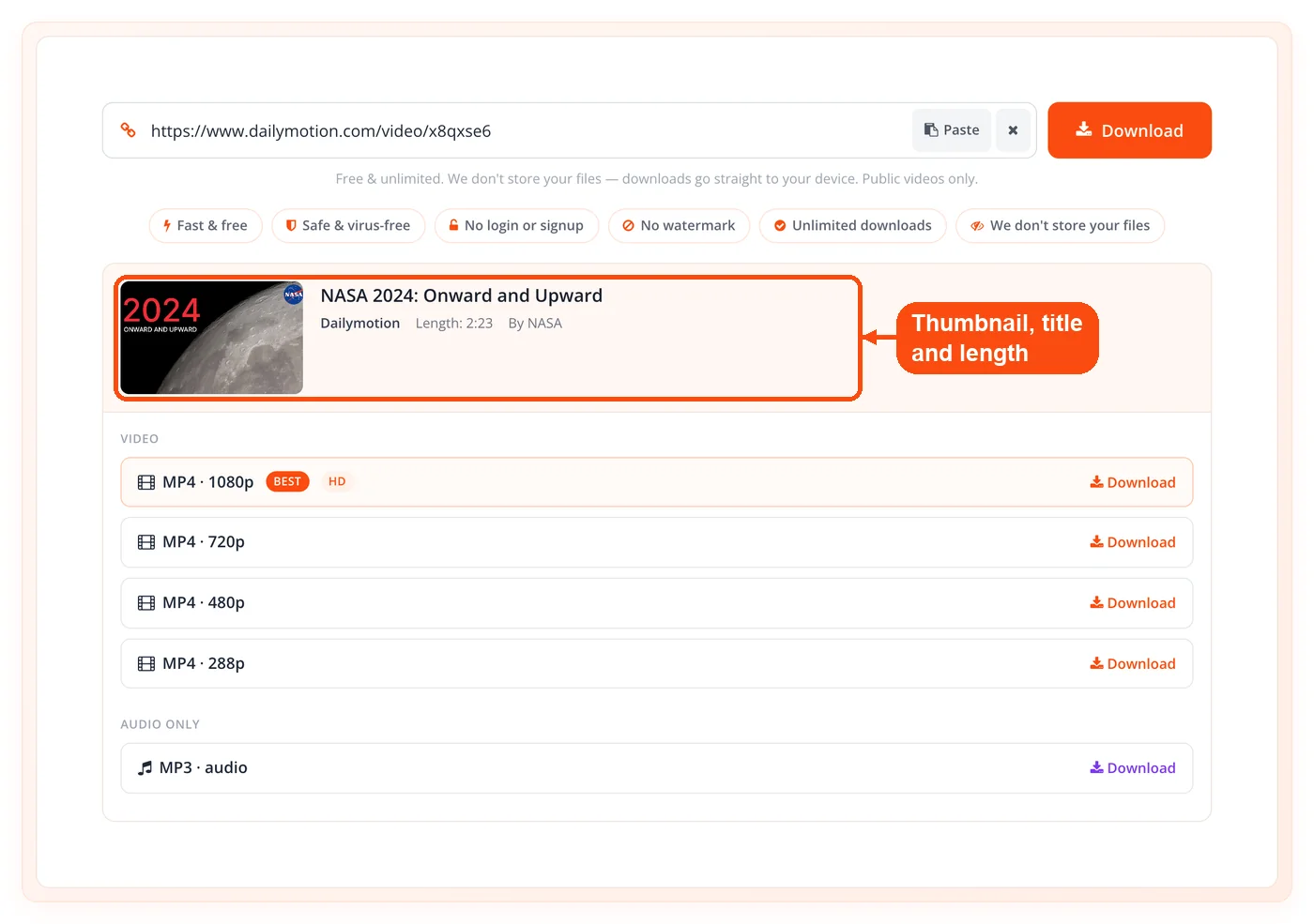
Metadata preview: Before you download, you see the thumbnail, title, and length, so you confirm you grabbed the right video.
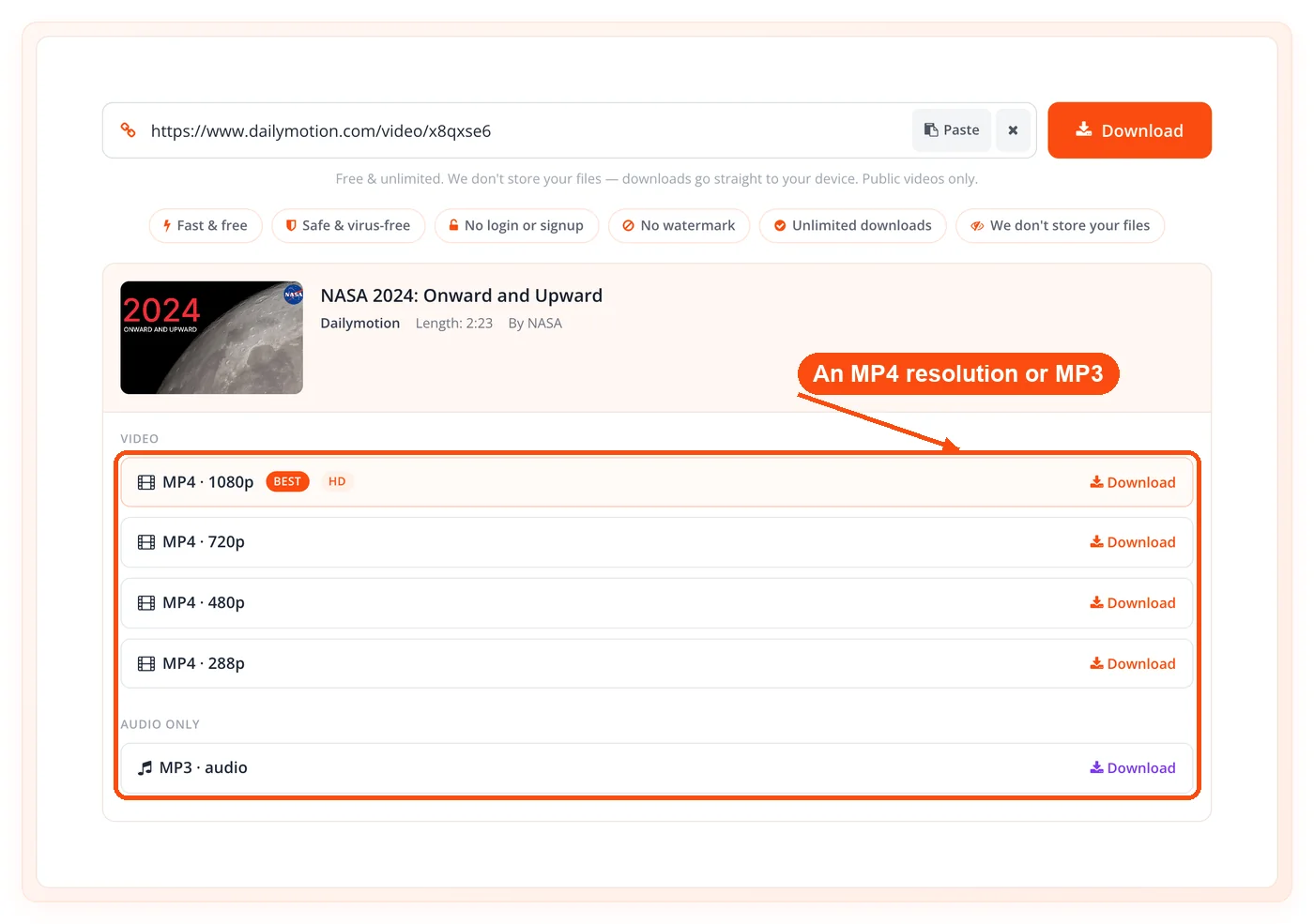
Quality ladder with sizes: Up to 12 download options appear, each labeled with its resolution and file size, so you choose by quality and weight at a glance.
Progressive MP4 pass-through: Lower and mid resolutions that already include audio stream straight through, untouched and fast.
MP4 video output: The standard, universally playable format that works on phones, TVs, editors, and every browser without extra codecs.
MP3 audio extraction: One option converts the video's audio into a clean MP3 track for offline listening.
Public-video validation: The server checks each link is a real, public video before fetching, which prevents wasted load attempts on private or removed content.
Built-in size caps: A 700 MB ceiling on merged files and a 300 MB ceiling on MP3 output keep downloads stable and fast for everyone.
Abuse guard: A download guard limits automated hammering, so the tool stays responsive for genuine users.
If you grab clips from more than one platform, ToolsPivot's all-in-one video downloader handles the same job across many sites from a single page.
How the Dailymotion Video Downloader Works
Copy the Dailymotion link. Open the video on Dailymotion in your browser or app and copy its URL from the address bar or the Share button. Both dailymotion.com and dai.ly links work.
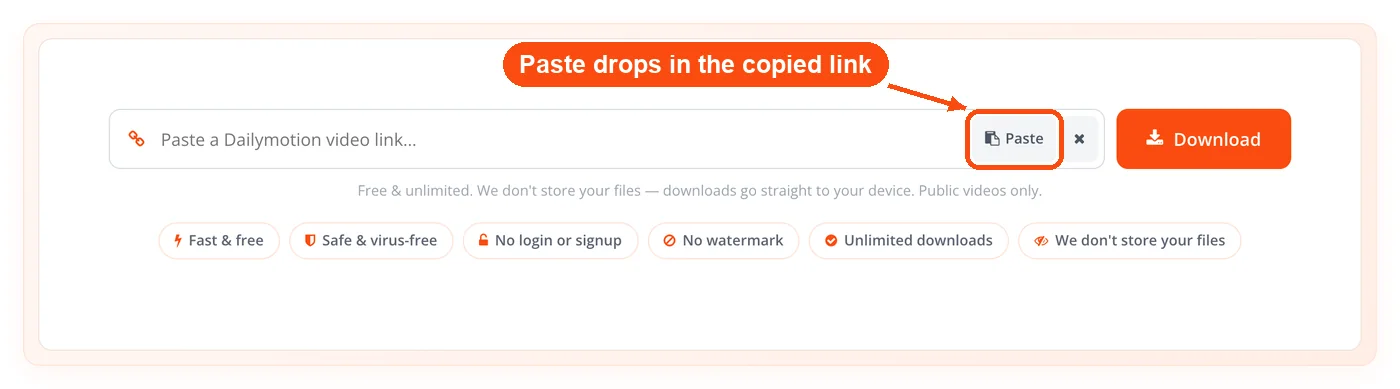
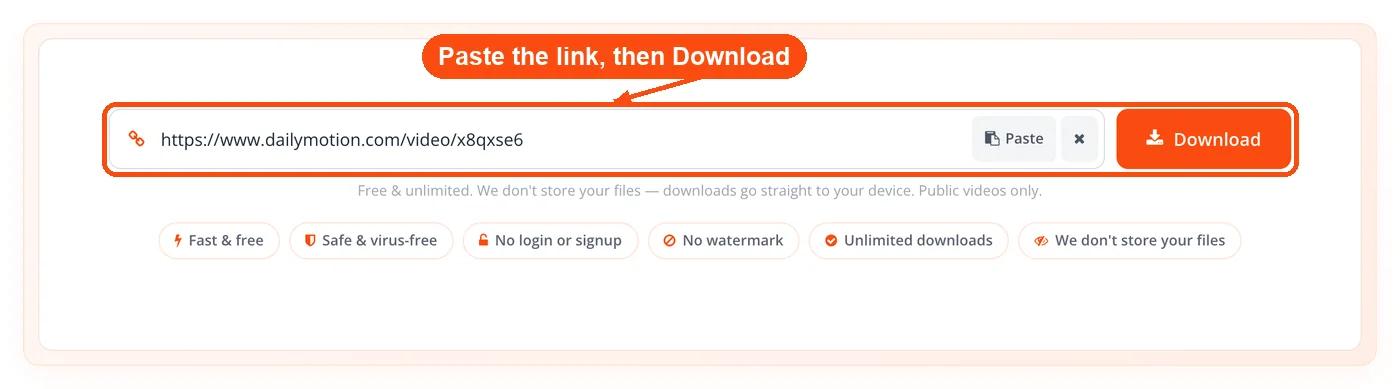
Paste it into the tool. Drop the link into the input field on the Dailymotion Video Downloader page and submit it. The server validates the URL and fetches the video's details.
Review the preview and qualities. You'll see the thumbnail, title, and length, followed by the quality ladder, each option tagged with its resolution and, when Dailymotion reports it, its file size.
Pick a format and quality. Choose an MP4 resolution or the MP3 audio option. Progressive files download directly, while higher resolutions are merged with audio first.
Download the file. The processed file saves straight to your device. No watermark, no branding, no stored copy left behind.
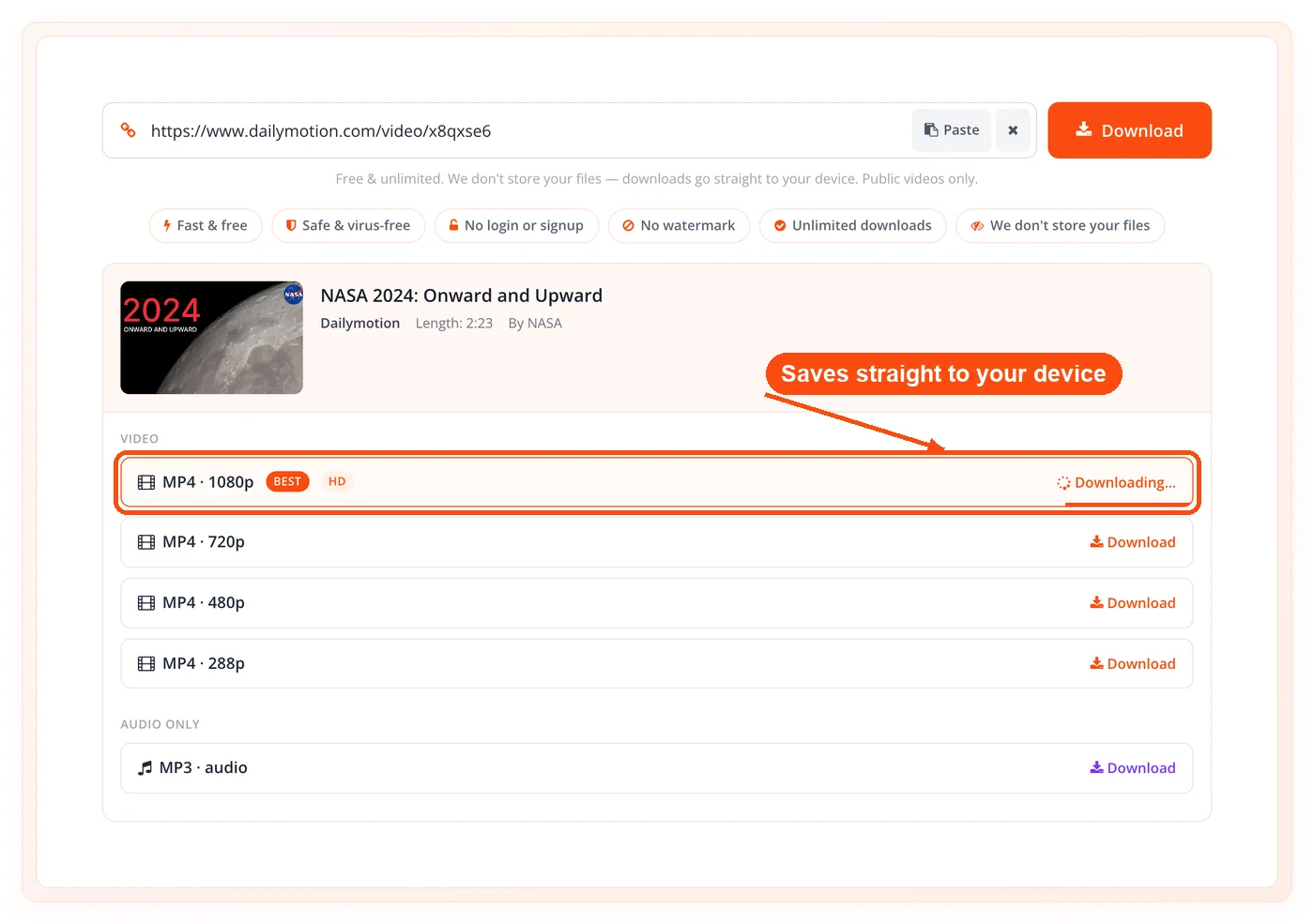
The whole sequence takes seconds for a short clip. The tool allows a 45-second window to fetch details and up to 180 seconds to process a download, which comfortably covers most full-length videos. If a fetch stalls, it's usually because the link points to private or removed content rather than a problem on your end.
When to Use the Dailymotion Video Downloader
This tool earns its place whenever you need a Dailymotion video available offline, in a clean file, without trusting a sketchy site or installing desktop software. It fits short clips and long documentaries alike, and it shines when you specifically want a high-resolution copy or just the audio.
Spotty or no internet ahead: Save lectures, tutorials, or entertainment before a flight, commute, or trip where streaming isn't an option.
Building a reference library: Archive clips you cite in research, training decks, or analysis so they survive if the original gets taken down.
Pulling audio for listening: Convert talks, interviews, or music clips to MP3 to hear them on a phone or in a player without the video.
Editing source material: Download a clean MP4 with merged audio when you need raw footage for a project you have the right to use.
Avoiding data drain: Download once on Wi-Fi instead of restreaming the same video repeatedly over mobile data.
Cross-platform collecting: Save Dailymotion content alongside clips from other networks in one organized folder.
One caveat worth stating: this tool only reaches public videos. Private, paywalled, or geo-restricted content won't fetch, by design.
Use Cases for the Dailymotion Video Downloader
Students Saving Lecture Content
Context: A university student finds a recorded lecture series on Dailymotion but studies on a train with no signal.
Process:
- Copy each lecture's
dai.ly link from the playlist.
- Paste it into the downloader and pick 720p MP4.
- Save the files to a single course folder.
Result: A full offline lecture set that plays anywhere, no buffering and no data used.
Researchers Archiving Source Clips
Context: A journalist references a Dailymotion news clip in an article and needs a permanent copy in case it's deleted.
Process:
- Validate and fetch the public clip through the downloader.
- Download the highest available MP4 quality.
- Store it with the article's source notes.
Result: A verifiable archive copy that backs up the reporting even if the upload disappears.
Creators Extracting Audio
Context: A podcaster wants a guest's earlier interview from Dailymotion as background audio reference.
Process:
- Paste the interview link into the tool.
- Choose the MP3 extraction option.
- Save the audio under the 300 MB cap.
Result: A portable MP3 of the interview, ready to review while editing the new episode.
Marketers Studying Competitor Video
Context: A social media manager tracks how a competitor packages product clips on Dailymotion.
Process:
- Download the competitor's public videos in MP4.
- Review pacing, framing, and hooks offline.
- Apply the lessons to their own content plan.
Result: A reference set that informs sharper video strategy without re-streaming each clip. To study how they package the visuals, the YouTube thumbnail downloader pulls preview frames from their YouTube uploads too.
Understanding Dailymotion Video Quality (and Why "4K" Claims Mislead)
The highest quality you can download is whatever Dailymotion serves for that specific video, which is usually 720p or 1080p Full HD. Dailymotion does not publish most content in 4K, so any downloader promising "4K Dailymotion downloads" is almost always upscaling a 1080p file. Upscaling stretches a smaller image to fit more pixels, which adds file size but no real sharpness.
What this means for you:
- Pick the top native option: The highest number in the quality ladder is the true maximum for that video.
- Ignore inflated promises: A "4K" label on a 1080p source is marketing, not detail.
- File size is your honesty check: A genuine 1080p clip is far smaller than a fake "4K" re-render of the same footage.
This downloader lists only the qualities the platform actually provides, with real file sizes attached. That transparency is the point. You always know exactly what you're getting before you download it.
Honest Limitations of the Dailymotion Video Downloader
This tool does a focused job well, and being upfront about its boundaries matters more than overselling it. Here's where it stops.
- Public videos only: Private, unlisted, age-gated, or geo-restricted videos won't fetch. The validator rejects anything not publicly accessible.
- No real 4K: You can only download what Dailymotion serves, which for most videos tops out at 1080p. We don't fake higher resolutions through upscaling.
- Time windows apply: Fetching details is capped at 45 seconds and a download at 180 seconds. Very long files near the limit can occasionally time out.
- Size caps exist: Merged video is limited to 700 MB and MP3 output to 300 MB to keep the service stable for everyone.
- Up to 12 options shown: The quality ladder lists a maximum of 12 choices per video, which covers every practical resolution and format need.
- No playlist batch in one shot: The tool processes one video at a time rather than scraping an entire playlist automatically.
If you also pull clips from other networks, ToolsPivot keeps dedicated tools for Facebook, Instagram, TikTok, Vimeo, Twitter (X), Pinterest, and Reddit, each tuned to that platform's quirks. And if you ever need spoken audio you don't already have a recording of, the text to speech converter generates it from plain text.
Frequently Asked Questions
Yes, it's completely free and unlimited. There's no account, no subscription, and no cap on how many videos you download in a session.
No. The tool runs entirely in your browser with no login, no signup, and no software to install. Paste a link and download.
It accepts both standard dailymotion.com URLs and shortened dai.ly share links. Copy either format and the tool extracts the video automatically.
Yes. The tool offers MP3 extraction, which pulls just the audio from a video. MP3 files are capped at 300 MB to keep processing fast.
You can download whatever resolution Dailymotion serves for that video, usually up to 1080p Full HD. The platform rarely publishes true 4K, so genuine downloads top out where the source does.
They're almost always upscaling a 1080p file, which inflates size without adding real detail. This tool lists only the platform's native qualities, so the numbers you see are honest.
Yes. Lower resolutions stream through with audio already attached, and higher video-only resolutions are merged with their audio track using ffmpeg before download.
No. The tool works with public videos only. Private, unlisted, age-restricted, or geo-blocked content is rejected by the validator.
No. There's no login and no stored files. Each request is processed and discarded, so your downloads and search history stay private.
Merged video downloads are capped at 700 MB and MP3 audio at 300 MB. Fetching details is allowed 45 seconds and a download up to 180 seconds.
Yes. The tool runs in any mobile browser on Android and iOS. The file saves to your downloads folder, and on iPhone you may need to confirm the save.
Up to 12 options per video, each labeled with its resolution and file size so you can choose by quality and file weight before downloading.
Downloading public videos for personal, educational, or research use is generally accepted, but reposting or commercial reuse without permission may infringe copyright. Always respect the original creator's rights.
A timeout usually means the file is very large or the connection slowed mid-process, since downloads are capped at 180 seconds. Try a lower resolution, which is smaller and processes faster, or retry on a stronger connection. If a video consistently fails, it may be private or region-locked.
Yes. ToolsPivot offers separate downloaders for Facebook, Instagram, TikTok, Vimeo, Twitter (X), Pinterest, Reddit, and an all-in-one option that covers many sites at once.
