Long Tail Keyword Generator
This free long tail keyword generator turns one keyword into hundreds of ideas, pulled live from Google Autocomplete. See real phrases people search, grouped into questions, prepositions and comparisons. No sign-up, with up to 60 searches a day.
About Long Tail Keyword Generator
A long tail keyword generator turns one seed keyword into hundreds of specific, multi-word search phrases pulled live from Google Autocomplete. Instead of guessing what your audience types, you see the actual completions Google offers real searchers, sorted into questions, prepositions, comparisons and related terms. The v2.0 rebuild on ToolsPivot runs on a single seed word, returns colour-coded groups you can filter and export, and shows no invented search volume numbers. It is free, needs no account, and gives every visitor 60 fresh searches a day.
What a Long Tail Keyword Generator Actually Does
It expands one word into the phrases people are already searching. The tool takes your seed keyword, combines it with dozens of modifiers, and asks Google's autocomplete service what real users type next. Those completions come from live query data, not from a language model inventing plausible-sounding phrases.
The difference matters more than it sounds. An AI-generated keyword list gives you phrases that could be searched. An autocomplete list gives you phrases that are searched, because Google only suggests completions it has seen enough times to be worth suggesting. That makes autocomplete a rough demand signal in its own right, even without volume figures attached.
Bloggers, freelance SEOs, PPC buyers and store owners lean on this kind of discovery to find angles that broad research misses. A general keyword research tool is good at telling you what a topic looks like from above. A long tail keyword research tool built on autocomplete is better at showing you the specific, oddly-phrased questions sitting underneath it.
How ToolsPivot Long Tail Keyword Generator Works
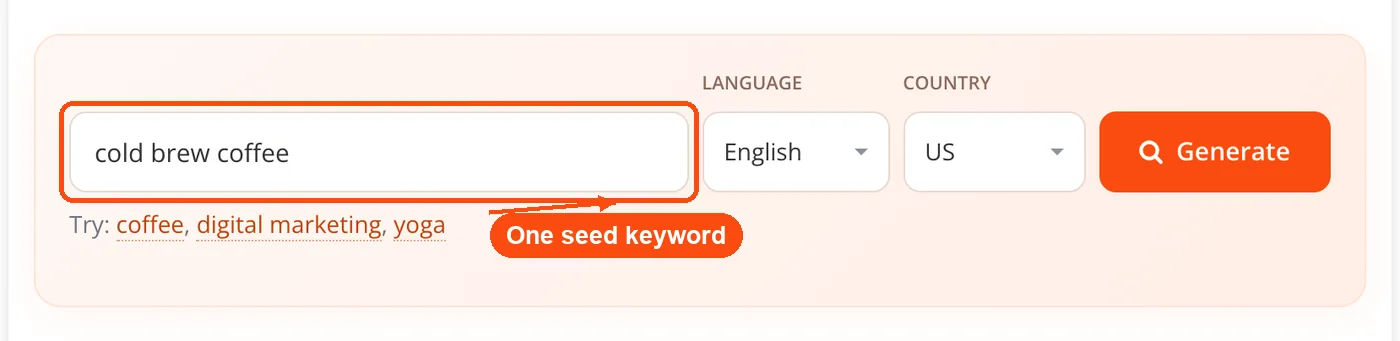
- Enter one seed keyword. Type a single base term such as "coffee" or "digital marketing" into the input box. This tool works from one seed at a time, not a bulk list.
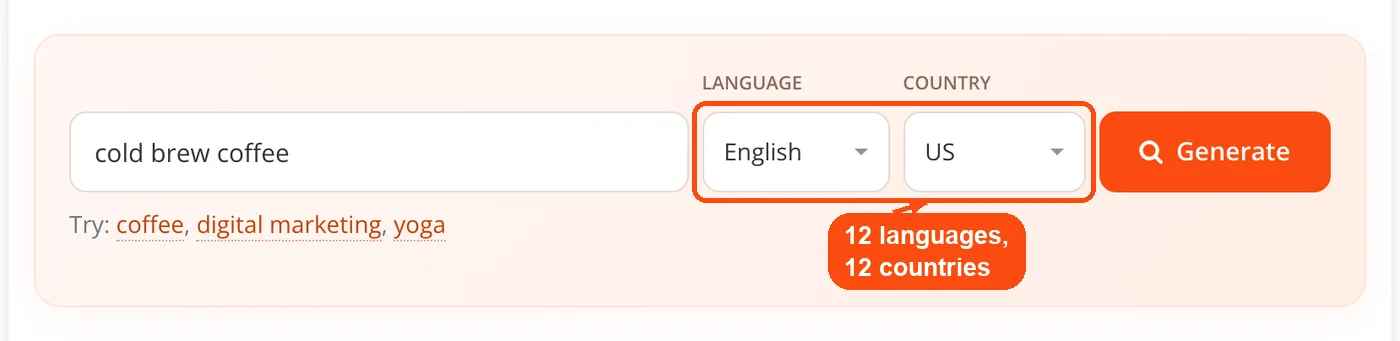
- Pick a language and a country. Twelve languages and twelve country targets are available, so a UK search returns different completions from an Indian or Brazilian one.
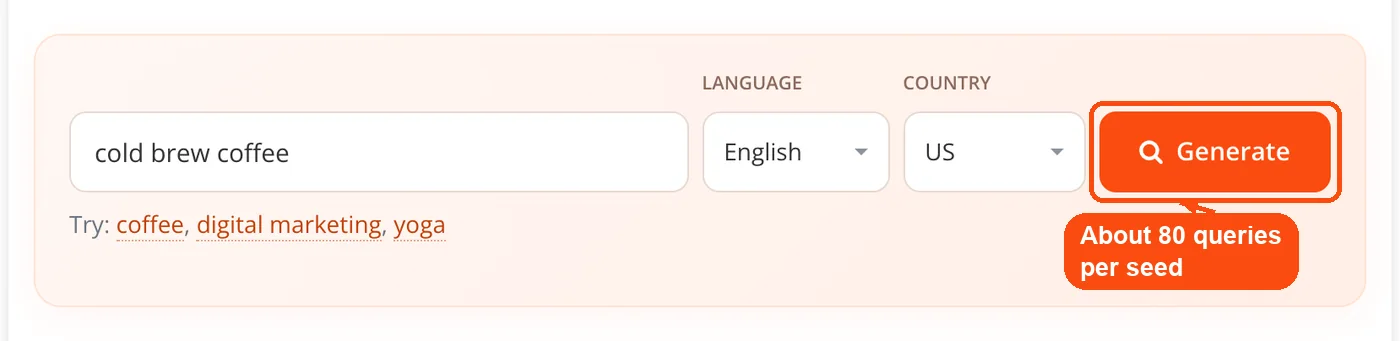
- Hit Generate. The seed is combined with the alphabet, digits, question words, prepositions, comparison words and intent modifiers, both before and after the term, producing roughly 80 query variations.
- Those variations query Google Autocomplete. Requests are sent in batches from the server, then merged, deduplicated and filtered so only phrases genuinely related to your seed survive.
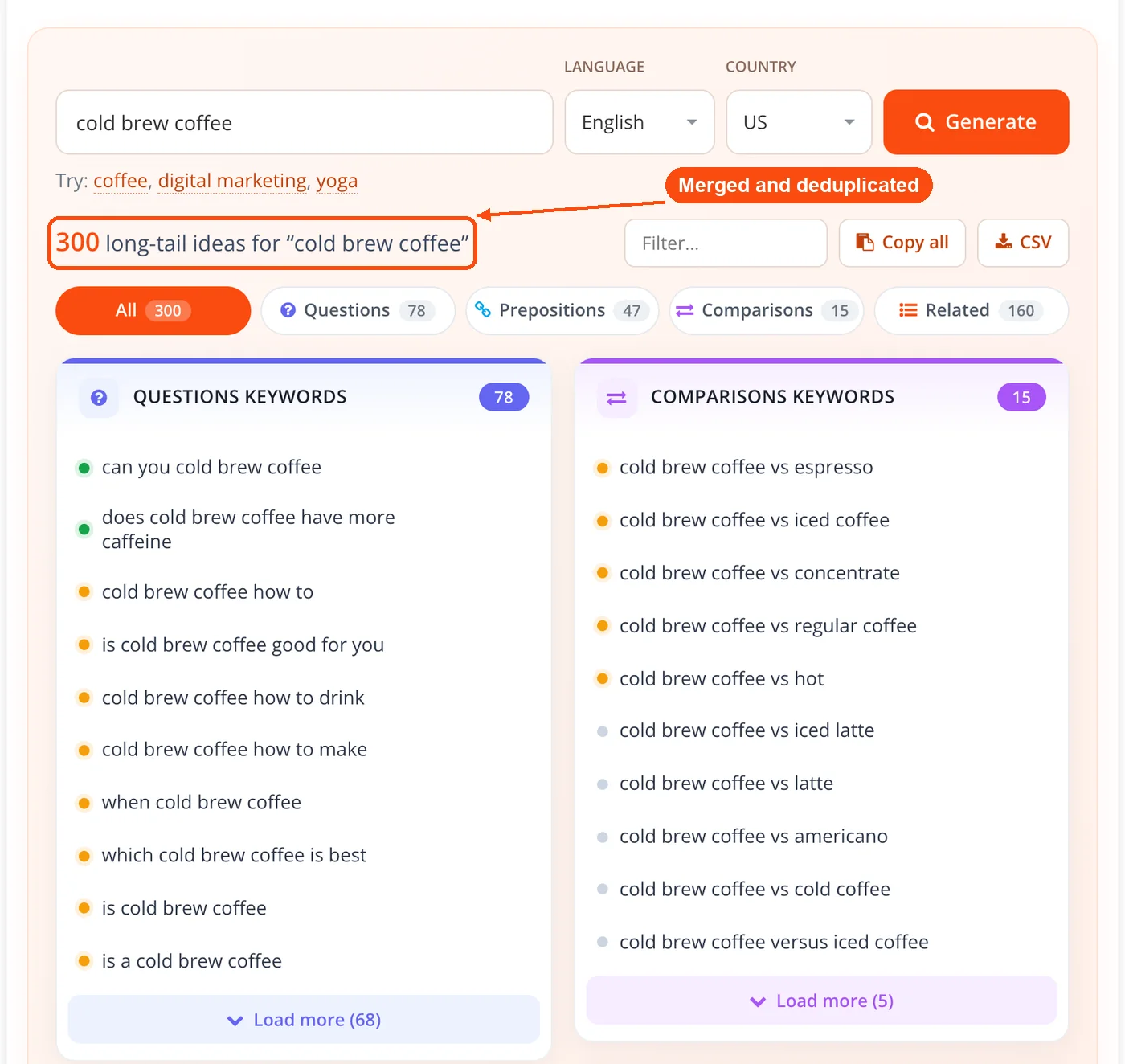
- Read the grouped results. Every surviving phrase is sorted into Questions, Prepositions, Comparisons or Related, and given a relative High, Medium or Low signal based on how often and how prominently Google suggested it.
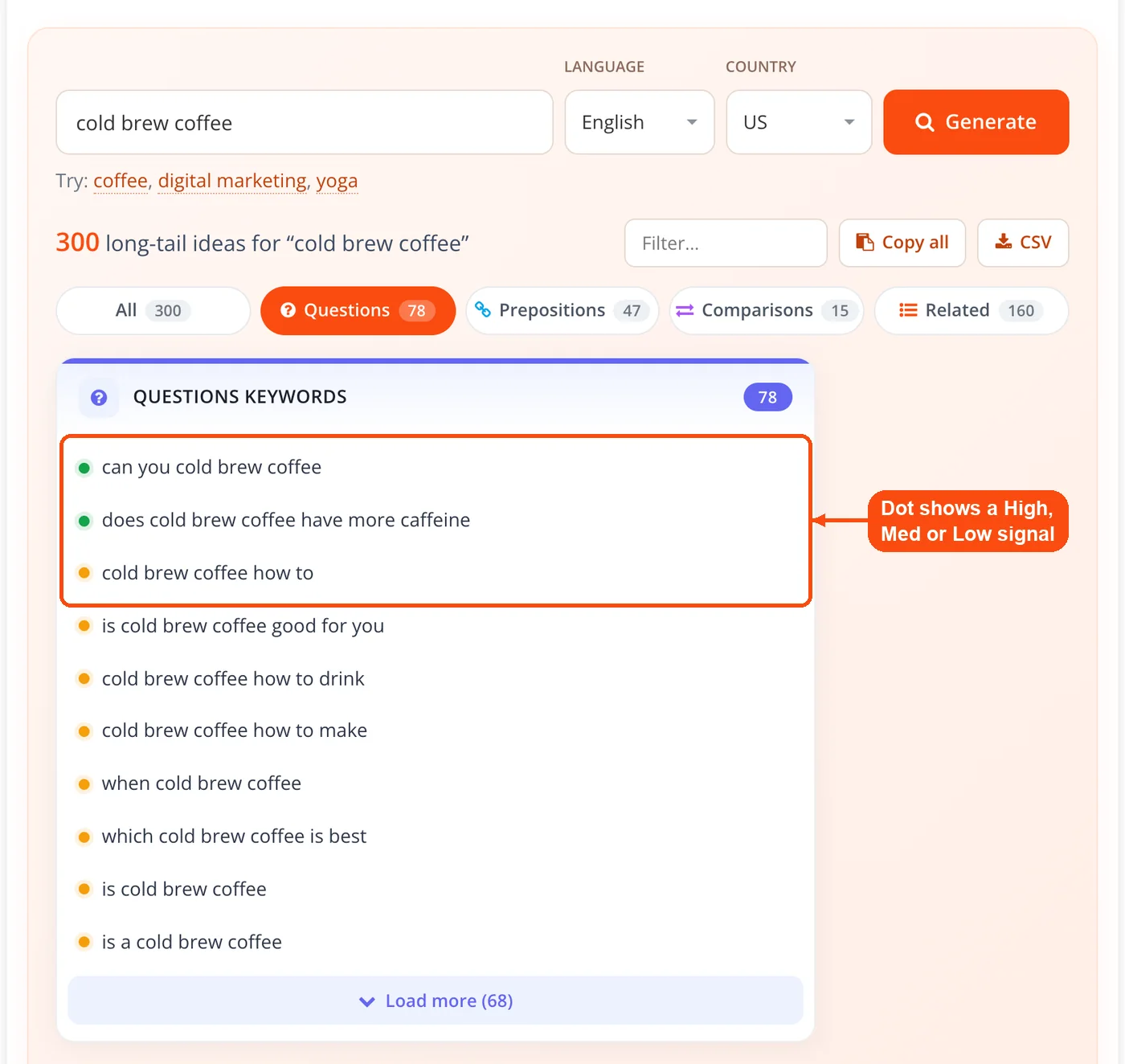
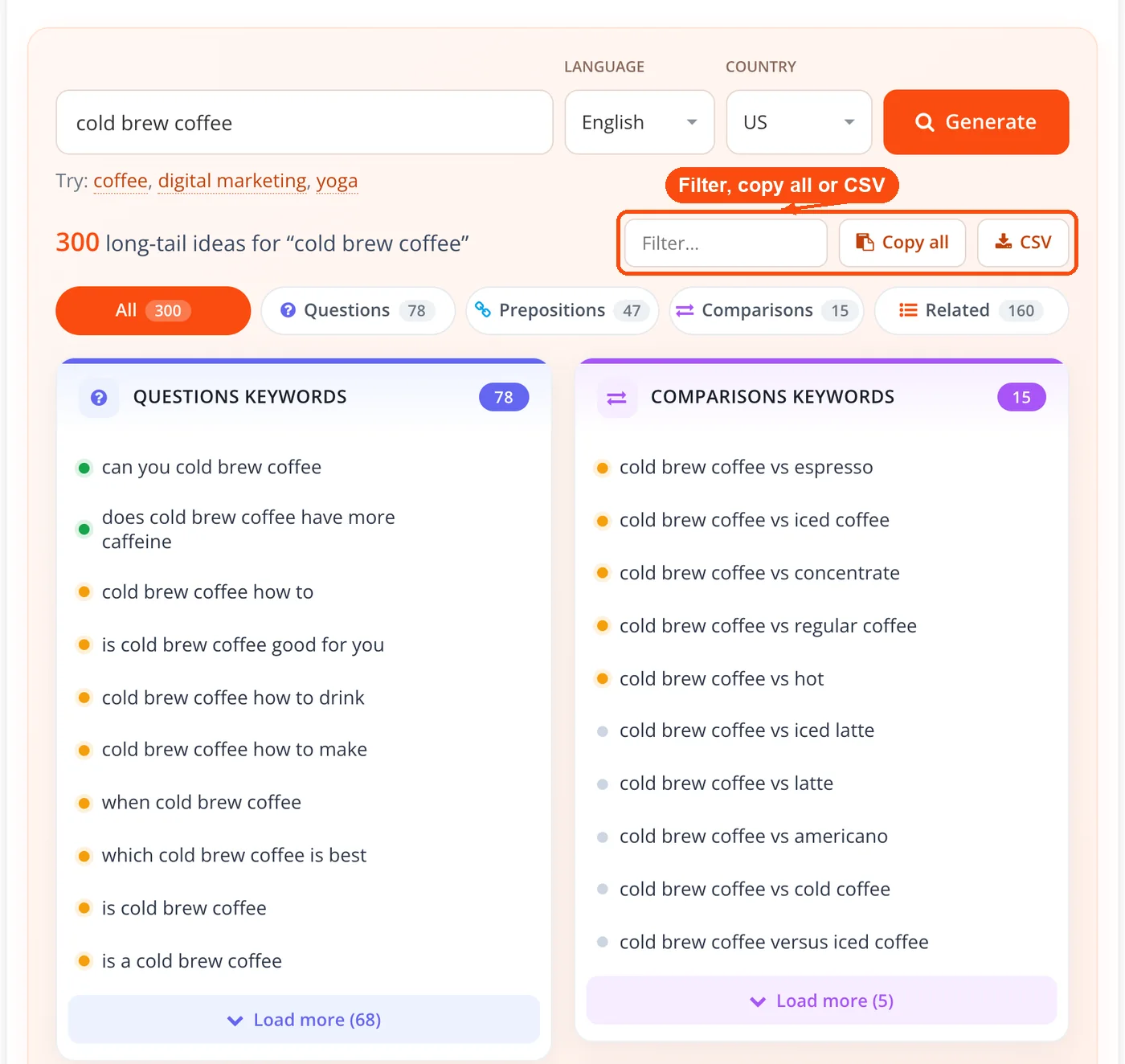
- Filter, copy or export. Each group shows ten phrases with a Load more control, plus a filter box, a type filter, per-keyword copy and Google search links, copy-all, and CSV download.
One technical note worth stating plainly: you use it as a long tail keyword generator online, but the autocomplete requests run server-side. Browsers cannot reliably call Google's suggest endpoint across origins, so the fetch happens on our server and the results render in your browser. Results are cached per seed, language and country combination for six hours, which is why a repeat search returns instantly.
The Four Keyword Groups Explained
Grouping is what separates a usable list from a wall of text. Six hundred ungrouped phrases is a chore. The same six hundred split by intent is a content plan.
- Questions: who, what, why, how, which and similar phrasings. These map almost one to one onto FAQ entries, article subheadings and the kind of direct answers AI assistants pull from. If questions are all you need, the type filter isolates them, and the questions explorer goes deeper on the same idea.
- Prepositions: for, with, near, to and friends. These are your use-case and audience terms. "Running shoes for flat feet" tells you a segment exists; "project management for construction teams" tells you a vertical does.
- Comparisons: vs and or phrases. Every one of these is a searcher weighing two options, which is the highest-intent moment in most buying journeys and the easiest kind of post to build.
- Related: everything else, including modifiers like best, free, cheap and online. This is where alphabet-soup expansion pays off, surfacing terms you would never have thought to try.
Core Features
- Single-seed deep expansion: About seventy query variations per seed, prepended and appended, rather than one lookup and a short list.
- Live Google Autocomplete data: Phrases come from Google's keyless suggest endpoint on the web vertical, reflecting current query behaviour.
- Colour-coded grouping: Four intent buckets with live counts, so you can see at a glance whether a topic is question-heavy or comparison-heavy.
- Language and country targeting: Twelve of each, applied at the query level so the completions themselves change, not just the interface.
- Relative popularity signal: A High, Medium or Low dot derived from suggestion frequency and position, presented as what it is rather than dressed up as volume.
- Type filter and text filter: Narrow to one group, or type a fragment to filter every group at once.
- Per-keyword actions: Copy any single phrase, or open it directly in Google to check the SERP before committing to it.
- Copy-all and CSV export: Take the whole set into a spreadsheet, or feed it into keyword clustering to group by topic before you outline anything.
- Six-hour caching: Repeat searches on the same seed, language and country return immediately.
- No account, no paywall: No sign-up, no email, 60 fresh searches a day, and no partial results held back behind an upgrade prompt.
Why Long Tail Keywords Are Not Simply Long Keywords
Long tail is defined by search volume, not word count, and almost every free tool page gets this wrong. Ahrefs makes the point directly in its long tail guide: plenty of one-word keywords get fewer than a hundred monthly searches, and plenty of five-word phrases get hundreds of thousands. Their analysis puts 2.3 billion keywords in the US database at fewer than ten searches a month, close to 93% of everything they track, while only around 18,000 clear 100,000 searches.
Why does this matter when you are staring at a results list? Because a three-word phrase is not automatically an easy win, and a two-word phrase is not automatically out of reach. The word count in front of you says nothing reliable about competition.
What autocomplete gives you instead is specificity of intent. A phrase like "espresso machine for small kitchen" is valuable because it names a constraint, not because it contains four words. Judge each phrase on how precisely it describes a problem you can solve, then validate the ones you like against a volume source before you build anything expensive around them.
This also explains why the tail keeps getting longer. Roughly 15% of daily Google searches have never been seen before, a figure Google has restated as conversational queries became more common. Many of the most specific phrases people search will never accumulate enough repetitions to register in any keyword database at all.
Reading the Popularity Signal Correctly
The coloured dot is a relevance signal, not a search volume estimate. It reflects how frequently a phrase appeared across the roughly seventy query variations we ran, and how high Google placed it in each suggestion list. A High dot means Google surfaced that completion often and early.
Treat it as a ranking of ideas against each other within one search, never as a number you can put in a client report. Two phrases both marked High may differ enormously in actual monthly searches. The signal is useful for deciding what to write first out of four hundred options, and useless for forecasting traffic.
If you need real numbers, export the CSV from ToolsPivot and run the shortlist through Google Keyword Planner, Ahrefs or Semrush. Discovery here, validation there, is a workflow that costs nothing and skips the guesswork.
When to Use This Tool
As an SEO long tail keyword generator, it earns its place at the start of a project, when you need breadth rather than precision. It answers "what do people ask about this topic" far better than it answers "how much traffic is this worth."
- Planning a content calendar: Run your pillar topic, filter to Questions, and you have a quarter of article titles in one sitting.
- Building an FAQ block: Questions pulled from autocomplete are phrased the way searchers phrase them, which is exactly what answer engines quote.
- Finding comparison posts: The Comparisons group hands you every rival your audience already weighs you against.
- Entering an unfamiliar niche: Alphabet expansion surfaces the vocabulary of a market you do not yet speak.
- Localising a campaign: Switch country and language to see how the same topic is phrased in a different market before translating anything.
- Expanding an ad group: Preposition and comparison phrases make solid exact-match candidates once you have checked their cost.
It is a weaker fit when you need difficulty scores, historical trends or volume-based prioritisation. For those, a paid platform is the right tool and no free autocomplete scraper will substitute for it.
Practical Use Cases
Blogger Mapping a Content Cluster
A food blogger enters "meal prep" and filters to Questions. Back come phrasings like how to meal prep for a week and what containers to use, each one a viable post. She checks how long the top results run using the word counter, drafts to match, and runs the result through a readability checker before publishing.
Freelancer Pitching a New Client
An SEO consultant runs the prospect's core service term, exports the CSV, and walks into the meeting with four hundred real queries the client's site does not currently address. Pairing that list with a website SEO check turns a generic pitch into a specific gap analysis.
Store Owner Writing Product Copy
A retailer enters a product category and reads the Prepositions group. Phrases naming a constraint, such as a fit or a room size, go straight into product descriptions and buying guides. Afterwards, a quick keyword density check confirms the copy reads naturally rather than stuffed.
Publisher Optimising Existing Pages
An editor runs seeds for pages that already rank on page two, looking for question phrasings the article never answers. New sections get added, titles get rewritten with the meta title generator and summaries with the meta description generator, then movement gets tracked with the keyword rank checker over the following weeks.
Video Creator Planning a Series
A creator uses the Questions group to build episode titles around what people actually ask, then studies how competing videos are tagged using the YouTube tag extractor. Note that this tool queries Google's web suggestions, so it reflects web search phrasing rather than on-platform video search.
How This Compares to Other Free Keyword Tools
The honest comparison is against the tools people actually open. AnswerThePublic popularised the question, preposition and comparison layout, and its help centre states that free accounts are limited to three searches per day. KeywordTool.io draws on Google suggestions too, and its own pages describe the free tier as showing up to ten keywords per term, with twenty and the metrics reserved for Pro.
Against that, the ToolsPivot v2.0 long tail keyword tool offers the same grouped structure with no account, 60 free searches a day and no held-back results. That is the claim worth making, and it is narrower than "better than paid tools." Grouped autocomplete output is not rare in itself. Grouped autocomplete output with nothing gated behind a login is less common.
Where paid platforms win outright is data. Ahrefs and Semrush license search volume, cost-per-click and difficulty scores from sources no keyless tool can reach. Some free tools do display volume estimates of varying reliability. This one deliberately does not, because we would rather show you nothing than show you a number we cannot stand behind. If you need an ad-cost estimate, the keyword CPC calculator is a separate, purpose-built starting point.
Honest Limitations
Every tool has edges, and pretending otherwise wastes your time. Here are this one's.
- No search volume, CPC or difficulty. These require licensed data. The coloured dot is a relative suggestion signal and nothing more.
- No People Also Ask or related searches. Both need paid SERP data, so neither appears in the results.
- One seed per run. Bulk seed processing is not supported in this version.
- Google web suggestions only. This is a Google long tail keyword generator, with no YouTube, Amazon, Bing or eBay autocomplete sources.
- Results shift over time. Autocomplete changes with language, country and season, so the same seed will return a different set next month.
- Occasional throttling. Google can rate-limit automated suggestion requests. Caching softens this, but a run may occasionally return fewer phrases than usual.
- Discovery, not validation. Nothing here tells you whether you can rank. Confirm pages are actually live and findable with the index checker once you have published.
Frequently Asked Questions
Yes. It is a long tail keyword research tool, free with no account and no paywall. Each visitor gets 60 fresh searches a day, and repeating a search within six hours is served from cache without using one. Every feature, including grouping, filtering and CSV export, is available without signing up or entering an email address.
All phrases come from Google's public autocomplete suggestion endpoint. These are completions Google offers to real searchers, not phrases generated by an AI model.
No, and that is deliberate. Search volume, CPC and keyword difficulty require licensed data sources, so the tool shows a relative popularity signal instead of inventing numbers.
It shows how often and how prominently Google suggested that phrase across the query variations we ran. High, Medium and Low rank ideas against each other within a single search, not against the wider search market.
Typically several hundred, though it varies by topic, language and country. Broad commercial seeds return more than narrow technical ones.
No, this version accepts a single seed per run. Run each seed separately and combine the CSV exports if you need a larger set.
Not directly, since the tool queries Google's web suggestions only. The phrases are still useful as a starting point for video topics, but they reflect web search behaviour rather than on-platform search.
Both are passed to Google with every request, so the completions themselves differ by market. A seed targeted at the UK returns different phrasing from the same seed targeted at India or Brazil.
No, that is a common misconception. Long tail is defined by low search volume rather than word count, and short phrases can sit deep in the tail while long ones can be highly competitive.
Google's autocomplete data shifts continuously with real search behaviour. Results are cached for six hours per seed, language and country combination, so an immediate repeat returns the same set.
Group the phrases by intent, pick the ones matching pages you can realistically build, then validate the shortlist in a volume tool before committing. Discovery and validation are separate steps.
Google occasionally rate-limits automated suggestion requests, which can cut a run short. Waiting a few minutes and trying again usually resolves it, and very narrow seeds naturally produce fewer completions.


