Facebook ID Finder
Find Facebook IDs for Pages, profiles and groups in bulk. Paste the links and this Facebook ID finder returns the numeric IDs you need for the Graph API, chatbots, ad tools and website embeds. No login required.
Which ID is this?
A Page/Profile ID is the account's permanent number (it stays the same even if the username changes). It is different from an app-scoped ID (a per-app number Facebook gives developers) and from the vanity username in the URL. Use this numeric ID for the Graph API, chatbots, ad tools and embeds.Can't resolve one? Find a Page ID manually
Open the Page, click its name under the cover photo, open the Transparency panel — the numeric Page ID is shown there. Or in Meta Business Suite: Settings, Pages, click the Page. Private personal profiles can't be looked up without login.About Facebook ID Finder
A bulk Facebook ID finder is an online tool that converts Facebook profile, page, and group URLs into their permanent numeric identifiers in a single batch. ToolsPivot's version processes up to 25 URLs at once with no sign-up, while most competing tools cap batch processing at 10 links or require account creation before showing results. Paste your links, click one button, and copy or export every ID you need.
How to Find a Facebook ID (Profile, Page or Group)
Here is how to find Facebook ID numbers in five steps, whether you have one link or a whole list:
Collect your Facebook URLs: Open each Facebook profile, page, or group in your browser and copy the full URL from the address bar. Any format works, including vanity URLs like facebook.com/brandname and legacy links like facebook.com/profile.php?id=123456.
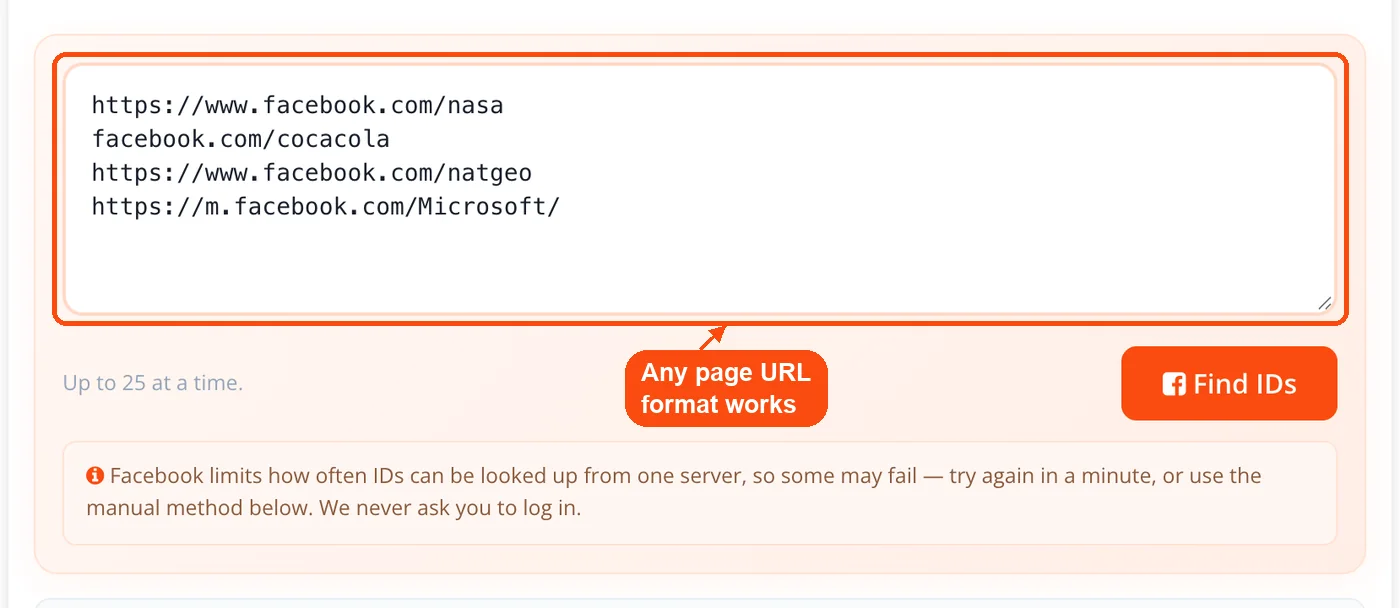
Paste URLs into the input field: Drop all your links into the text area on ToolsPivot's Bulk Facebook ID Finder page. Put each URL on its own line, up to 25 per batch.
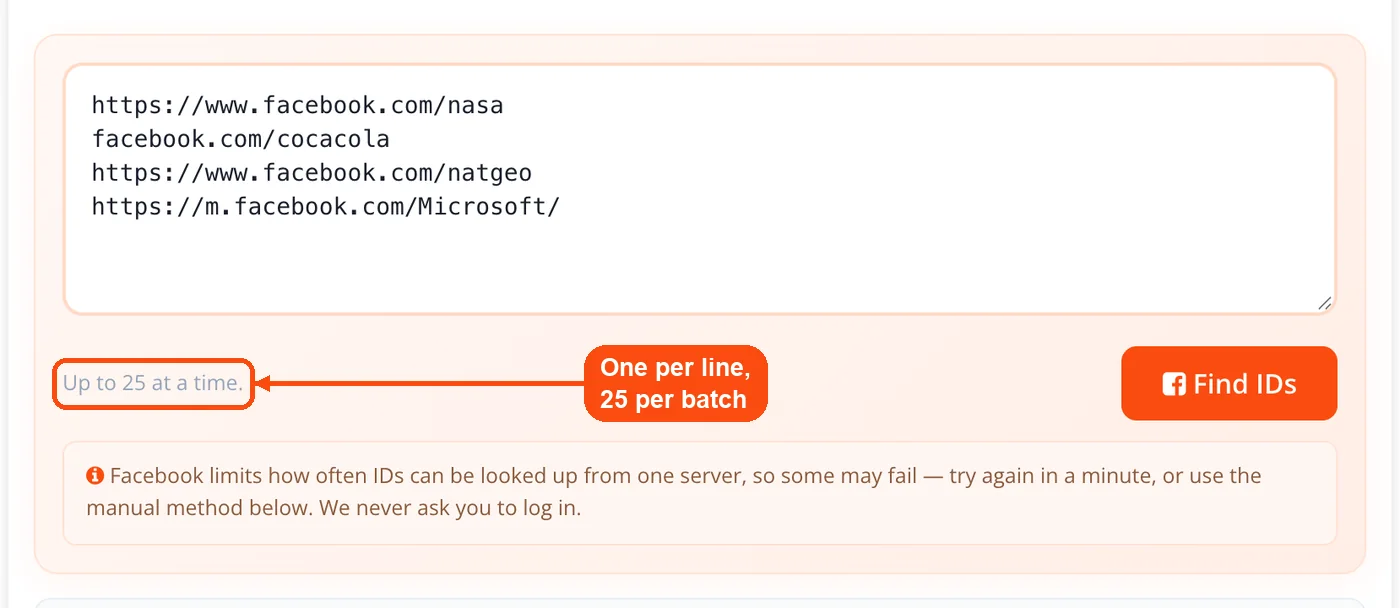
Click "Find IDs": Hit the button and wait a few seconds. The tool validates each link and pulls the numeric ID tied to that account.
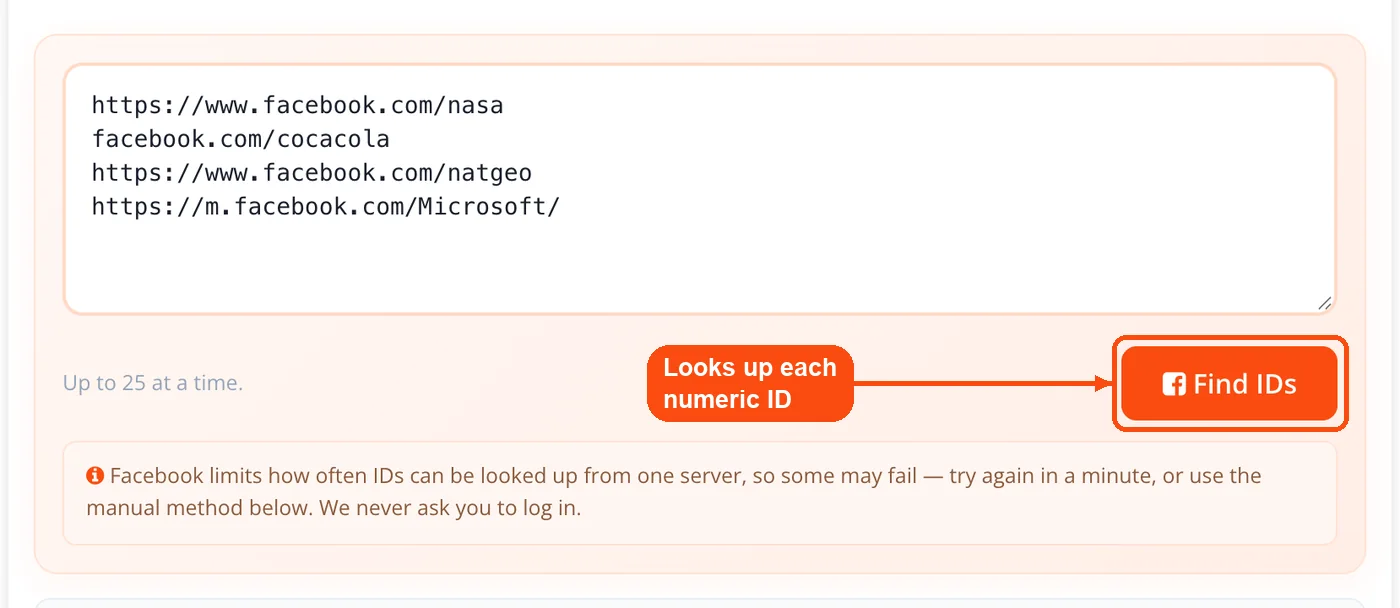
Review the results table: Each original URL appears next to its matching numeric ID. Scan for any error flags on invalid or inaccessible links before exporting.
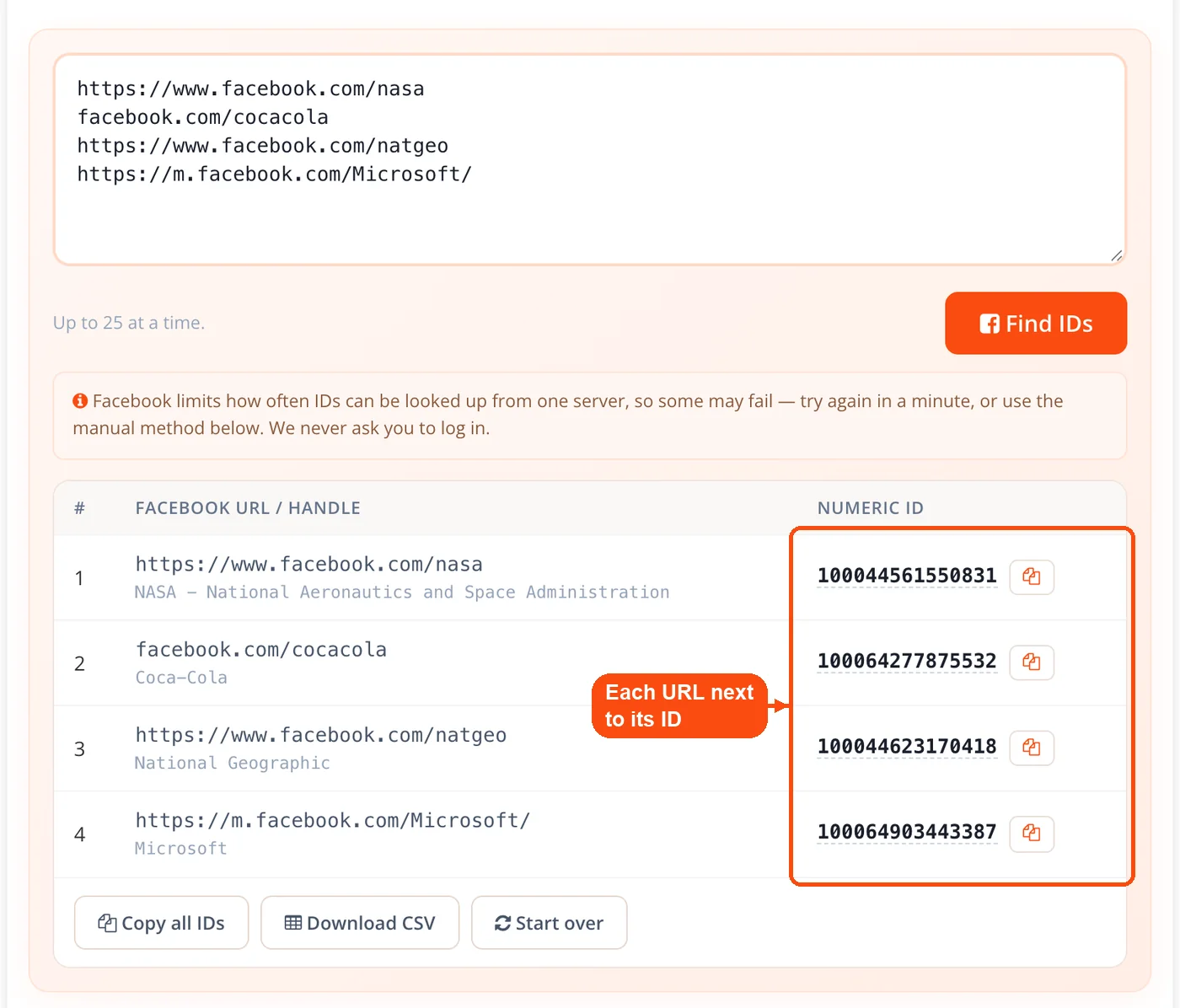
Export or copy your IDs: Click "Download CSV" to save all results as a spreadsheet file, click "Copy all IDs", or use the copy button beside any single ID for pasting into Facebook Ads Manager, Graph API calls, or your CSV-to-JSON converter.
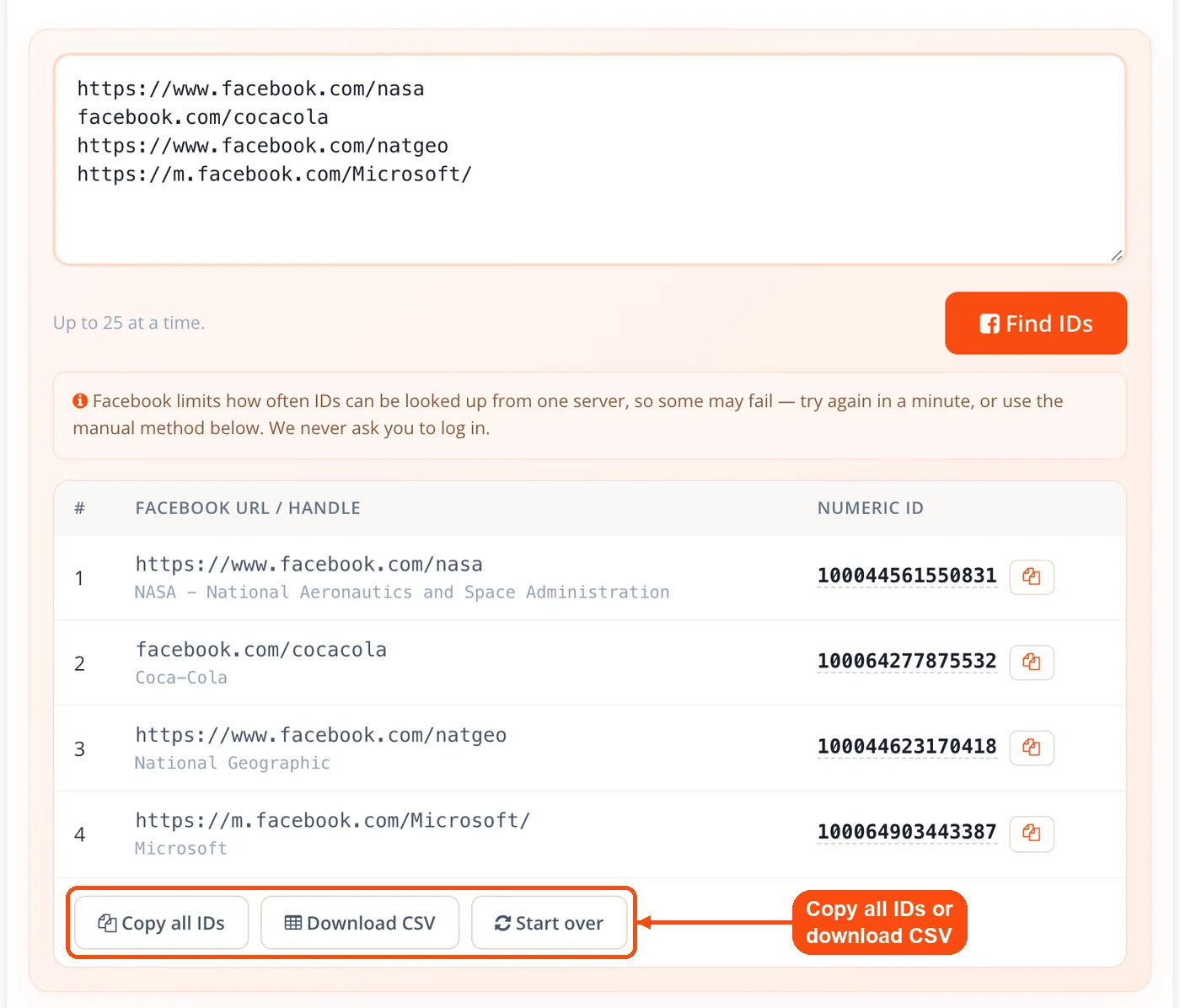
Need more than 25 IDs? Just click "Start over" after exporting and run another batch. There are no daily caps or session limits.
ToolsPivot's Bulk Facebook ID Finder Features
Batch URL processing: Submit up to 25 Facebook links in one go. The tool resolves them one after another with a short pause between lookups to avoid Facebook rate limits, and each ID appears in the table as soon as it is found. A "Retry failed" button reruns any link Facebook blocked.
Vanity URL resolution: Facebook lets users replace their numeric profile ID with a custom username (like facebook.com/zuck). This tool translates those vanity URLs back into the underlying numeric ID without any extra steps on your end.
Multi-account-type support: Works across personal profiles, business pages, creator accounts, and public groups. You can mix different account types in the same batch, and the tool correctly identifies each one.
Error flagging: Invalid URLs, deleted accounts, and private profiles that block ID retrieval all get flagged with specific error messages. You won't be left guessing which link failed or why.
One-click export: Download every URL and its ID as a CSV file for spreadsheets, ad platforms or tools like the comma separating tool.
Clipboard copy: Grab individual IDs or the full results list to your clipboard for quick pasting into API calls, developer consoles, or meta tag configurations.
Mobile-ready interface: The full tool runs on smartphones and tablets with no functionality loss. Handy for pulling IDs during client meetings or when you're away from your desk.
Profile IDs, Page IDs, and Group IDs: What the Numbers Mean
Facebook assigns a different numeric ID format depending on account type, and mixing them up can break your API calls or ad uploads. Personal profile IDs are typically 15 to 16 digits long and often start with "100" for accounts created after 2010. Older accounts (like Mark Zuckerberg's famous ID of "4") use much shorter numbers from Facebook's early numbering system.
Business Page IDs tend to run shorter, usually 9 to 12 digits. These are completely separate from the personal profile ID of whoever manages the page. So if you're building a schema markup integration that references your Facebook Page, you need the Page ID specifically, not the admin's profile ID.
Group IDs follow their own numbering pattern too. The ToolsPivot Bulk Facebook ID Finder detects each type automatically based on the URL you submit. You don't need to sort or label your links beforehand.
| Account Type | Typical ID Length | Example Format | Common Use |
|---|---|---|---|
| Personal Profile | 15-16 digits | 100003717317472 | Custom Audiences, Graph API queries |
| Business Page | 9-12 digits | 208194529190076 | Ads Manager, social plugins, analytics |
| Group | 10-16 digits | 375928849120697 | Community management, research tools |
Why Use ToolsPivot's Bulk Facebook ID Finder
Skip the manual source-code method: The old way to find a Facebook ID involved right-clicking, viewing page source, and searching for "selectedID" or "owning_profile_id" in raw HTML. For one profile, that's annoying. For 20, it's a time sink. This tool does the same extraction in a few seconds.
No account or API key required: Competing tools like the Facebook Graph API Explorer require developer credentials, app registration, and access tokens. ToolsPivot gives you the same numeric IDs without any authentication setup.
Stable IDs that survive URL changes: Facebook usernames change whenever someone rebrands. A business that switches from "OldBrandName" to "NewBrandOfficial" keeps the same numeric ID. Using IDs instead of URLs in your tracking, CRM records, and Open Graph tags means your references never break.
Export-ready lists: "Copy all IDs" gives you one ID per line and the CSV keeps each URL beside its ID, so the list drops straight into a spreadsheet, CRM import or marketing tool.
Unlimited daily usage: Run as many 25-URL batches as you need. There's no paywall after a certain number of lookups, no "premium tier" gating, and no mandatory email capture before you see results.
Works alongside your SEO stack: Pull Facebook Page IDs for social proof integrations, then jump to ToolsPivot's social stats checker or backlink checker without switching platforms.
Who Needs Bulk Facebook ID Extraction
If you're managing more than a handful of Facebook accounts or building anything that talks to Facebook's systems, you probably need numeric IDs at some point. Here's where bulk extraction saves real time.
Social media managers running paid campaigns
Facebook Ads Manager accepts numeric IDs for Custom Audience creation and lookalike audience seeds. When an agency onboards five new clients in a week, extracting all Page IDs in one batch cuts setup time from an hour to minutes. Those IDs feed directly into audience targeting without manual lookup on each account.
Developers working with the Graph API
The Facebook Graph API requires numeric IDs for almost every query, from pulling public page data to setting up Facebook Login flows. Developers testing across multiple test accounts can grab all their sandbox user IDs in a single batch instead of hitting the API individually for each one. Pair this with an XML-to-JSON converter if you need to transform data formats for your integration.
Researchers and competitive analysts
Brand strategists monitoring 15 to 20 competitor pages need stable identifiers that won't break when a competitor rebrands. Numeric IDs provide that stability. Extract them once, plug them into your tracking spreadsheet, and they'll keep working regardless of future URL changes.
CRM administrators linking social profiles
Customer relationship platforms often store Facebook profile IDs as a permanent reference key. If your sales team collects prospect Facebook URLs, converting those to numeric IDs before CRM import gives you a reliable identifier that won't go stale when a contact updates their username.
Common Questions About ToolsPivot's Bulk Facebook ID Finder
Paste the profile, Page or group URL into the box above and click Find IDs. The numeric ID appears beside the link a moment later, ready to copy. To find a Page ID by hand, open the Page, click its name under the cover photo and open the Page transparency panel, where the ID is listed.
If your profile has no username, your ID is the number after id= in your profile link (facebook.com/profile.php?id=...). If you use a custom username, copy your profile URL and paste it here to get the number. Page admins can also see a Page ID in Meta Business Suite under Settings, then Pages.
In the Facebook app, open the profile or Page, tap the three dots and choose Copy link. Paste that link into this tool in your phone browser; it accepts app links and m.facebook.com addresses. The numeric ID shows in the results table with a copy button.
Every Facebook account (profile, page, or group) gets a unique number when it's created. This numeric ID is permanent and never changes, even when someone updates their username or vanity URL. Tools, APIs, and advertising platforms use these IDs because they're more reliable than URLs for identifying accounts.
Yes, 100% free with no hidden limits. You can run unlimited batches of up to 25 URLs each without registering, paying, or providing an email address. There's no premium tier or feature gating.
The tool can only pull IDs from profiles with public visibility or profiles that allow search engines to link to their timeline. If a profile's privacy settings block external access, the tool will flag it as unavailable rather than returning an incorrect result.
The Graph API Explorer requires a Facebook developer account, an app registration, and a valid access token. ToolsPivot's Bulk Facebook ID Finder skips all of that. You paste URLs and get IDs, no authentication setup needed. For developers who just need IDs (not full API data), this is faster.
Absolutely. Numeric IDs are assigned at account creation and stay the same for life. A business that rebrands from "OldName" to "NewName" on Facebook keeps the exact same numeric ID. That's why IDs are better than URLs for long-term tracking and ad targeting.
It handles every standard Facebook URL pattern: vanity URLs (facebook.com/username), legacy profile links (facebook.com/profile.php?id=123456), mobile URLs (m.facebook.com/username), and page URLs with or without trailing slashes. You can mix formats in the same batch.
Facebook Ads Manager accepts numeric IDs as one identifier type for Custom Audience uploads. However, Meta's current policies recommend combining IDs with other identifiers (email, phone number) to improve match rates. Check Meta's advertising documentation for the latest Custom Audience requirements.
On desktop, visit their profile and copy the URL from your browser's address bar. On the Facebook mobile app, tap the three dots on their profile and select "Copy Link." Both methods give you a URL that works with this tool. You can also use ToolsPivot's URL encoder/decoder if the copied link contains encoded characters.
No daily limits exist. Run as many 25-URL batches as you need, back to back. The tool resets when you click "Start over" and is ready for another batch immediately.
ToolsPivot doesn't keep a record of who submitted what. To cut down on Facebook rate limits, the server caches a successful handle-to-ID lookup for up to 30 days, with no link to you. Your results table lives in your browser only and disappears when you close or refresh the page.
Check that the URL is complete and correctly formatted. Common issues include extra spaces, missing "https://" prefixes, or links to deactivated accounts. If the profile exists but the tool can't access it, the account's privacy settings likely block external ID retrieval. Try the link analyzer to verify the URL resolves properly before retrying.
Yes. Paste any public Facebook Group URL and the tool extracts its numeric Group ID. This is useful for community management tools, research dashboards, and website SEO integrations that reference social signals from specific groups.


