Link Analyzer
A free link analyzer that shows every link on a page, not just how many. Get the full list with anchor text, whether each link is internal or external, follow or nofollow, plus the domains you link out to and the anchor problems worth fixing.
About Link Analyzer
A link analyzer reads one web page and reports every link on it: the anchor text, the destination, whether the link stays on your site or leaves it, and which rel attributes it carries. ToolsPivot rebuilt this website link analyzer for version 2.0 around a single idea, which is that the count was never the useful part. Six summary numbers tell you a page has 87 links. They never tell you which anchor reads "click here", which URL you linked twice under two different phrases, or which outbound link still points at http.
What a Link Analyzer Actually Reports
A link analyzer extracts every anchor element from a page's HTML and turns it into a row of data you can sort, filter and export. The older version returned six counts. The rebuilt version returns the table those counts were summarising, with anchor text in the first column because that is the field you act on.
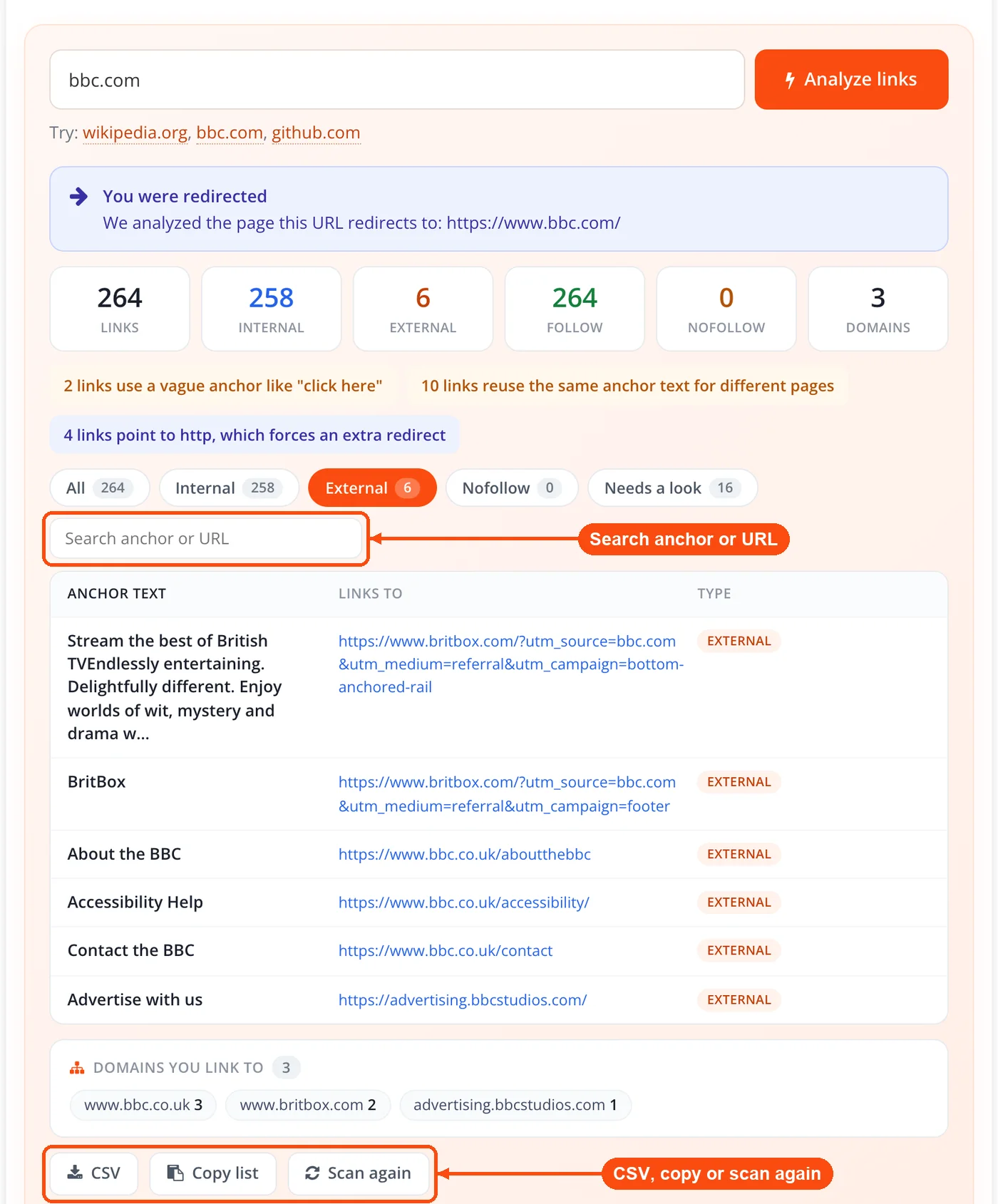
Each row carries the resolved destination, the link type, every rel token shown separately rather than collapsed into one follow flag, and any quality flags the link triggered. Above the table sits a rollup of unique external domains, usually a much shorter and more revealing list than the external link count suggests. A page with 40 outbound links pointing at four domains is a different page from one pointing at 38.
How ToolsPivot Link Analyzer Works
- Fetch. The page is requested server side through an SSRF-guarded fetcher shared with the Broken Link Checker. Only
httpandhttpsare allowed, the hostname is rejected if it maps to a private or reserved address, and redirects are followed up to a cap.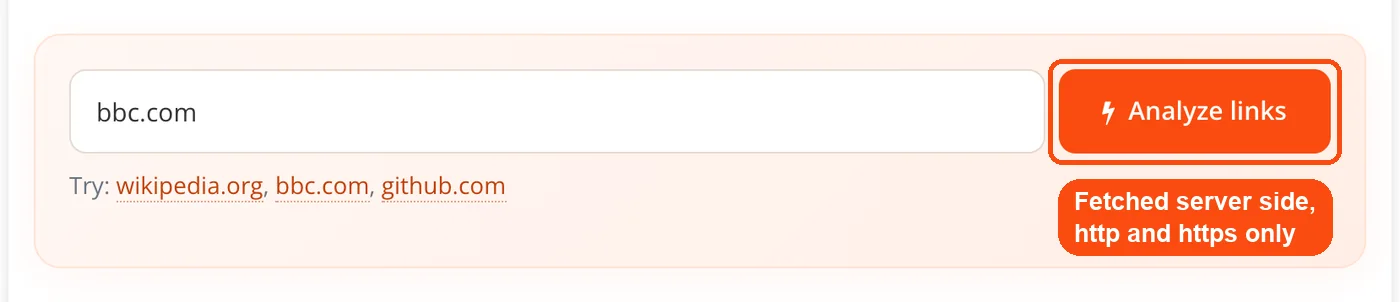
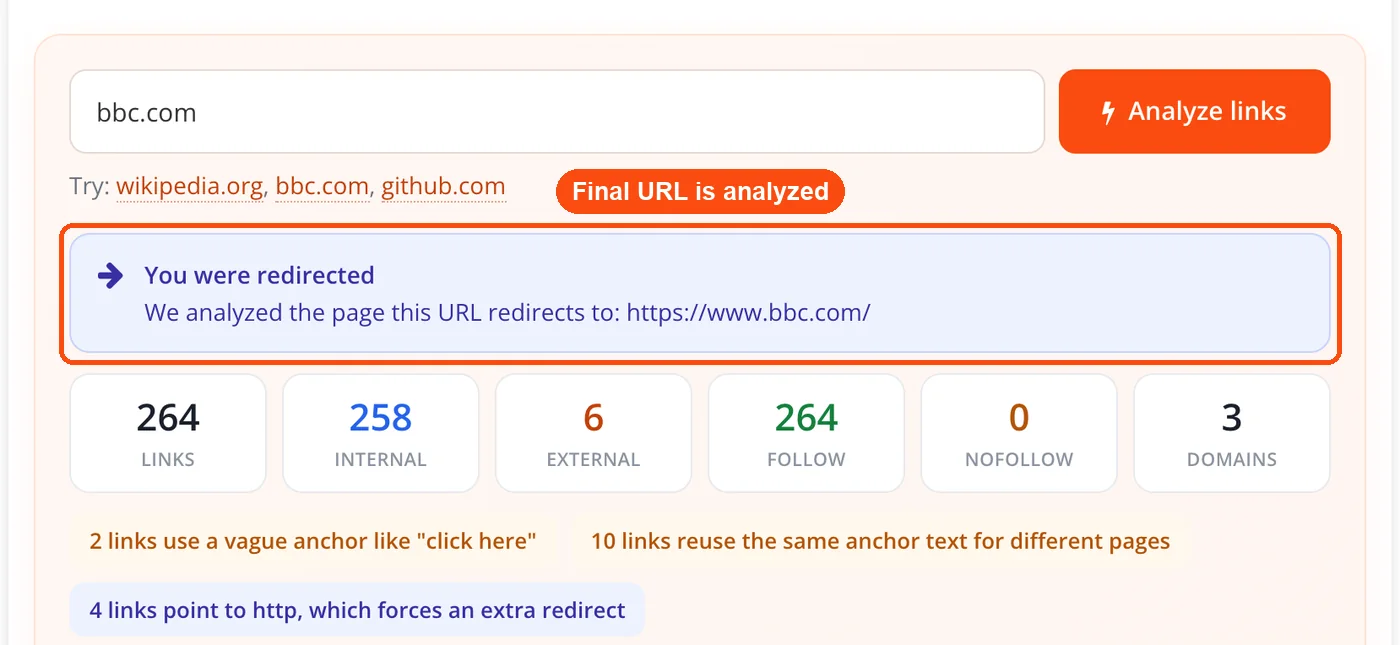
- Resolve the final URL. If the request redirected, the analysis runs against the address it landed on, and a banner says so, so results are never quietly about a different page.
- Parse. The HTML goes through a real DOM parser rather than a regular expression. Any
<base href>is honoured first, because it changes how every relative URL on the page resolves. Fragment-only,mailto,tel,javascriptanddatalinks are bucketed separately instead of being counted as page links, and anchors with nohrefare tallied as placeholders.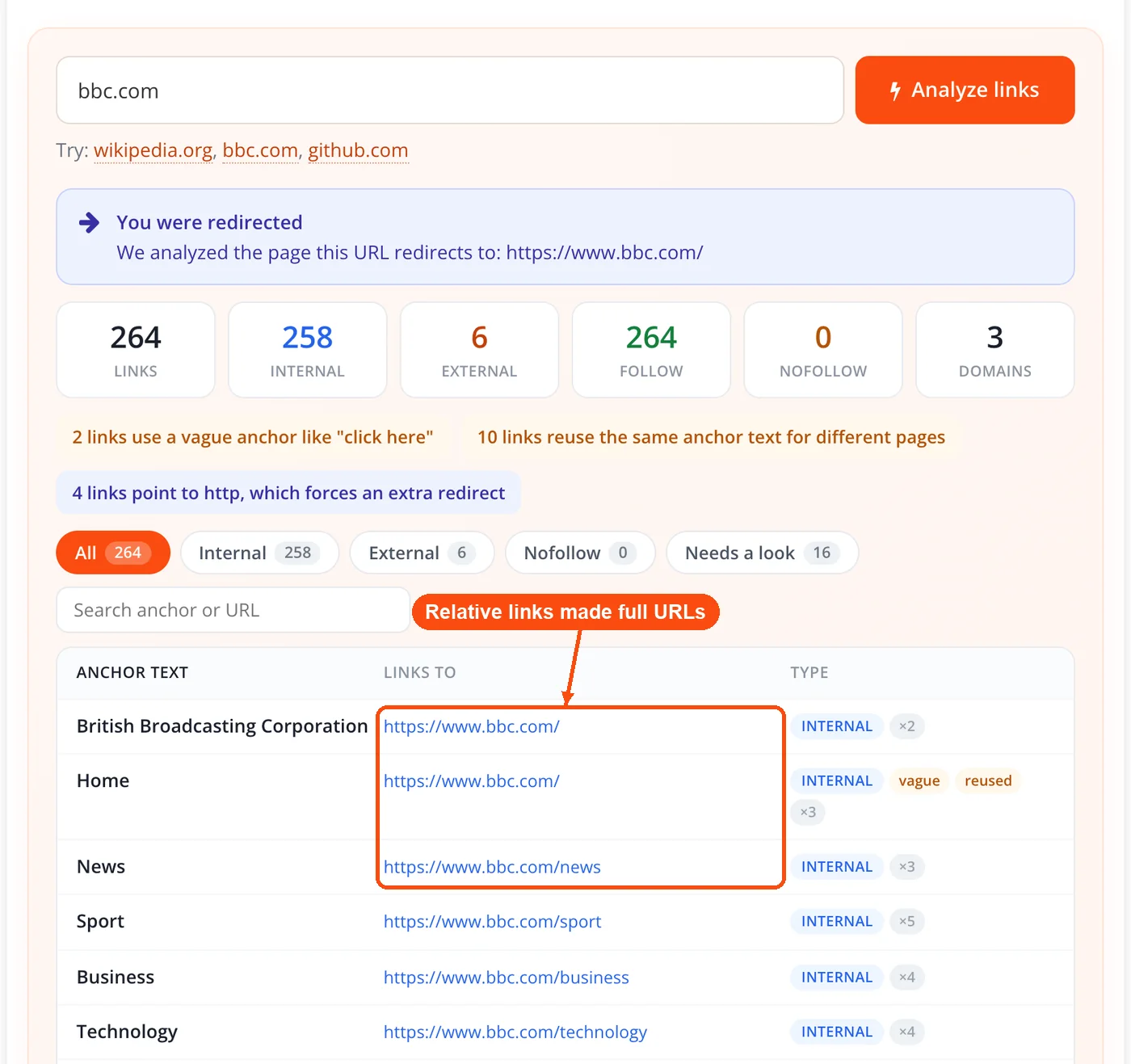
- Read each link. For every anchor the tool records the resolved absolute URL, the anchor text, the
reltokens split on spaces or commas, thetarget, and whether the link wraps an image. Anchor text falls back through visible text, then thetitleattribute, then thealttext of an image inside the link.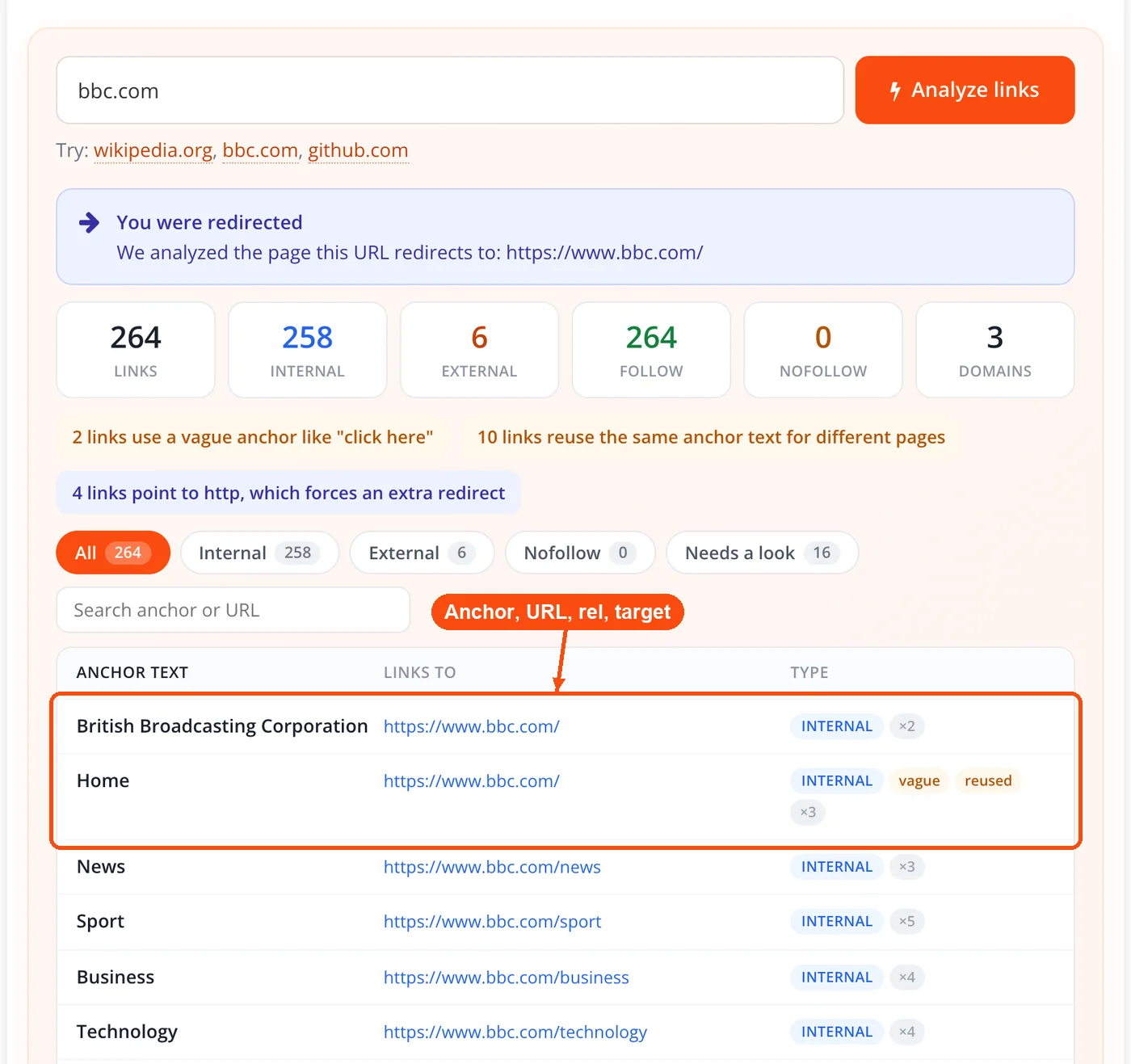
- Classify and flag. Each link is marked internal, subdomain or external, and follow or not. Totals are counted by type, unique external domains are rolled up, and the anchor quality flags are applied.
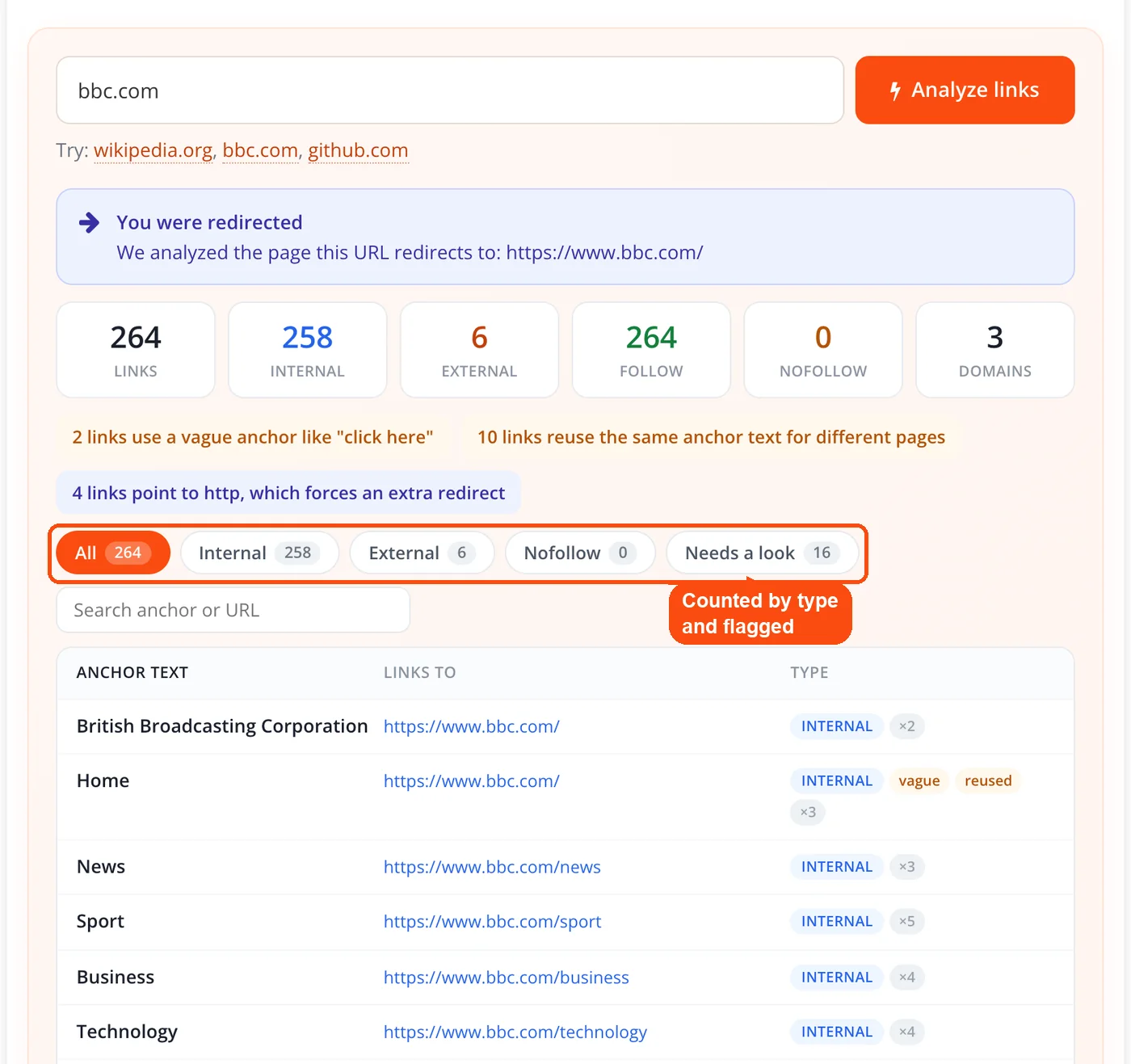
- Report. Results render as a filterable, searchable table with copy and CSV export, all running in your browser once the server-side analysis returns. Results are cached briefly, so two runs seconds apart may return the same snapshot.
What Each Column in the Link Table Means
| Column | What it tells you |
|---|---|
| Anchor text | The words a reader and a search engine see, or a flag when there are none |
| Links to | The resolved destination URL, after base-href and relative-path resolution |
| Type | Internal, subdomain, or external |
| Attributes | nofollow, sponsored and ugc listed separately, plus an occurrence count if the link repeats |
| Flags | No anchor, vague anchor, reused anchor, http link |
The Anchor Flags and What to Do About Them
The flags exist because anchor text is the field most often left broken and most rarely audited. Google's link documentation names the failure modes directly, listing "Click here", "Read more", "website" and "article" as too generic, and suggests reading an anchor out of context to see whether it still makes sense.
No anchor. A link with no visible text, no title and no image alt gives a screen reader nothing to announce and a crawler nothing descriptive. These are usually icon links, card wrappers, or template output nobody looked at.
Vague anchor. LinkStorm's analysis of 2.5 million contextual internal links found roughly 15% of anchors were still generic phrases like "read more" or "click here". Its data also put about 61% of anchors at one to three meaningful words and 14% at eleven or more, so the practical target sits in between.
Same anchor, different URLs. Two links reading "pricing" that point at two different pages is a signal conflict. Whichever page you actually want to rank for that phrase is now competing with the other one. This is the flag that most often surprises people on category and navigation-heavy templates.
Same URL, different anchors. This one is not always a fault. Cyrus Shepard's Zyppy study of 23 million internal links across roughly 1,800 sites found anchor variety correlated with search clicks strongly enough that the analysis was re-run three times. Shepard is explicit that this is correlation, and he later published data suggesting some very high-diversity sites fared worse under subsequent updates. The flag shows you the pattern so you can judge it, not so you can chase a number.
http link. An http link on an https page is a tidy-up item, not a mixed-content error: a hyperlink is not a subresource, so nothing loads insecurely until somebody clicks. Fixing it still saves a redirect hop.
How the Internal Link Analyzer Tool Sorts Links: Internal, Subdomain, External
Most free tools offer a two-way split, and the third bucket is where the useful detail hides. A link to blog.example.com or shop.example.com is neither a plain internal link nor a genuine outbound one, and counting it as either distorts the picture. Internal means the same host, subdomain means the same registrable domain on a different host, external is everything else, and the rule is stated on the page rather than left to be reverse-engineered.
The unique external domains rollup answers what the external count cannot. A guide linking out 22 times to three domains leans on a narrow set of sources; one linking out 22 times to 19 domains did its research. Neither is automatically better, but only one is visible from a total.
On volume, the Zyppy data is worth quoting accurately, because it is usually mangled. URLs receiving zero to four internal links averaged around two clicks from Google Search, while URLs receiving 40 to 44 saw roughly four times that, with uncertain returns past about 44. That is a finding about links pointing at a page across a site, not a cap on links placed on a page, and the two get conflated constantly. To see which pages actually receive that inbound support, pair this scan with the spider simulator.
Follow, Nofollow, Sponsored, and UGC
A link counts as follow only when it carries none of nofollow, sponsored or ugc. Google introduced the latter two on 10 September 2019 so publishers could say why a link is qualified, not only that it is, and since March 2020 all three are treated as hints rather than directives. Showing them separately matters because "nofollow: 14" hides whether those are paid placements, comments, or editorial caution.
A page-level robots nofollow overrides every link on the page, and the tool applies that rule rather than reporting per-link attributes that the page-level directive has already superseded. If you are unsure what your templates are emitting at the page level, the meta tags analyzer will show you the robots directive itself.
One deliberate omission: noopener and noreferrer are never reported as SEO problems. They are security attributes on links that open in a new tab, and flagging them as faults, which several tools do purely because they share the rel string, trains people to strip out protections worth keeping.
When to Run a Link Analysis
- Before publishing. One scan catches empty anchors and duplicated targets while editing is cheap.
- During a migration. Export the link table for every critical page before you change URL structure, then diff it against the rebuilt site. Confirm redirect behaviour with the www redirect checker.
- After a template change. Theme and plugin updates silently rewrite navigation, related-post modules and footer links.
- When a page will not rank for its own phrase. Check whether that exact anchor points somewhere else on your site.
- On competitor pages. Any publicly reachable URL works, so you can read how a ranking page distributes internal links and which sources it cites.
Where Link Analysis Fits in a Wider Audit
Link analysis answers what the links on a page say. It does not answer whether they work, whether their destinations are indexed, or whether anyone links to you, and treating one tool as though it covers all four is how audits reach confident wrong conclusions.
An agency onboarding audit usually runs in three passes: pull the link table for the homepage and top landing pages, send the same URLs through the broken link checker to see which links still resolve, then check the destinations against Google's index with the index checker.
On an e-commerce site, category templates are where the reused-anchor flag earns its keep. A "Shop now" button repeated across 40 product cards, each pointing somewhere different, is 40 links carrying identical useless anchor text. Fix the template once, then watch the target pages through the keyword rank checker.
For a publisher or affiliate site, the attribute columns are the audit. Every paid placement should carry sponsored and every comment link ugc, and the filter isolates outbound follow links so you can check nothing slipped through uncategorised. Inbound links are a different question entirely: the backlink checker looks at links pointing at you, while this one looks only at links leaving the page you scanned.
A well-linked page on a weak domain and a poorly-linked page on a strong one need different fixes, so the domain authority checker and page authority checker are worth a look alongside, with the website SEO checker covering the on-page basics in one pass.
What the Link Analyzer Cannot Do
The tool reads the HTML the server returns, so links injected afterwards by JavaScript are not in the results. When a page looks JavaScript-rendered you get a banner saying so, rather than a near-empty table that reads as a broken tool. Google can crawl JavaScript-inserted links provided they end up as proper anchor elements, so a link missed here is not automatically a link Google misses.
A firewall or bot filter refusing the request is reported as blocked, not as a dead page. The two demand opposite responses, and a tool that conflates them sends you hunting for a problem that does not exist.
Internal classification uses the same registrable domain, worked out with a bundled approximation rather than the full Public Suffix List. For most domains the answer is identical; for unusual multi-part suffixes it can differ, and the rule is stated in the interface so you can check an edge case yourself.
The tool reports what each link says, not whether it still loads, so there are no status codes in the table. It also handles one URL per run, which means a full-site picture involves scanning your key templates rather than pointing it at a domain and walking away. Sitewide discovery is better answered by feeding a sitemap generator and confirming your crawl rules with the robots.txt generator.
How It Compares to Other Free Link Analyzers
Being straight about this: a link table with anchor text is no longer unusual in the free tier, and several tools do it well. The differences that survive a real comparison are narrower than a feature list suggests.
| Capability | ToolsPivot v2.0 | Common in free tools |
|---|---|---|
| Full link table with anchor text | Yes | Yes, in the better ones |
| Row cap per scan | None | Often capped, commonly around 200 |
sponsored and ugc shown separately | Yes | Uncommon; most collapse to one follow flag |
| Internal / subdomain / external | Three-way | Usually two-way |
| Unique external domains rollup | Yes | Rare |
| Empty and vague anchor flags | Yes | Occasionally |
| Anchor conflict flags (reused anchor, reused URL) | Yes | Not found in the free tier |
| JavaScript pages and blocked requests explained | Yes | Usually silent |
| Filters, search, CSV export | Yes | Sometimes, sometimes gated |
| Interface languages | 18 | Usually English only |
The anchor conflict flags, the three-way split with a domain rollup, the absent row cap and the willingness to explain an empty result are what set this apart. Everything else is table stakes done properly. If a competing free tool gives you uncapped rows and splits the rel tokens, use it; the point of the rebuild was to stop pretending six numbers were an analysis.
Frequently Asked Questions
A link analyzer fetches one web page and lists every link with its anchor text, destination, type and rel attributes. It classifies each link as internal, subdomain or external and flags anchor problems. The output is a filterable table, not a summary count.
Yes, with no account, no API key and no cap on the number of links returned per scan. Every feature including filters, search and CSV export is available without signing up. The interface is available in 18 languages.
Your page most likely renders links with JavaScript, and the tool reads the HTML the server returns. When it detects this it shows a banner rather than reporting a near-empty table as fact. Google can still crawl JavaScript-inserted links if they resolve to proper anchor elements.
A link analyzer reports what each link says: its anchor text, type and attributes. A broken link checker requests each destination and reports whether it still loads. Run the analyzer first to see the structure, then the checker to test it.
Because they mean different things. Google introduced sponsored for paid placements and ugc for user-generated content in September 2019, and collapsing all three into one nofollow count hides whether a link is an advertisement, a comment, or editorial caution.
No, subdomains get their own category. Internal means the same host, subdomain means the same registrable domain on a different host, and external is everything else. The registrable domain is worked out with a bundled approximation rather than the full Public Suffix List.
Yes. It works as a web link analyzer for any publicly reachable URL, which makes it useful for seeing how a ranking page distributes internal links and which sources it cites. Pages behind a login or bot filter return a blocked notice instead.
Phrases that describe nothing about the destination, such as "click here", "read more", "this page" or a bare "website". Google's link documentation names these examples directly and suggests reading the anchor on its own to test whether it still makes sense.
They are security and privacy attributes, not SEO signals. They appear on links that open in a new tab, and tools that flag them as issues encourage people to strip out protections worth keeping.
There is no fixed number, and the commonly repeated caps are usually misquotations of research about inbound internal links. Zyppy's study found pages receiving 40 to 44 internal links from across a site earned roughly four times the clicks of pages receiving fewer than five, with uncertain returns beyond that. Judge a page by whether every link earns its place.
Those are full SEO platforms with crawlers, backlink indexes and rank tracking; Ahrefs' cheapest full plan runs $129 per month and Semrush's around $139 as of mid-2026. This tool does one job: it is an SEO link analyzer for one page at a time, and it is free. If you need site-wide crawling and historical data, a paid suite is the right purchase.
Run it on key pages after any template, theme or plugin change, and on new content before publishing. Migrations deserve a scan of every critical URL before and after. There is no benefit to rescanning a page that has not changed.


