A Pinterest video downloader is a free online tool that saves videos, Idea Pins, and image pins from Pinterest straight to your device. Pinterest has no built-in save button for video, so a recipe clip or a design tutorial you wanted to keep stays locked inside the app. The ToolsPivot Pinterest Video Downloader fixes that. Paste a pin link, pick the file you want, and save it as an MP4, an MP3, or the original image in seconds, with no account and no software to install.
What the Pinterest Video Downloader Does
The Pinterest Video Downloader pulls out whatever a pin actually holds and hands it back as a ready-to-save file. It accepts any pinterest.com or pin.it link, checks that the link is genuinely Pinterest, then extracts the contents server-side. It detects whether the pin is a single video, a multi-segment Idea Pin, or a still image, and returns each item with its file size shown so you know what you are getting before you click. Video saves as MP4, audio as MP3, and images in their original format.
Who uses it most: content creators, social media managers, marketers, teachers, and DIY hobbyists. A food blogger saves recipe clips for reference, an agency collects competitor Idea Pins for a content audit, and a teacher grabs a how-to video to play offline in class. Anyone who builds a swipe file or a mood board reaches for it daily.
The problem it solves: saving Pinterest video by hand is impossible because the app offers no download option, and screen recording loses quality while adding clutter. This tool returns the original file directly. A 20-second Idea Pin you would have screen-recorded at low quality now downloads as a clean, full-resolution MP4 in a single step. If you also pull clips from other platforms, the ToolsPivot all-in-one video downloader handles those from the same workflow.
Key Benefits
All three pin types in one box. Video pins, Idea Pins, and image pins are handled by the same tool, so you never have to hunt for a separate downloader when a pin turns out to be an image.
No account, ever. There is no login, no signup, and no email wall. Paste a link and download, the same way every time.
MP4 and MP3 output. Save the full video as MP4 or pull just the audio as MP3 when you only want the sound from a clip.
Idea Pins come back whole. Multi-segment Idea Pins are split into separate items, so you get every clip in the sequence rather than just the first frame.
Sizes shown upfront. Each download lists its file size before you commit, which matters on mobile data or a slow connection.
Nothing is stored. Files are not kept on any server after your download finishes, and your link history is never logged.
Free and unlimited. Download as many pins as you want at no cost, with no daily cap and no premium tier holding back quality.
Works in 18 languages. The interface is available in 18 languages, so the tool reads naturally whether you are in Madrid, Manila, or Mumbai.
Core Features
Pinterest and pin.it support. Both the full pinterest.com URL and the shortened pin.it share link work, so you can paste whichever one Pinterest gives you.
Automatic pin detection. The server reads the pin and decides on its own whether it holds a video, an Idea Pin, or an image, so you do not pick a "mode" beforehand.
Idea Pin segment splitting. Each segment of a multi-part Idea Pin is returned as its own download, keeping tutorials and step-by-step sequences intact.
Audio merging built in. Pinterest sometimes serves a video's picture and sound as separate streams. The tool merges them with ffmpeg so you get one MP4 with audio, not a silent file.
MP3 audio extraction. Video pins can be saved as MP3 when you want the audio on its own, useful for background music or a voiceover you liked.
Original image downloads. Image pins are saved in their full-size original form, not a compressed thumbnail, so the file you keep matches what you saw on Pinterest.
File size preview. Every available download shows its size, helping you choose the right one and avoid surprise data use.
Multi-item handling. When a single link contains several pieces, the tool lists each one separately, bounded to a sensible limit so the page stays responsive.
No added branding. The file you download is the original Pinterest hosted, not a re-encoded copy with a logo stamped over it.
Runs in any browser. Nothing installs on your phone or computer. The tool works on Chrome, Safari, Firefox, and Edge across desktop, Android, and iPhone.
How It Works
The Pinterest Video Downloader from ToolsPivot turns a pasted link into a saved file in four steps.
- Copy the pin link. On the Pinterest app, tap the share icon and choose Copy Link. On desktop, copy the URL from your browser's address bar. A
pin.it short link works too.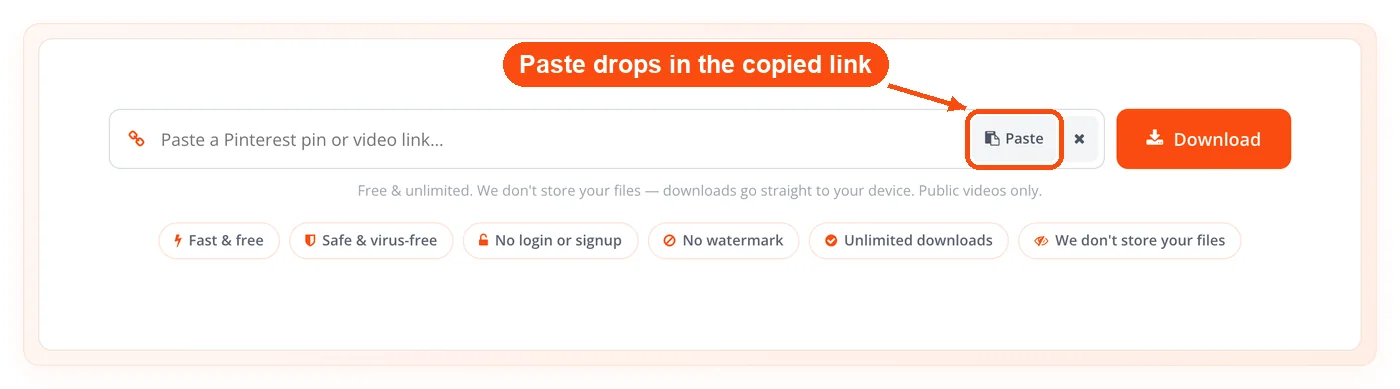
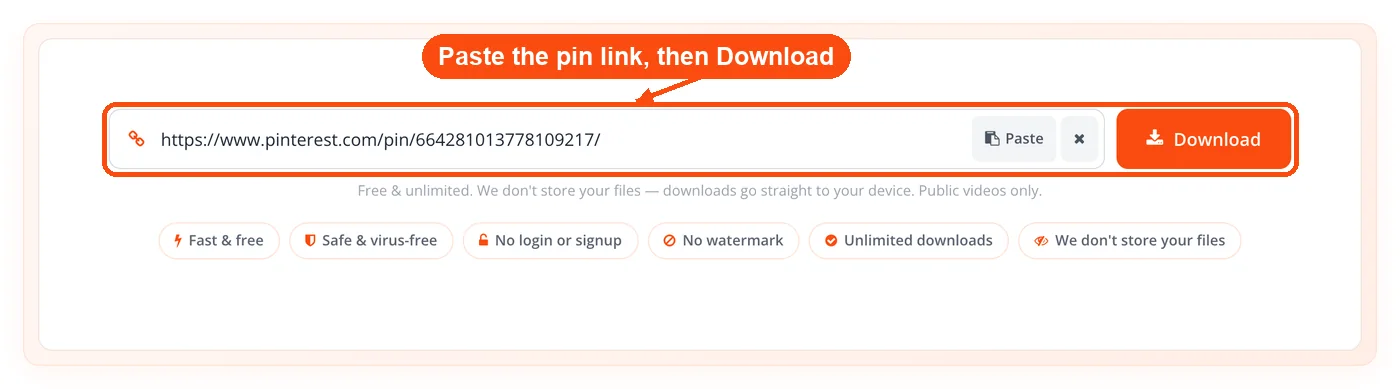
- Paste it into the box. Drop the link into the input field on the tool page and start the fetch.
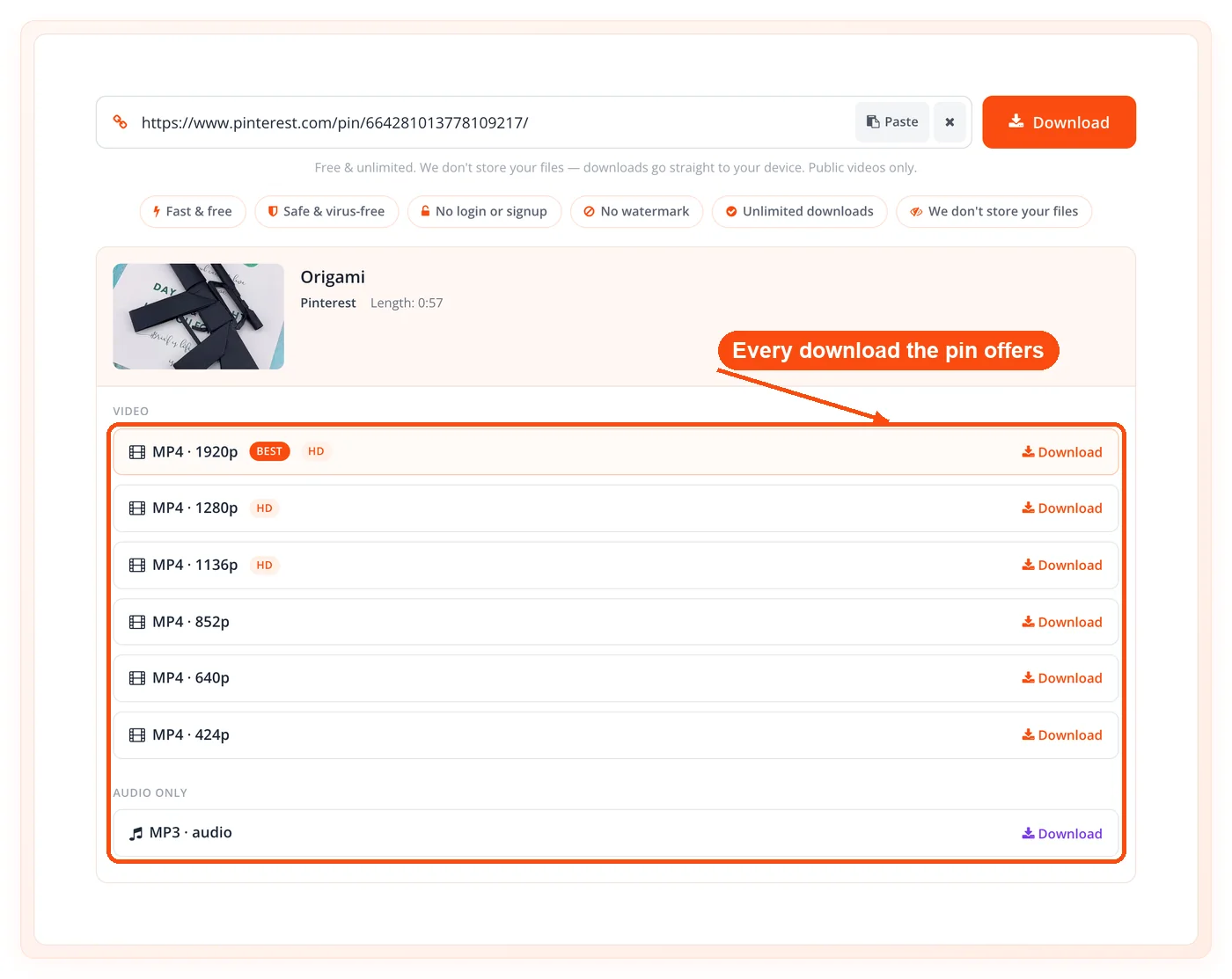
- Let the server read the pin. The tool confirms the link is Pinterest, then extracts the video, Idea Pin segments, or image and shows each available download, with its size when Pinterest reports one.
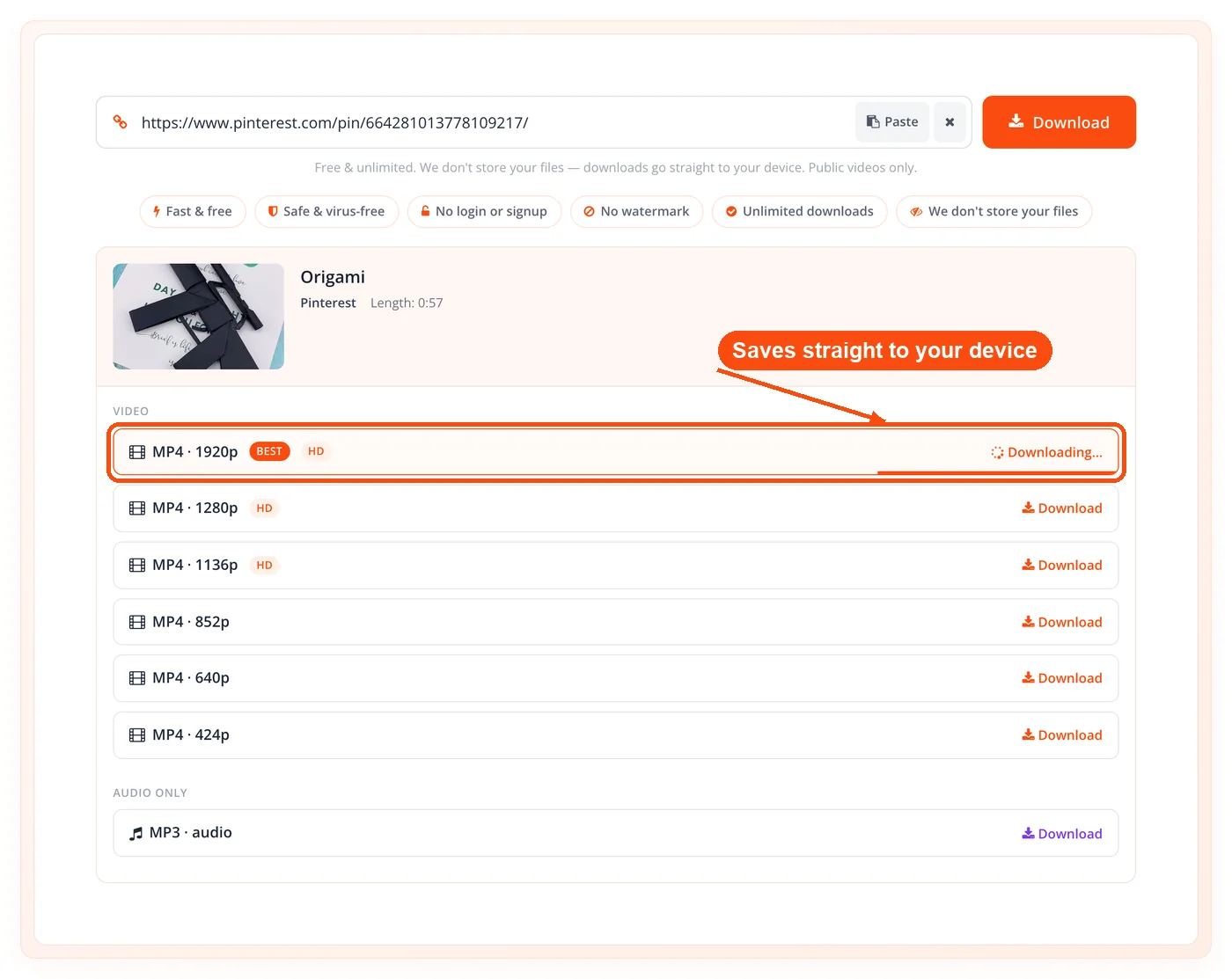
- Pick a format and save. Choose MP4, MP3, or the original image, then save the file straight to your device.
When to Use a Pinterest Video Downloader
A Pinterest video downloader is most useful when you need a pin available offline or outside the app. Pinterest is built for browsing inside its own feed, so the moment you want a file on your own device, you need a tool to get it out.
Building a reference library. Save tutorials, recipes, and design clips into a folder you control instead of relying on boards you might lose access to.
Working offline. Download a how-to video to play in a classroom, a workshop, or anywhere the WiFi is unreliable.
Repurposing your own content. Pull back an Idea Pin you posted so you can reuse it on another platform or re-edit it.
Collecting visual research. Grab image pins for a mood board, then tidy them up with reverse image search to trace the original source.
Extracting audio. Save just the sound from a video pin as MP3 when the music or narration is what you actually wanted.
One caveat: the tool only works with public pins. Anything on a secret board or a profile you cannot open will not be available, because the file is never publicly reachable in the first place.
Common Use Cases
Content Creator Swipe File
Context: A short-form creator wants a folder of high-performing hooks to study.
Process:
- Find trending Idea Pins in your niche on Pinterest.
- Paste each pin link and download the segments as MP4.
- Sort the clips into a reference folder by theme.
Result: A personal swipe file of proven openers you can analyze frame by frame, without re-recording anything.
Social Media Manager Audit
Context: An agency reviews how a competitor structures its Idea Pins for a client report.
Process:
- Collect the competitor's recent Idea Pin links.
- Download each one, with every segment returned separately.
- Compare pacing and structure across the set.
Result: A clear picture of the competitor's content pattern, the kind of insight that also feeds work in the TikTok video downloader and Instagram video downloader for cross-platform audits.
Teacher Offline Lesson
Context: A teacher needs a craft demonstration video to play in a room with weak internet.
Process:
- Find the demonstration pin on Pinterest.
- Download it as MP4 the night before.
- Play it from the device with no streaming needed.
Result: A lesson that runs smoothly regardless of the classroom connection, with the clip saved permanently for next year.
Designer Mood Board
Context: A freelance designer gathers visual references for a client pitch.
Process:
- Save image pins that match the brief in their original size.
- Crop and resize them for the deck.
- Strip metadata before sharing the files externally.
Result: A clean reference set ready for a presentation, prepped with the ToolsPivot crop image online and image resizer tools, then cleaned with the EXIF data remover.
Pin Types This Tool Handles
Pinterest serves three kinds of content, and the Pinterest Video Downloader handles all of them from the same link box. Knowing which type you have helps you understand what comes back.
| Pin type |
What it is |
What you get |
| Video pin |
A single standalone video |
One MP4, or MP3 for audio only |
| Idea Pin |
A multi-segment story with several clips |
Each segment as a separate item |
| Image pin |
A still photo or graphic |
The full-size original image |
Many Pinterest downloaders are built only for standard video pins and either skip Idea Pins or send you to a different tool for images. Handling all three in one place is the practical difference here, with no ad-redirect pages in between and nothing saved to a server afterward.
MP4 or MP3: Choosing Your Format
Choose MP4 when you want the full video and MP3 when you only need the sound. MP4 keeps the picture and audio together and plays everywhere, from your phone's gallery to a video editor. MP3 is the right pick when a video pin's value is its music or narration, for example a recipe walkthrough you want to listen to while cooking. For an image pin there is no format choice, since you receive the original file as Pinterest stored it. If you later need that image smaller for the web, the image compressor shrinks the file without visible quality loss.
Honest Limitations
The Pinterest Video Downloader has real boundaries, and knowing them upfront saves frustration.
Public pins only. Secret boards and private profiles cannot be downloaded, because their files are not publicly accessible.
Quality depends on the source. You get the resolution Pinterest hosts for that pin. The tool does not upscale, so a low-resolution pin downloads at its original quality, not 4K.
Time and volume guards. Each fetch and download runs within set time windows, and a single multi-item link is capped at a reasonable number of pieces to keep the service fast and prevent abuse.
Respect the creator's rights. Downloading is for personal and reference use. Reposting someone else's pin as your own may breach copyright, so check usage rights before you republish anything.
Frequently Asked Questions
Copy the pin's link, paste it into the Pinterest Video Downloader, and pick MP4 when the downloads appear. Use the Share menu's Copy Link option in the app, or copy the URL from your browser on desktop.
Yes, it is completely free with no daily limit. There is no premium tier, no quality lock, and no charge for any format.
No account is needed. The tool has no login, no signup, and no email wall, so you can download right away.
Yes. Multi-segment Idea Pins are returned with each segment as a separate download, so you keep the full sequence rather than a single frame.
Yes. Image pins are saved in their original full size. The tool detects the pin type automatically, so the same link box handles images and video alike.
Yes, video pins can be saved as MP3 when you only want the sound. This is handy for music, narration, or background audio you liked.
Yes. The tool runs in any mobile browser, so it works on iPhone, Android, and tablets with no app to install. Where the file lands depends on your browser's download settings.
Yes, both full pinterest.com URLs and shortened pin.it share links are accepted. Paste whichever one Pinterest gives you.
You get the quality Pinterest hosts for that specific pin. The tool delivers the original file and does not upscale, so a higher-resolution pin yields a sharper download.
No, only public pins can be downloaded. Files on secret boards or private profiles are not publicly accessible, so the tool cannot reach them.
A link usually fails because the pin is private, the URL was copied incompletely, or the pin holds no downloadable media. Recopy the full link with the Share menu and try again.
No files are stored. Downloads are processed and then discarded, and your link history is never saved or logged.
Downloading for personal use and reference is generally fine, but the content still belongs to its creator. Reusing or reposting a pin publicly may require permission, so check usage rights first.
