A UPI QR code generator converts your Unified Payments Interface ID into a scannable payment code that works with Google Pay, PhonePe, Paytm, BHIM, Amazon Pay, and 200+ other UPI apps. ToolsPivot's version prefills the amount, payee name and note correctly, lets you add your own logo and colors, and builds a printable Scan to Pay standee, all inside your browser.
Shopkeepers, freelancers, restaurant owners, and online sellers across India use UPI QR codes to accept payments without sharing bank account numbers. Customers scan, confirm the amount, enter their PIN, and the money hits your account in seconds. No POS machine. No card reader. No transaction fees.
How to Use ToolsPivot's UPI QR Code Generator
Enter your UPI ID: Type your Virtual Payment Address in the format name@bankhandle (for example, shopname@okicici or 9876543210@paytm) in the UPI ID field.
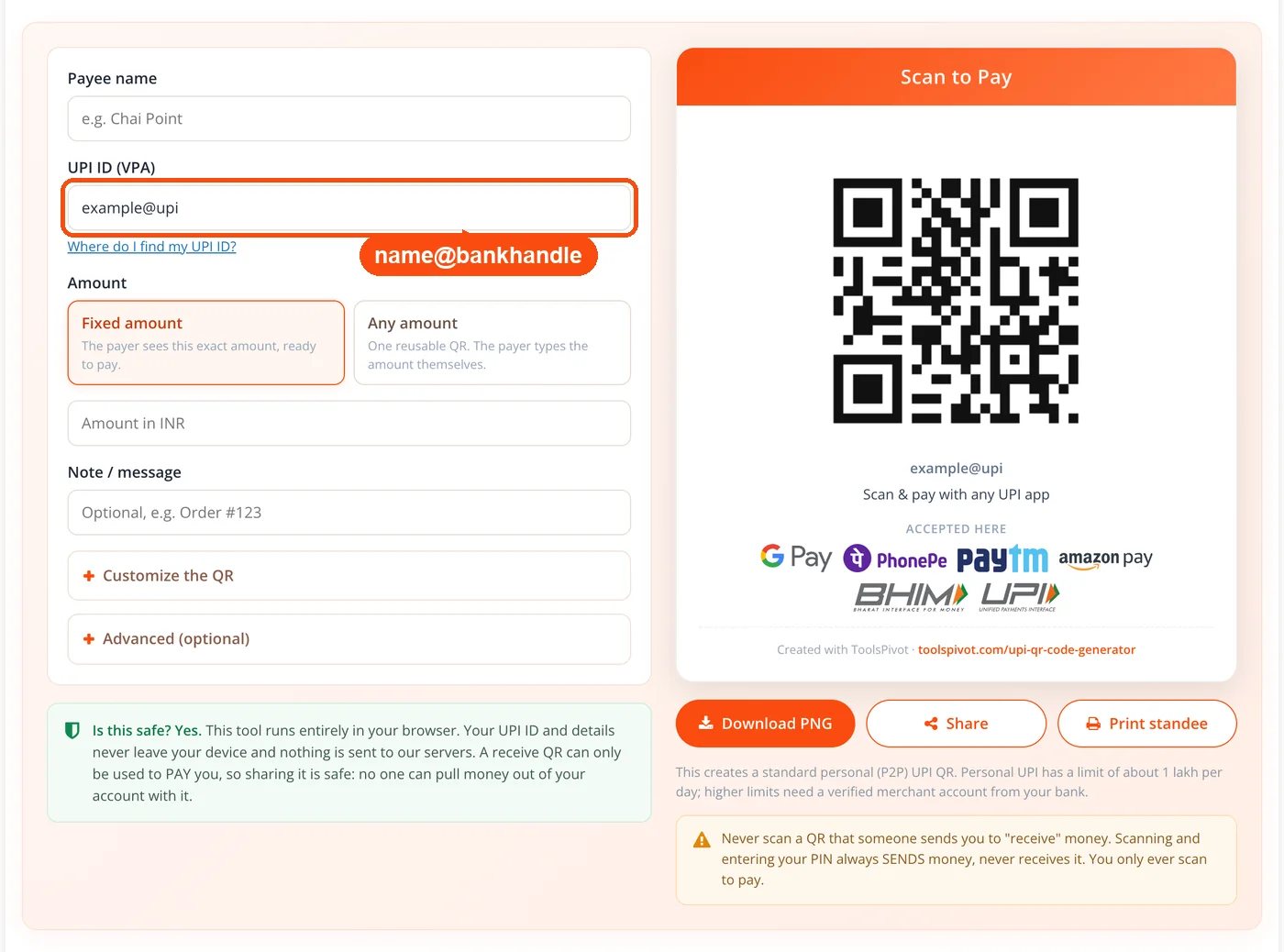
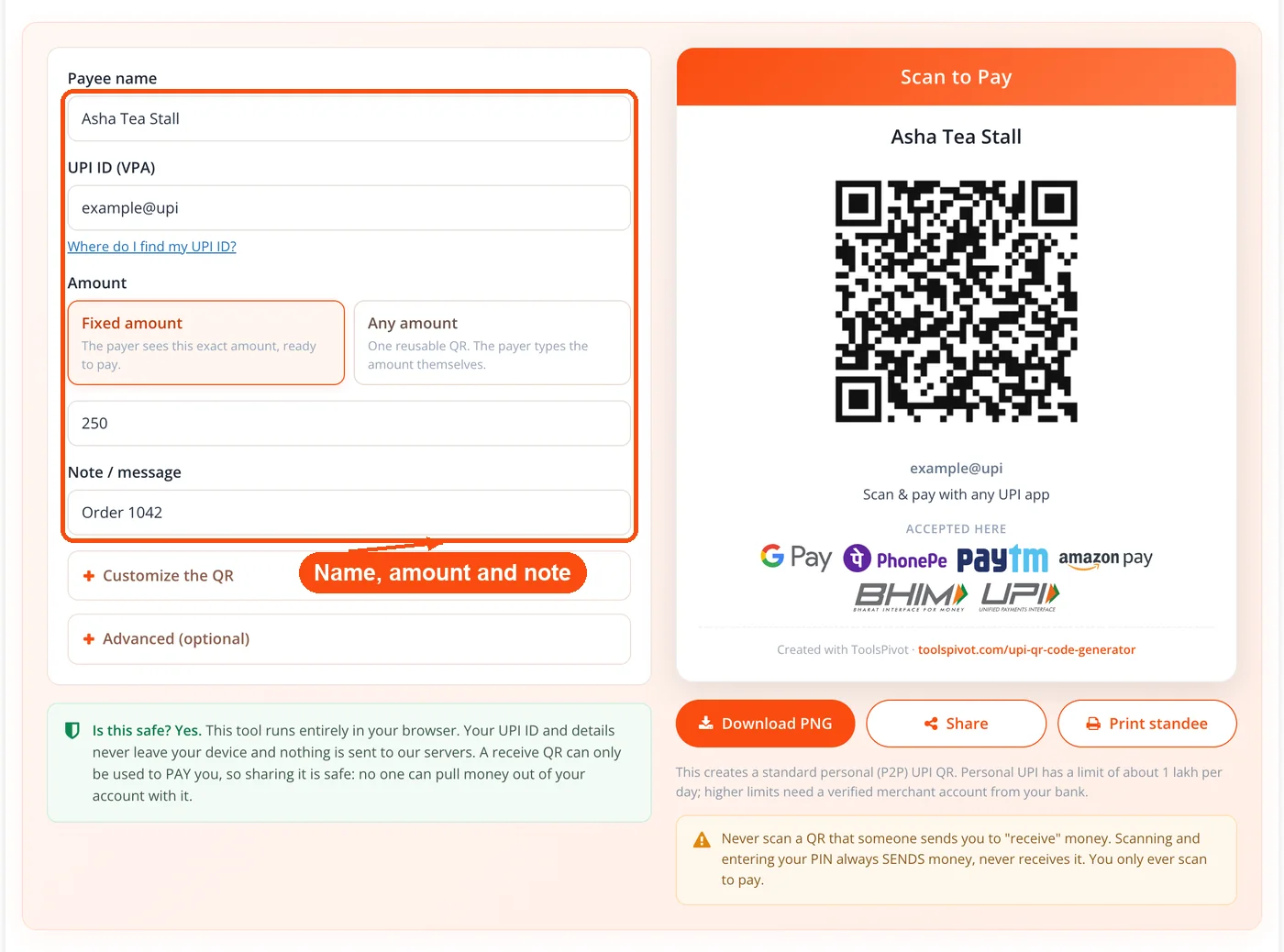
Add payee details: Fill in your merchant or personal name and, if needed, set a fixed payment amount in INR along with a description note like an invoice number or order reference.
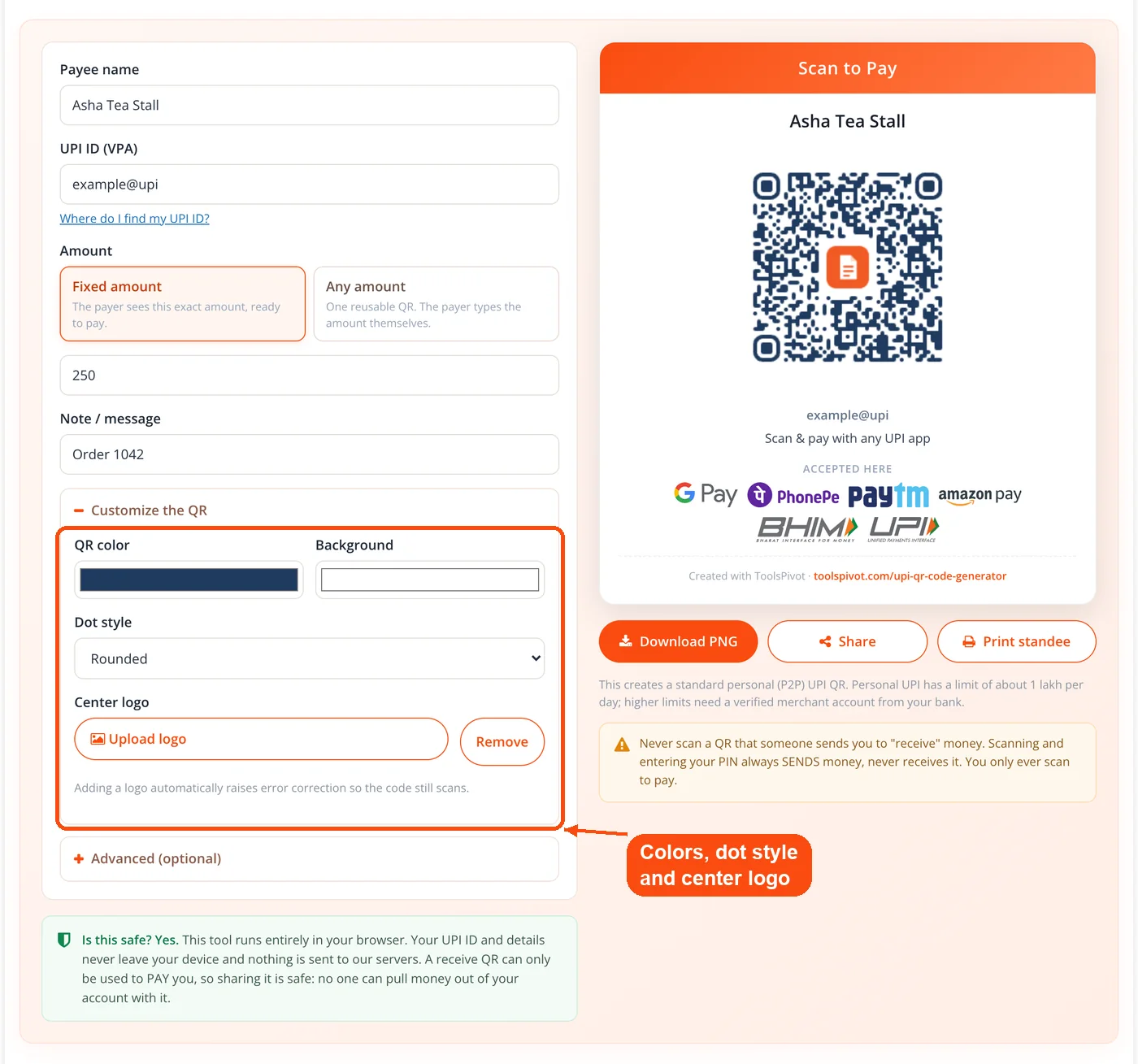
Customize the QR: Open "Customize the QR" to set the QR and background colors, pick a dot style (Square, Rounded or Dots), and add a center logo to match your branding.
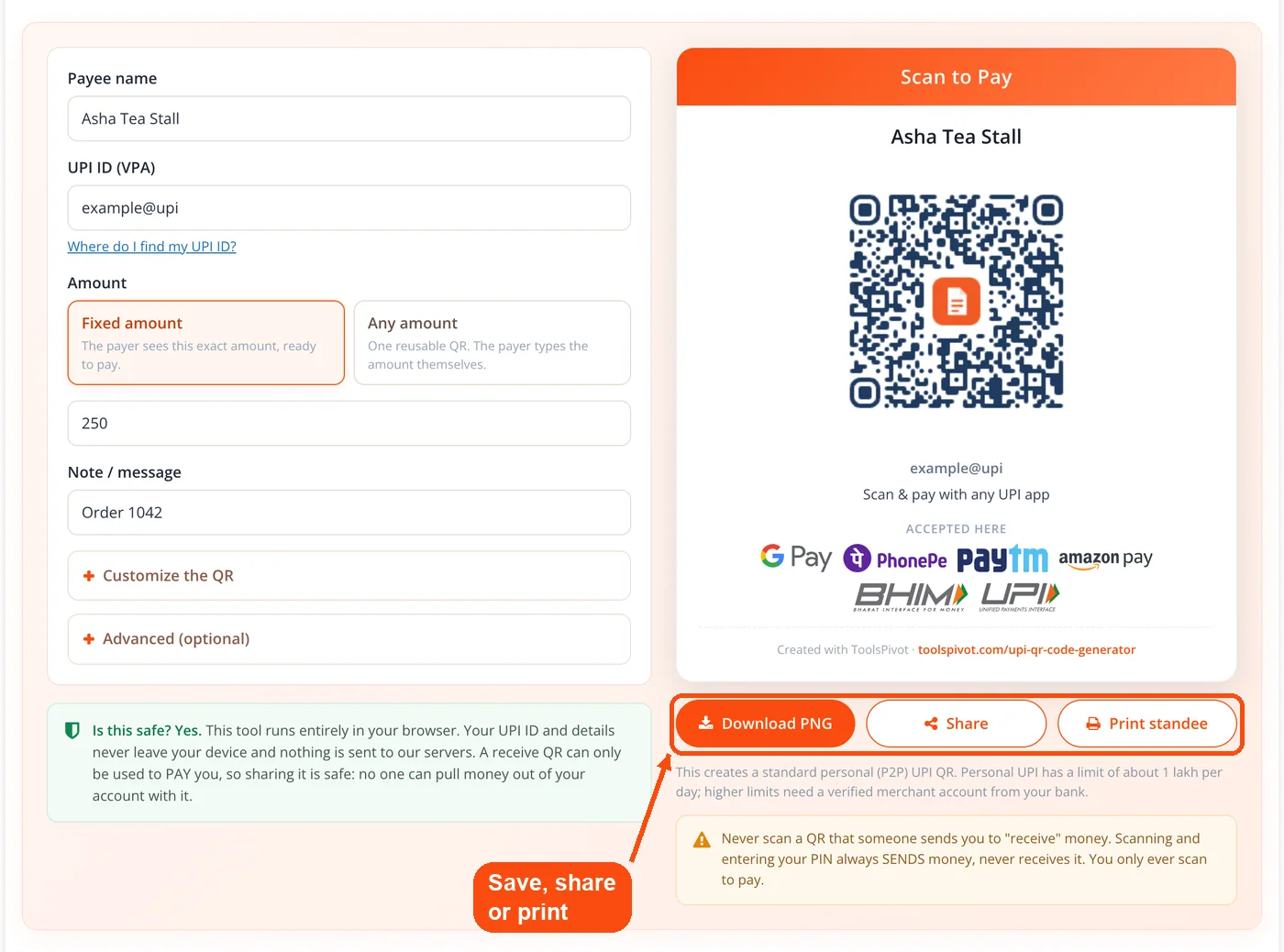
Download, share or print: Hit "Download PNG" to save the standee as a high-resolution image, use "Share" to send the payment link or copy the QR image, or click "Print standee" to send it to your printer. ToolsPivot processes everything in your browser, so your payment details never leave your device.
The whole process takes under 30 seconds. No account creation, no login, no waiting.
UPI QR Code Generator with Amount, Note and Logo
UPI ID and payee name input: Links your Virtual Payment Address to the QR code so payers see your name on their confirmation screen. Accepts any valid VPA format across all banks.
Fixed amount field: Lock in a specific INR amount for invoices, membership fees, or product prices. Payers can't accidentally enter a wrong figure when the amount is pre-set.
Transaction note: Attach reference text (invoice numbers, order IDs, batch codes) that shows up in both your and the payer's bank statement. Useful when tracking payments across dozens of customers.
Colors and dot style: Set your own QR color and background color, and choose Square, Rounded or Dots for the pattern so the code matches your shop or brand.
UPI QR code generator with logo: Upload a center logo and the tool automatically raises error correction from M to H, so the code still scans with the logo on top.
High-resolution PNG output: Downloaded images are sharp enough for both 3cm counter standees and A4 poster prints. You can also run the PNG through an image resizer if you need specific pixel dimensions. Customers can verify scannability using any QR code scanner.
Direct print option: Send the finished QR code straight to your printer without saving a file first. Handy for shop owners who need a code on the counter right now.
Browser-based processing: Your UPI ID and payment details stay in your browser. Nothing gets stored on a server, uploaded, or logged. The tool builds the standard upi://pay link defined by NPCI, so the code works with every UPI-enabled app in India.
Why Use ToolsPivot's UPI QR Code Generator
Branded payment codes: Your colors, dot style and logo turn a plain black-and-white square into something that actually fits your shop signage, invoice template, or social media post.
Zero cost, zero sign-up: Create unlimited QR codes without registering, paying a subscription, or handing over your email address. Razorpay's QR solution requires a merchant account; ToolsPivot requires nothing.
No transaction fees: UPI itself charges zero fees for person-to-merchant transfers under Rs. 2,000, and most banks waive fees entirely. Your QR code connects payers directly to your bank account with no intermediary taking a cut.
Works with every UPI app: One code handles Google Pay, PhonePe, Paytm, BHIM, Amazon Pay, WhatsApp Pay, and hundreds of smaller banking apps. You don't need a separate GPay UPI QR code generator or BHIM UPI QR code generator.
Privacy by design: Sharing a QR code means sharing your VPA only. Payers never see your bank account number, IFSC code, or Aadhaar details. If you also need to protect login credentials for your payment tracking tools, pair this with a password strength checker.
Instant deployment: Download a print-ready PNG or print directly. No approval process, no verification wait, no hardware installation. A street vendor can go from zero to accepting digital payments in under a minute.
Pre-filled amounts reduce errors: Lock the exact price into your QR code for fixed-cost services. Gym memberships at Rs. 1,500/month, tuition fees at Rs. 3,000, event tickets at Rs. 499. Customers scan, confirm, done. Check that your payment page meets security standards with an SSL checker if you're sharing codes online.
Printing and Displaying Your Payment QR Code
A QR code is only useful if people can actually scan it. The minimum print size for reliable scanning is 2cm x 2cm, but 3cm x 3cm works better in shops with variable lighting. For posters or banners, go larger. The code scales without losing quality because it's a vector-based pattern.
Laminate printed codes to protect them from moisture, grease, and fading. Coffee shops and food stalls deal with steam and oil splatter, and an unlaminated printout goes blurry within weeks. Acrylic standees last longer and look more professional at checkout counters.
Placement matters more than most merchants realize. Eye-level near the billing counter gets the fastest scan rates. Table-top standees in restaurants beat wall posters because the phone-to-code distance stays short.
For digital use, embed the PNG in invoices, email signatures, or WhatsApp messages. If you're building an online store, place the QR code on the checkout page alongside your privacy policy and terms and conditions links. Need exact hex values for your QR colors? Grab them with the RGB to hex converter before generating the code. You can also convert the image using the image to Base64 converter for embedding directly in HTML emails.
What the UPI QR Code Contains
Every UPI QR code encodes a URI string starting with upi://pay? followed by parameters: pa (your VPA), pn (payee name), am (amount), cu (currency, always INR), and tn (transaction note). This format follows the UPI linking specification set by NPCI (National Payments Corporation of India).
When someone scans your code, their UPI app parses this URI, auto-fills the payment screen, and waits for PIN confirmation. Error correction built into the QR format means the code still works even if up to 15% of it is damaged (at the recommended M-level correction).
Static codes contain the same information every scan. If you set a fixed amount, every scan pre-fills that figure. Leave the amount blank and payers type in what they owe. For variable-pricing businesses (grocery stores, restaurants), a blank-amount code is the better choice. Fixed-amount codes suit subscriptions, memberships, and event tickets.
Who Gets the Most Out of UPI QR Codes
Street vendors and kirana stores: A laminated QR code taped to the counter replaces a POS machine. Accepting digital payments means fewer bank trips and less risk of counterfeit notes. Over 300 million UPI transactions happen daily in India, and a growing share comes from small retail.
Freelancers and consultants: Embed a fixed-amount QR code in your project invoice. The client scans it, pays the exact amount, and both sides get instant confirmation. Combine this with a general QR code generator to add website or portfolio links to the same document.
NGOs and community groups: Share QR codes on social media, printed flyers, and event banners for donation collection. No payment gateway fees eating into donations. If you're running a fundraising website, check load times with a page speed checker so mobile donors don't bounce.
Restaurants and cafes: Table-top QR codes speed up payment after meals. Diners scan, pay, and leave without waiting for a card machine. For chains, generate separate codes with the branch name in the payee field for easy reconciliation.
Online sellers on Instagram and WhatsApp: Drop a QR code image into a chat. Buyers scan from their gallery or another device. It's faster than spelling out a VPA and hoping nobody misspells it. Resize the image with image cropping to fit Instagram story dimensions.
Common Questions About UPI QR Codes
Yes, 100% free with no limits. This UPI QR code generator online runs in your browser, and you can create as many QR codes as you need without signing up, logging in, or paying anything. There are no premium tiers, no watermarks, and no daily caps on the number of codes you generate.
The code uses NPCI's standard upi://pay format, making it compatible with Google Pay, PhonePe, Paytm, BHIM, Amazon Pay, WhatsApp Pay, and every other UPI-enabled app. One code handles all platforms because the underlying URI format is universal.
ToolsPivot processes everything inside your browser. Your UPI ID, payee name, and transaction details are never sent to or stored on any external server. The QR code is generated locally on your device using JavaScript, so your financial information stays private.
Yes, through the UPI ID linked to that account. Your UPI app creates a UPI ID (like name@okhdfcbank) for each bank account you link, and payments to that ID land in that account. Enter it here to get the QR. A UPI QR code cannot be made from an account number and IFSC alone, because it carries a UPI ID.
Yes. Enter the amount in INR in the amount field before generating the code. When someone scans it, that exact figure appears pre-filled on their payment screen. For fixed-price services, this cuts payment errors to nearly zero.
Open Customize the QR to pick the QR color and background color, choose a dot style (Square, Rounded or Dots), and upload a center logo. Adding a logo raises error correction automatically, so the code still scans. Match colors to your brand using the color picker tool.
Static codes hold the same data every time someone scans them. ToolsPivot generates static codes, which stay valid forever as long as your linked bank account is active. Dynamic codes change per transaction and typically require a payment gateway like Razorpay or Cashfree with an API integration.
Minimum 2cm x 2cm for scanning to work reliably. For shop counters, 3cm x 3cm or larger is better because it handles varying phone distances and lighting. For posters and banners, scale up to 8cm x 8cm or more. The PNG from ToolsPivot is high-resolution, so it stays sharp at any print size.
No. Static UPI QR codes don't have an expiration date. Your code stays functional indefinitely as long as the UPI ID it's linked to remains active and connected to a working bank account. If you change your VPA or close the linked account, you'll need to generate a new code.
UPI is designed for domestic Indian transactions. The payer needs an Indian bank account linked to a UPI app. The system isn't built for cross-border payments. For international invoicing, standard bank transfers or platforms like PayPal and Wise are better options.
NPCI sets the default per-transaction limit at Rs. 1 lakh for most UPI apps, though some banks and specific categories allow up to Rs. 2 lakh or Rs. 5 lakh. Daily limits vary by bank. For very large payments, check your bank's UPI policy or consider NEFT/RTGS transfers instead.
Every UPI payment shows up in your bank account's transaction history and your UPI app's payment log. If you included a transaction note (like an invoice number), it appears in the bank statement too. For organized tracking, export your bank statement and use a CSV to JSON converter for database import.
Nothing. A scan only opens the payment screen in the payer's app. No money moves until the payer confirms the amount and enters their UPI PIN. Incomplete scans don't create pending charges, holds, or notifications on your end.


