Credit Card Validator
This credit card checker tests a card number in real time: the Luhn checksum, the card scheme, valid length, and the issuing bank and country. Validate one number or paste a whole list.
About Credit Card Validator
A credit card validator is a tool that checks whether a card number is correctly formed by running the Luhn checksum, confirming the length, and identifying the card scheme from its number ranges. It catches the mistyped digit that would otherwise fail at checkout, and it tells you the issuing bank, country, and card type behind any number. The ToolsPivot credit card checker does all of this the moment you type, entirely in your browser, and it is clear about one thing most tools blur: it checks format, not whether a card is real or active.
What This Credit Card Checker Does
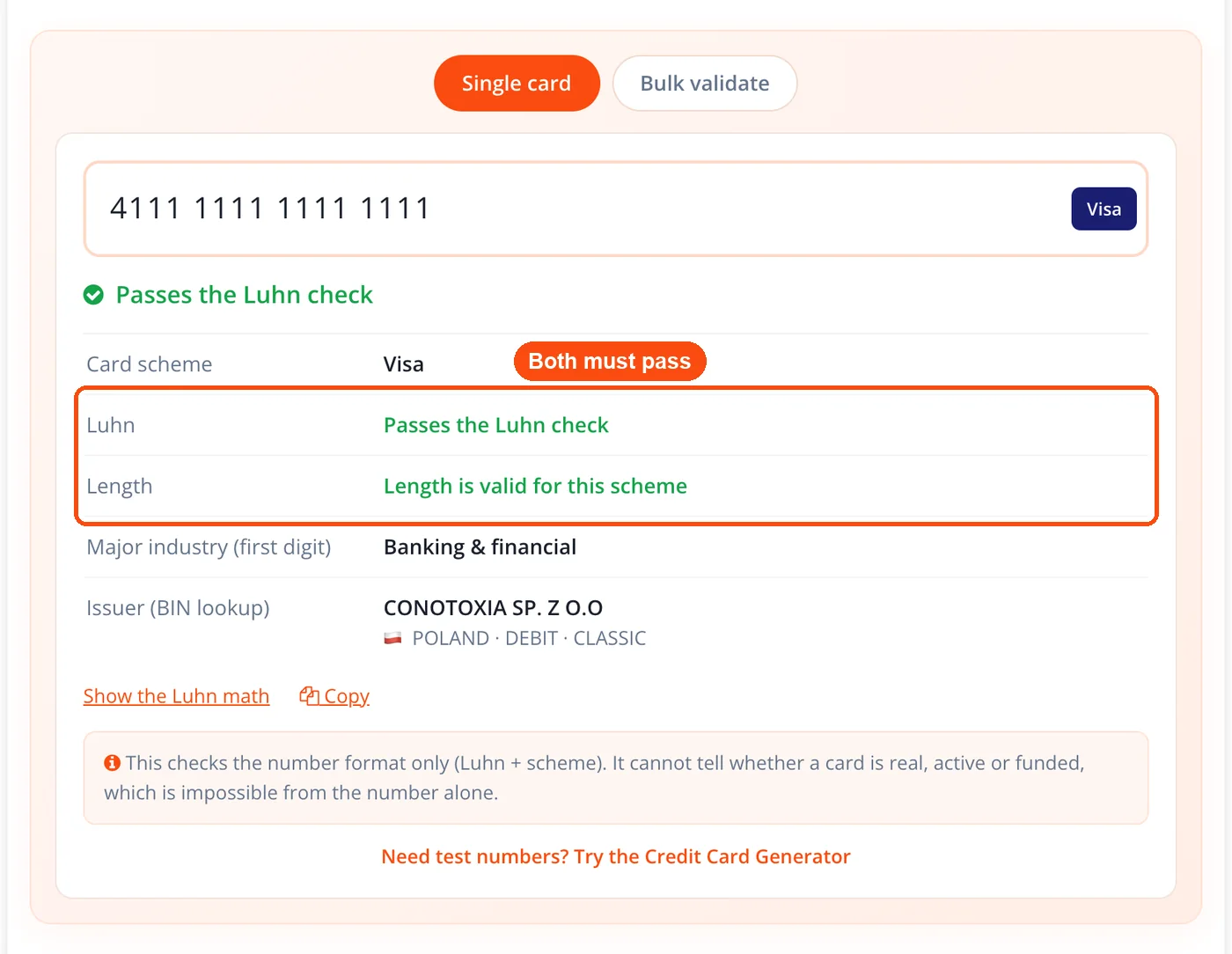
The Credit Card Validator confirms that a card number is structurally valid and identifies where it came from. It runs three checks together: the Luhn (mod-10) checksum, a length check for the detected scheme, and scheme detection based on current number ranges. A number passes only when the checksum and the length both hold for the scheme it matches.
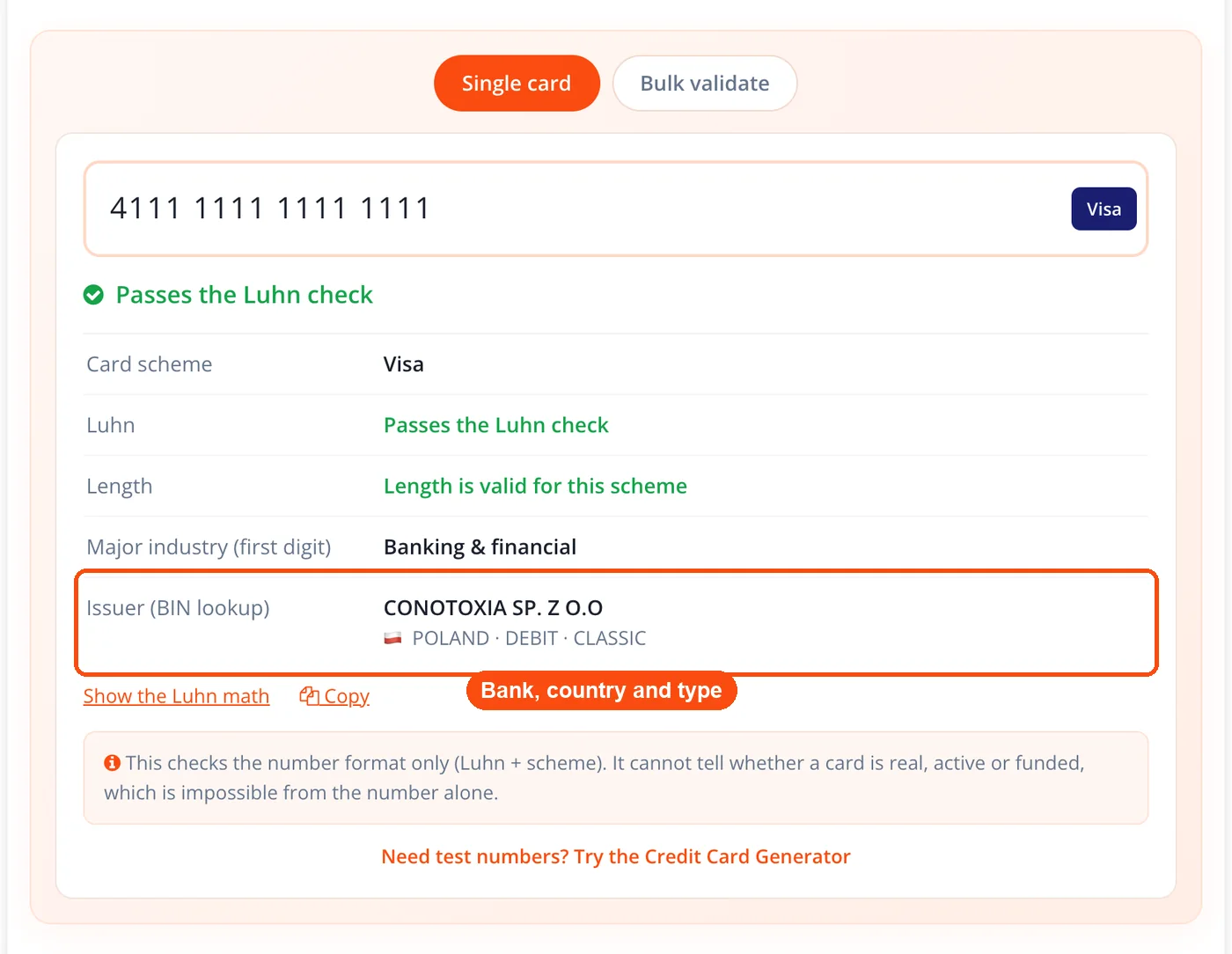
Beyond the pass or fail, the tool reads the first six digits (the BIN) and resolves the issuing bank, the country, and the card type, whether credit, debit, or prepaid. This lookup runs against a bundled dataset inside your browser, so nothing about the number leaves your device.
Developers, QA testers, and support teams use this tool most. A developer building a checkout form needs to reject malformed input before it reaches a payment gateway. A QA tester needs to confirm that a form accepts Visa, Mastercard 2-series, and UnionPay numbers alike. A support agent with only a card number on hand needs to name the issuing bank quickly.
The problem it solves is simple and common. A single transposed digit, the kind everyone makes, produces a number that looks fine but fails the checksum. Catching that error at the input stage saves a declined transaction, a support ticket, and a frustrated customer. Pair the validator with the credit card generator when you need valid test numbers to check against, and you have both sides of a payment-form test in one place.
Key Benefits
Correct scheme detection. The tool matches numbers against current, ordered BIN ranges, so it recognizes Mastercard 2-series, UnionPay, RuPay, Maestro, and Verve, which older first-digit checkers miss entirely.
Real issuer lookup, offline. You get the issuing bank, country, and card type from a bundled dataset, with no external API, no key, and no rate limit to hit mid-batch.
Instant feedback as you type. The number formats itself into the right groups, a scheme badge appears, and the green or red status updates live, so you see problems before you finish typing.
Honest about its limits. The result tells you the number is well-formed, and nothing more. It never claims to confirm a live account, a balance, or a CVV, which keeps you from trusting a check it cannot make.
Nothing leaves your browser. It is an online credit card validator, but every step runs client-side, so card numbers are not uploaded, logged, or stored anywhere.
Bulk validation with export. Paste a whole list, get a table of results with a validity summary, and export the lot as CSV or JSON, a feature most free validators reserve for a paid tier.
Core Features
Live Luhn checksum. The mod-10 algorithm runs on every keystroke and marks the number valid or invalid the instant the last digit lands.
Ordered BIN-range detection. Ranges are matched most-specific first, so overlapping prefixes resolve correctly. Discover's 622126 to 622925 block is caught before UnionPay's broad 62.
Scheme badge and auto-formatting. The detected scheme shows as a badge while the digits arrange into standard groups, 4-4-4-4 for most cards and 4-6-5 for American Express.
Length validation. Each scheme carries its own accepted lengths, from 12-digit Maestro numbers to 19-digit extended formats, and the tool checks the length against the detected scheme.
Major industry identifier. The tool surfaces the first digit, the major industry identifier, which marks the broad category a number belongs to, such as banking and finance or travel and entertainment.
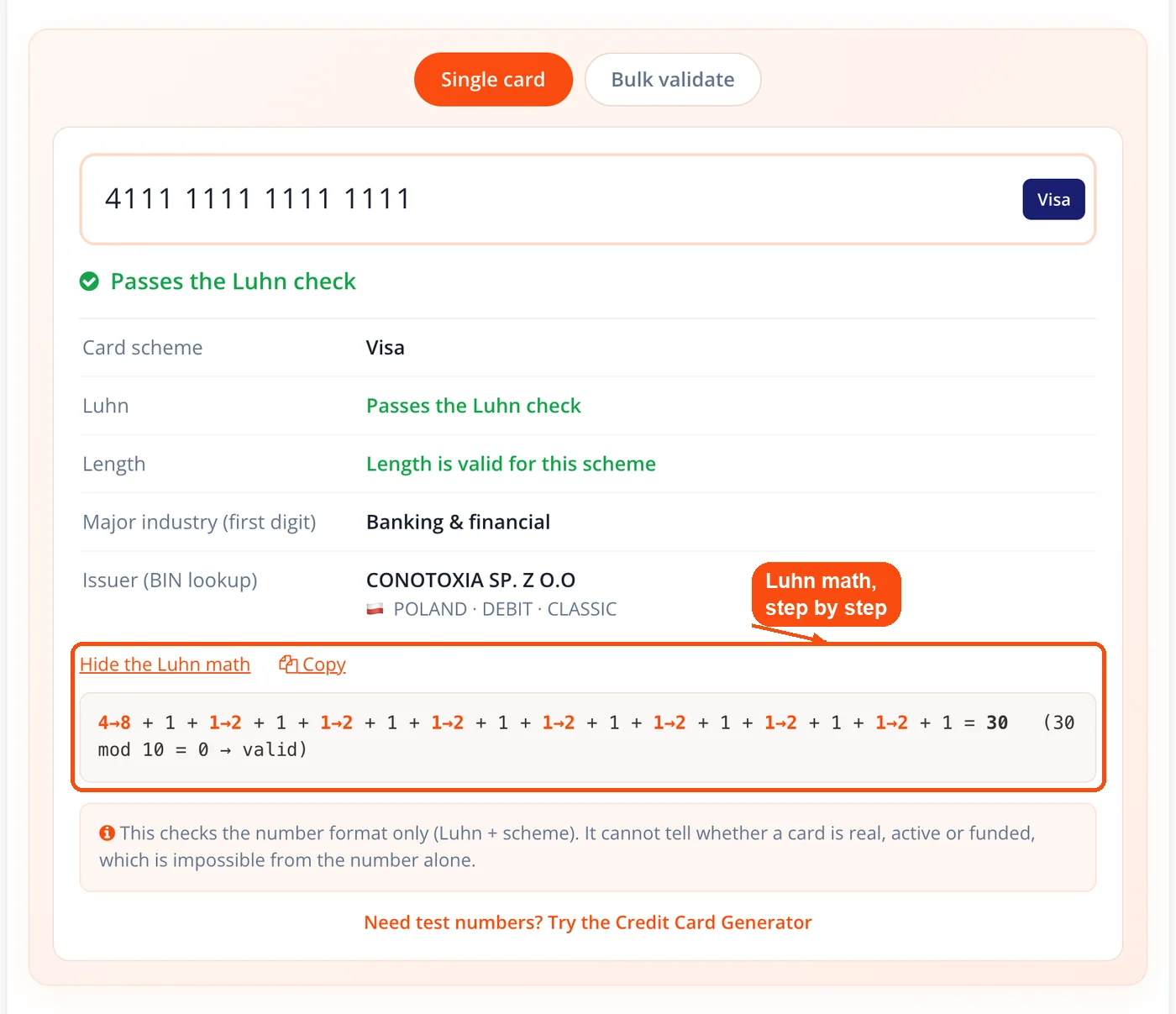
Step-by-step Luhn math. An optional view renders the full calculation: which digits were doubled, the running sum, and the final mod-10 result, useful for anyone learning how the check works.
Offline BIN lookup. Use it as a BIN credit card checker: the built-in lookup resolves the first six digits to issuing bank, country with flag, and card type from a bundled dataset, with no network request and no third-party service.
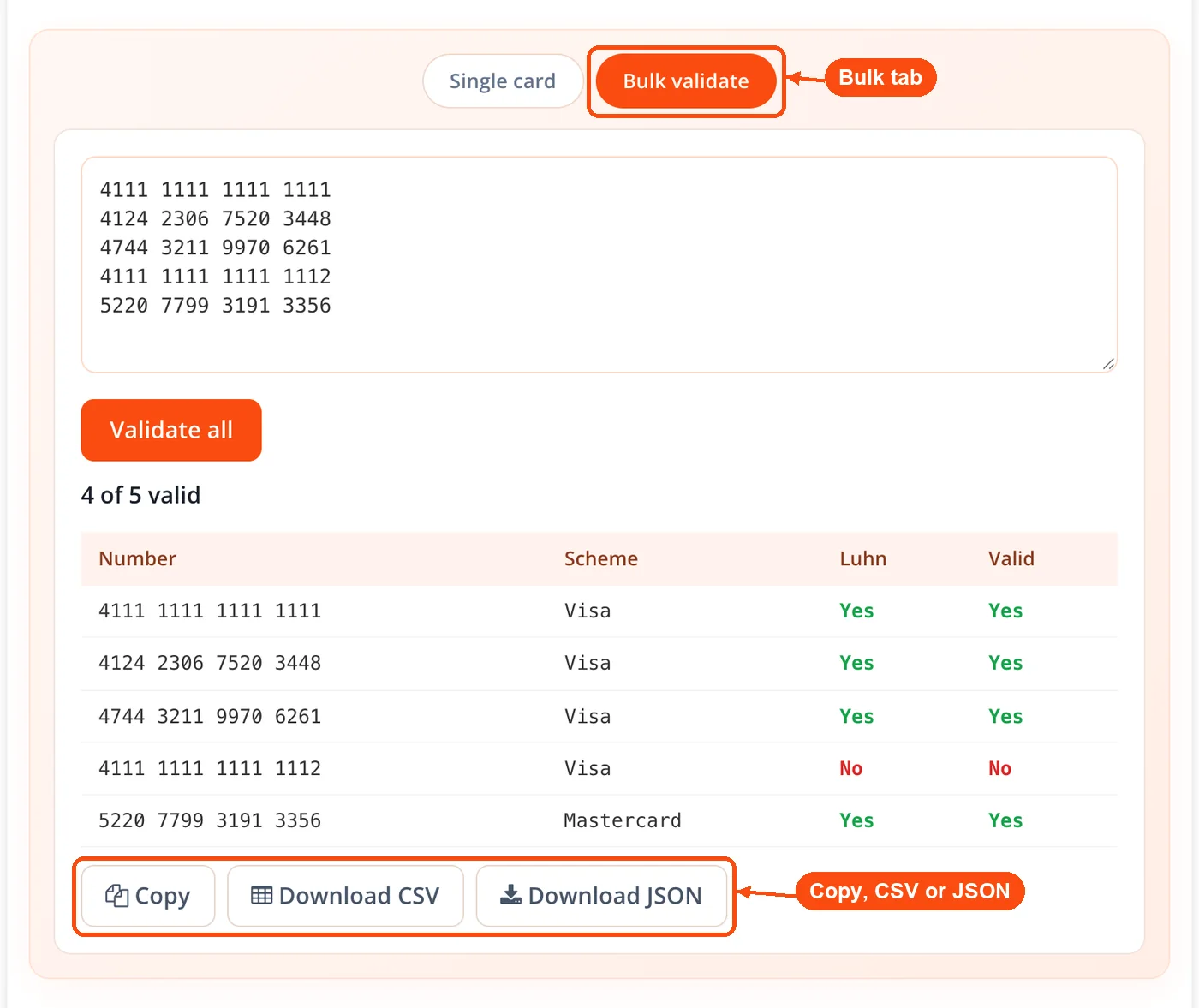
Bulk validation tab. Paste many numbers at once and receive a per-row table showing scheme, Luhn result, and overall validity, plus a summary of how many passed.
CSV and JSON export. Bulk results download in either format, ready to drop into a spreadsheet or a test script. Convert them further with the CSV to JSON converter if your pipeline expects a different shape.
Copy any field. A copy button lets you lift the formatted number or any detail from the results grid in one click.
Honest test-number handling. Numbers that belong to no real issuer are labeled plainly, so a test card is never dressed up as a genuine one.
How the ToolsPivot Credit Card Validator Works
Type or paste a number. As you enter digits in the credit card validator number field, ToolsPivot formats them into the correct groups and shows a scheme badge the moment the pattern is recognized.
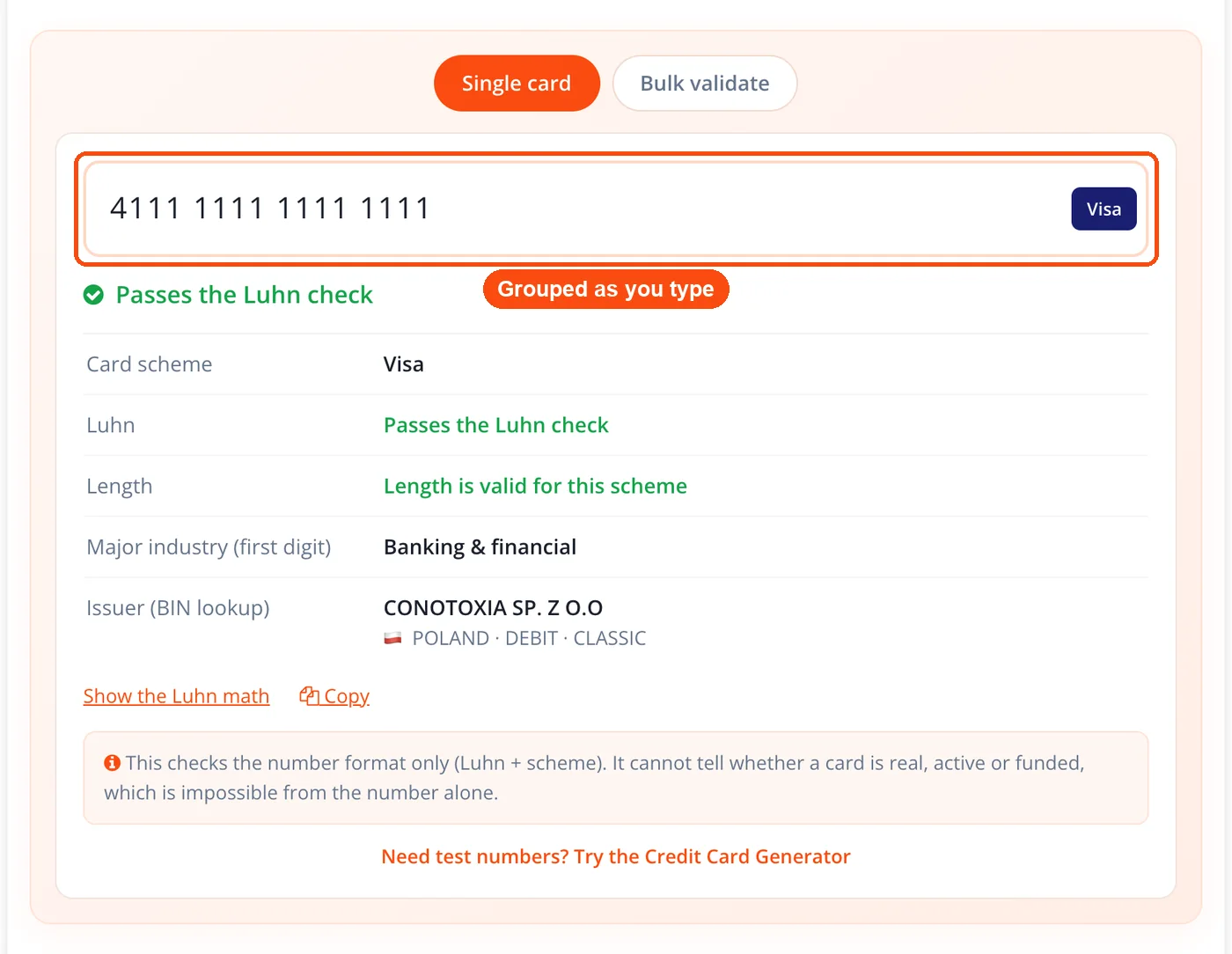
The scheme is detected. The digits are matched against ordered BIN ranges, most-specific first, so overlapping ranges resolve to the right scheme.
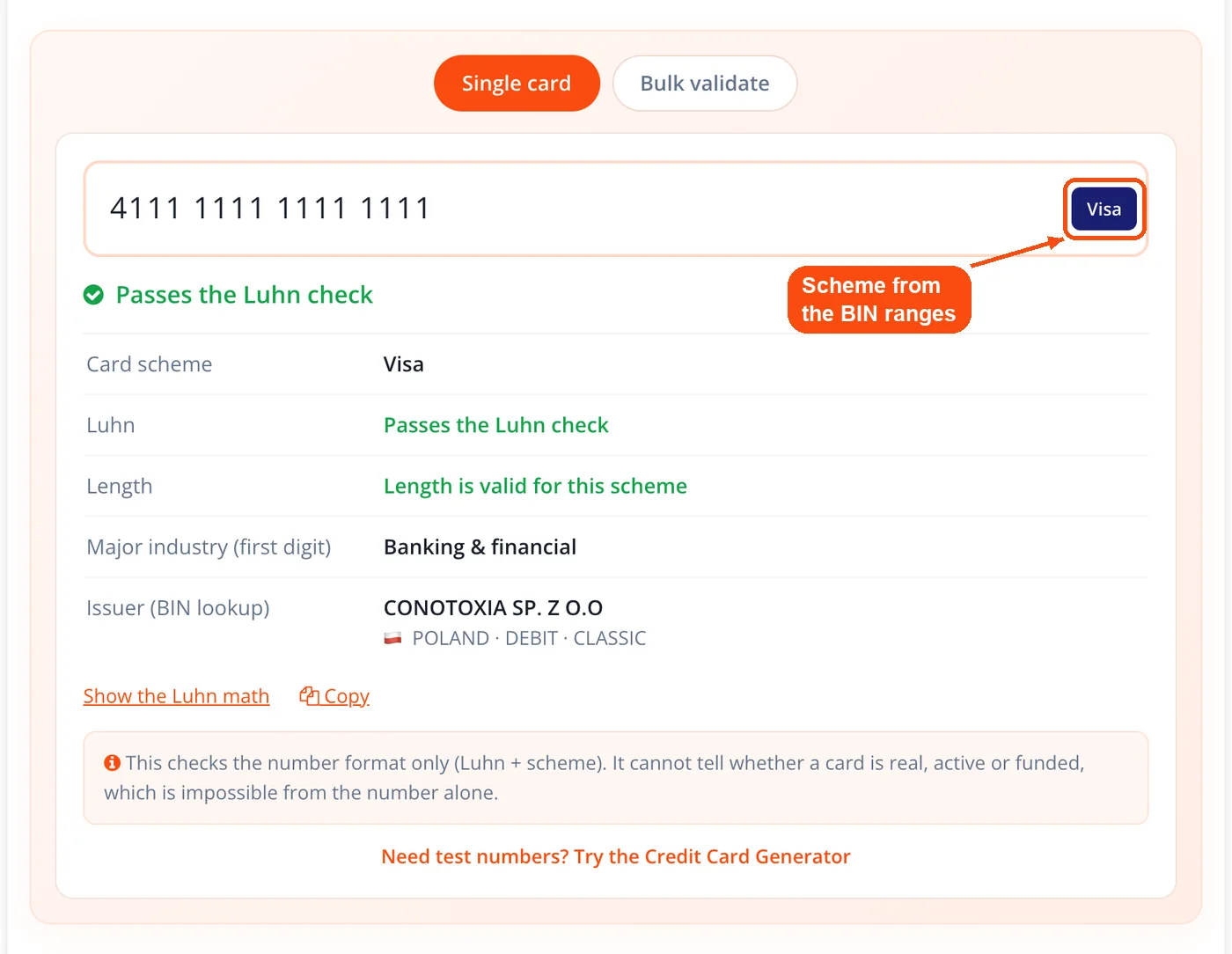
The number is validated. The Luhn checksum and a length check for the detected scheme run together, and a pass requires both.
The details are broken down. The tool shows the major industry digit and can render the full Luhn math step by step for anyone who wants to see the arithmetic.
The BIN is looked up. The first six digits fetch a small local data shard to resolve the issuing bank, country, and card type, with no external call.
Validate in bulk. Switch to the bulk tab, paste a list, and export the results table as CSV or JSON.
When to Use the Credit Card Validator
The Credit Card Validator earns its place whenever a card number needs a structural check before it goes anywhere. That covers form development, dataset cleaning, and quick identification of an unknown number, all without touching a live payment system.
Building a checkout form. Validate input on the client side so a mistyped number fails fast, before it reaches your gateway and costs you a declined charge. If your flow also offers a scan-to-pay option, test it with a UPI QR code generator or a plain QR code generator alongside the card path.
Testing across schemes. Confirm your form accepts the full range of networks, including Mastercard 2-series and UnionPay, not just the four schemes older tools recognize.
Cleaning a test dataset. Run a pasted list through bulk validation to separate well-formed numbers from broken ones before feeding them into an automated test.
Identifying an unknown card. With only a number in hand, read the scheme, issuing bank, and country to work out what you are looking at.
Teaching the Luhn check. Show a class or a new teammate the exact doubling and summing that the mod-10 algorithm performs, using the step-by-step view.
Auditing form behavior. Feed known-invalid numbers into your own form to confirm it rejects them the way it should, the same way you would stress a signup flow with output from a password generator.
For numbers that come from real accounts, the safest place to run this logic is inside your own environment, using the same Luhn and BIN rules.
Common Use Cases
Checkout Form Validation
Context: A developer is building a payment form for a Shopify or WooCommerce storefront and wants to catch bad card numbers early. Process:
- Add a client-side Luhn check mirrored on the validator's logic.
- Test the form with valid and mistyped numbers across schemes.
- Confirm malformed numbers fail before submission. Result: Fewer declined transactions reach the gateway, which lowers processing noise and support load.
QA Test-Data Preparation
Context: A QA tester needs a clean set of card numbers to run a checkout suite against several networks. Process:
- Generate candidate numbers, then strip stray blanks with remove duplicate lines.
- Paste the cleaned list into the bulk validation tab.
- Export the passing rows as CSV for the test harness. Result: The suite runs on a verified set of well-formed numbers, so failures point to real bugs rather than bad input. Round out the fixtures with a fake address generator for complete test profiles.
Support-Desk Card Identification
Context: A support agent receives a card number from a customer who cannot find the issuing bank name. Process:
- Paste the number into the validator.
- Read the scheme, issuing bank, and country from the results grid.
- Confirm the card type, credit or debit. Result: The agent names the issuer in seconds and routes the query correctly, the same way an IFSC code finder resolves a bank from a code, or the reverse search branch by IFSC code works from a known code back to the branch.
Fraud-Signal Triage
Context: An analyst reviewing flagged orders wants a fast structural read on the card numbers involved. Process:
- Bulk-validate the batch of numbers.
- Note which fail the Luhn check outright.
- Match issuing country against the order's billing country for mismatches. Result: Obvious structural fakes drop out early, so review time goes to the orders that actually warrant it. Extend the check with a website safety review when a linked site looks suspect.
Card Schemes the Validator Detects
The validator recognizes every major global network plus several that older tools overlook, so the same page works as a Visa credit card checker, a Mastercard checker, or an Amex checker. Where most first-digit checkers stop at Visa, Mastercard, American Express, and Discover, this tool matches full number ranges, so it correctly places Mastercard's 2-series, UnionPay, RuPay, Maestro, and Verve.
| Scheme | Prefix range(s) | Length(s) |
|---|---|---|
| Visa | 4 | 13, 16, 19 |
| Mastercard | 51 to 55, 222100 to 272099 | 16 |
| American Express | 34, 37 | 15 |
| Discover | 6011, 644 to 649, 65, 622126 to 622925 | 16 to 19 |
| JCB | 3528 to 3589 | 16 to 19 |
| Diners Club | 300 to 305, 36, 38 to 39 | 14 to 19 |
| UnionPay | 62 | 16 to 19 |
| RuPay | 60, 81, 82, 508 | 16 |
| Maestro | 5018, 5020, 5038, 6759, and others | 12 to 19 |
| Verve | 506099 to 506198, 650002 to 650027, 507865 to 507964 | 16, 18, 19 |
Understanding Your Validation Results
Your result has two parts: a validity verdict and a set of card details. A green status means the number passed both the Luhn checksum and the length check for its scheme. A red status means one of those failed, usually a mistyped digit or a length that does not fit the detected network.
The details grid names the scheme, the Luhn outcome, the length, and the major industry digit, then adds the issuer, bank, country, and card type from the BIN lookup. When a number belongs to no real issuer, the tool says so plainly instead of inventing a bank. Read a valid result as "this number is well-formed," not as "this card works." The two are not the same, and the next section explains why.
How the Luhn Algorithm Works
The Luhn algorithm, also called the mod-10 checksum, is the credit card validator algorithm this tool runs, and it checks a card number with simple arithmetic. Starting from the rightmost digit and moving left, every second digit is doubled. When doubling produces a two-digit result, its digits are added together, or equivalently nine is subtracted. All the digits are then summed, and if the total divides evenly by ten, the number passes.
This check exists to catch accidental errors, not fraud. Like an MD5 hash, it is a checksum: a short calculation that flags corruption or a typo without proving anything about the data behind it. It flags the single mistyped or transposed digit that accounts for most bad card entries, which is why payment forms run it before sending anything to a gateway. It cannot tell a real card from a well-formed fake, since any number built to satisfy the formula will pass. The step-by-step view in the tool renders each doubled digit and the running sum, so you can follow the math on any number you enter.
Honest Limitations
This tool validates format, not authenticity, and that distinction matters. A valid result confirms the number is well-formed and identifies its scheme and issuer. It does not confirm that the card exists, that the account is open, that funds are available, or that the CVV and expiry are correct. Any tool claiming to verify those from a number alone is overstating what a client-side check can do.
The BIN lookup is only as current as its dataset. Networks add and reassign ranges over time, so a very new BIN may resolve incompletely or point to an older issuer record. Treat the issuer, country, and type as strong indicators rather than guarantees. For a transaction decision, an authorization request through a payment processor is the only reliable confirmation, and real card logic belongs inside your own environment. When you need to validate other kinds of data at scale, the bulk email validator applies the same format-first, no-guarantees approach to email lists.
Frequently Asked Questions
Yes, it is a free credit card checker with no sign-up. There is no account, no usage cap, and no paid tier gating the BIN lookup or bulk export.
No, every check runs entirely in your browser. The number is never uploaded, logged, or stored, so nothing about it leaves your device.
A valid result means the number is well-formed: it passes the Luhn checksum and matches a known scheme and length. It does not mean the card is real, active, or usable.
No, this tool cannot check whether a card is live, its balance, funds, or account status. Only an authorization request through a payment processor can confirm those. A credit card checker with balance results would need the issuer's own account data, which a card number alone never carries.
It detects Visa, Mastercard including the 2-series, American Express, Discover, JCB, Diners Club, UnionPay, RuPay, Maestro, and Verve. It matches full number ranges rather than just the first digit.
A BIN, or bank identification number, is the first six digits of a card number. The tool uses it to look up the issuing bank, country, and card type from a bundled dataset.
Yes, the bulk tab accepts a pasted list and returns a table showing scheme, Luhn result, and validity for each row. You can export the results as CSV or JSON.
The optional math view shows which digits are doubled, the running sum, and the mod-10 result. It helps developers and students see exactly how the checksum works.
No, the Luhn check catches typos, not fraud. Any number built to satisfy the formula will pass, so a valid result says nothing about whether a card is genuine.
It uses current, ordered BIN ranges instead of outdated first-digit rules, runs a real offline issuer lookup with no rate limit, formats and validates live, and adds bulk export. It is also clear that it checks format only.
You can, though the safest place to validate production cards is inside your own environment using the same Luhn and BIN rules. For identifying an unknown number, the tool works well.
Yes, the same Luhn and BIN logic applies to debit and prepaid cards, and the results grid labels the card type when the BIN lookup can determine it.
A checkout rejection points to something beyond format, such as an inactive card, insufficient funds, or a wrong CVV or expiry. Confirm those details with the issuing bank, since this tool checks structure only.
No. The CVV is not part of the card number, and only the issuing bank can confirm it during a payment authorization, so no number-based checker can verify it. This tool checks the Luhn checksum, length, scheme and BIN only. A site that claims to validate a CVV from the number alone is overstating what is possible.


