Change Text Case
A free case converter that changes text between cases in your browser. Real title case that follows APA, AP, Chicago, MLA or New York Times rules, plus developer cases and line cleanup tools. Nothing you type is sent anywhere.
Fine-tune the result
Code and identifier cases
Line and whitespace tools
Every conversion runs in JavaScript on your own device. Nothing is uploaded, stored or logged, and the page keeps working if you disconnect from the internet. There is no length limit and no signup.
About Change Text Case
Change Text Case is a free browser-based case converter that switches text between upper case, lower case, sentence case, title case and seven developer identifier formats without sending a single character to a server. The hard part is title case, and most converters skip it: they capitalize every word and call the job done. This one applies the actual rules of APA 7, AP, Chicago 18, MLA 9 and New York Times style, then handles the names, contractions, hyphenated compounds and acronyms that break simpler tools.
What the Case Converter Does
The converter rewrites the capitalization of whatever sits in the input box according to the rule set you choose. Six everyday cases cover writing work: sentence case, lower case, UPPER CASE, capitalize each word, alternating and inverse, so the same box is an upper case/lower case converter and a sentence case converter. Five style guide options cover title case properly. Seven identifier formats cover code. Six line tools clean up the whitespace mess that usually arrives with pasted text.
Counts for words, characters, characters excluding spaces, sentences and lines update on every keystroke, so you can watch a headline cross the 60-character mark while you are still editing it. For deeper statistics like reading time and paragraph breakdowns, the ToolsPivot word counter handles that separately.
Why Title Case Is the Hard Part
There is no single correct title case. Ask five style guides how to capitalize a headline and you will get answers that disagree on at least two or three words. That disagreement is real and documented, which is why a converter that picks one interpretation and hides it from you is not much use to anyone with an editor to answer to.
Most tools avoid the question entirely. Microsoft Word's Change Case menu offers "Capitalize Each Word," and Excel's PROPER function does the same thing in a spreadsheet: it capitalizes the first letter of every word, articles and prepositions included, so "the lord of the rings" comes back as "The Lord Of The Rings" rather than the form any style guide would accept. Excel has no built-in title case function at all, which is why the standard workaround is a nest of SUBSTITUTE formulas or a custom macro.
Title Case Converter: How the Five Style Guides Differ
The guides agree on the easy part. Nouns, verbs, adjectives, adverbs and pronouns get capitalized in all five. They split on prepositions, on the word "to," and on a handful of short conjunctions. Here is where the five in this tool land:
| Style guide | Prepositions | "to" in infinitives |
|---|---|---|
| APA 7 | Capitalized at four or more letters | Lowercase |
| AP | Capitalized at four or more letters | Capitalized |
| Chicago 18 | Capitalized at five or more letters | Lowercase |
| MLA 9 | Always lowercase, whatever the length | Lowercase |
| New York Times | Four or more letters, plus up, off and out | Lowercase |
Chicago is the one worth paying attention to right now. The 18th edition, published in September 2024, reversed a rule that had stood since 1969: prepositions of five or more letters are now capitalized in titles, where every earlier edition lowercased them regardless of length. That single change is why Chicago now gives you "All About Eve" but still gives you "A Room with a View." Several free converters and style summaries online still describe Chicago the old way, so if a tool tells you Chicago lowercases every preposition, it is running on pre-2024 rules.
Position rules run ahead of all of this. The first word, the last word, and the first word after a colon or a dash are capitalized in every guide, whatever part of speech they happen to be.
How ToolsPivot Change Text Case Works
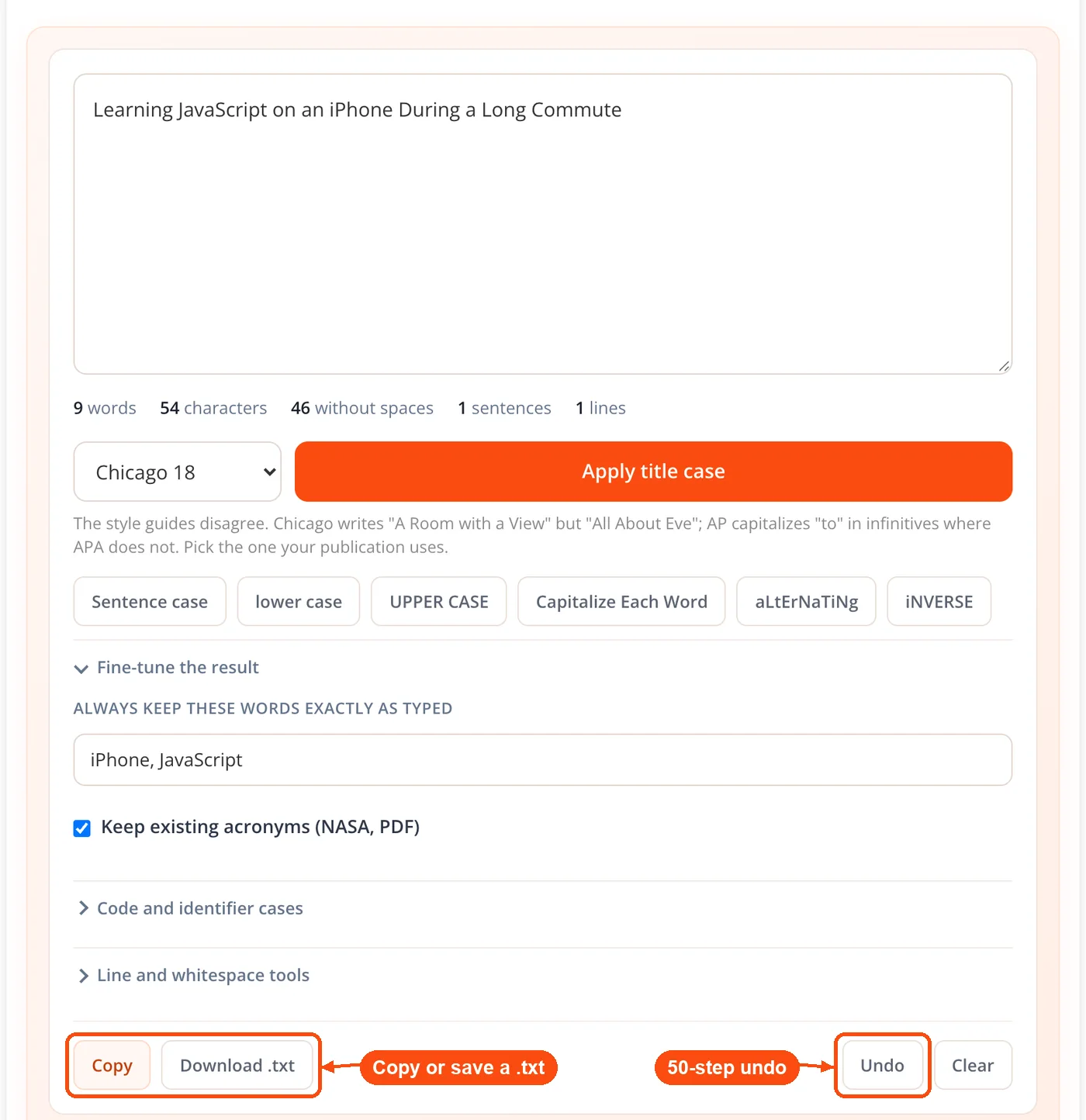
- Paste or type your text. It stays in the input box and the live counts start updating immediately. Nothing is submitted anywhere.
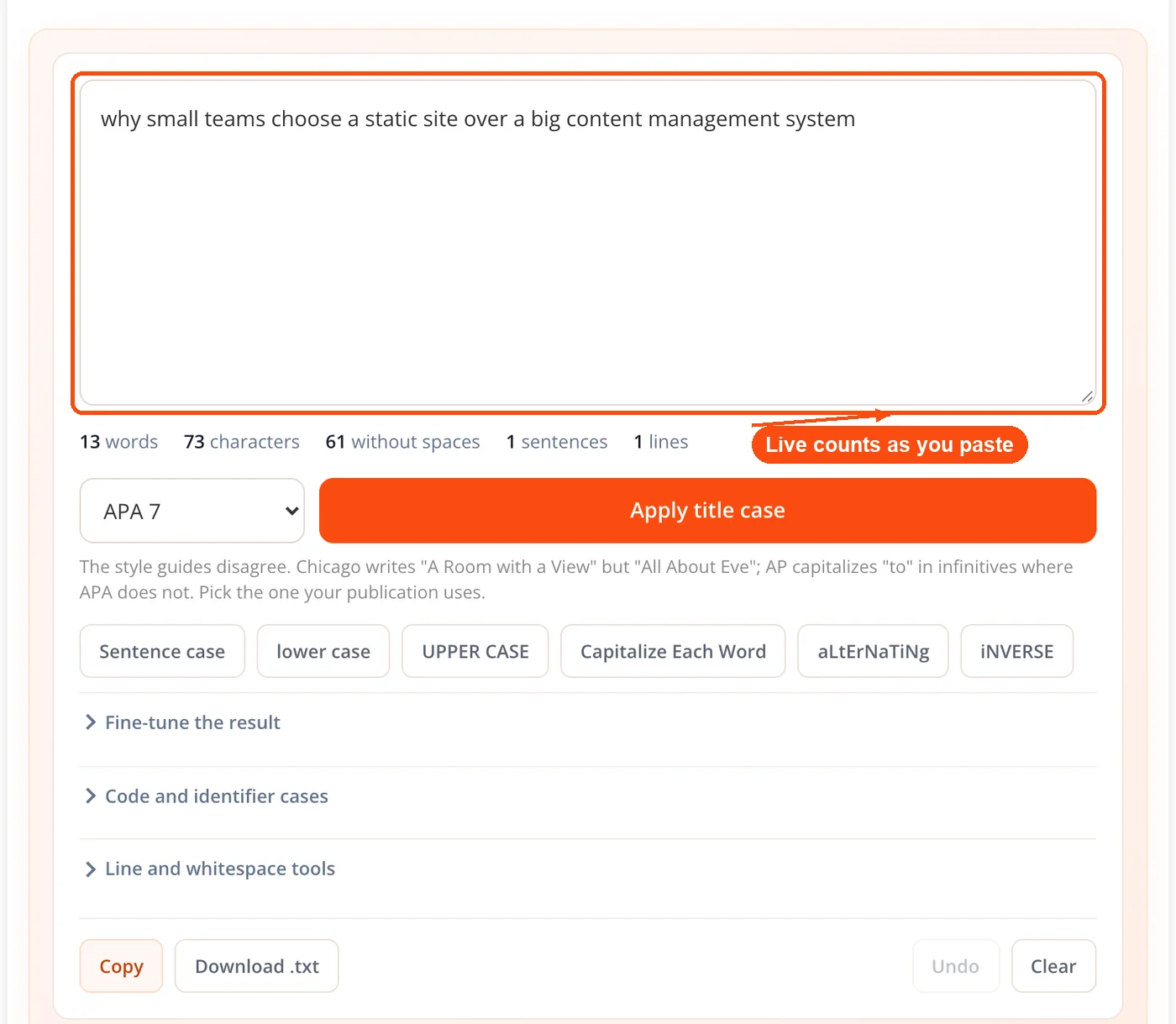
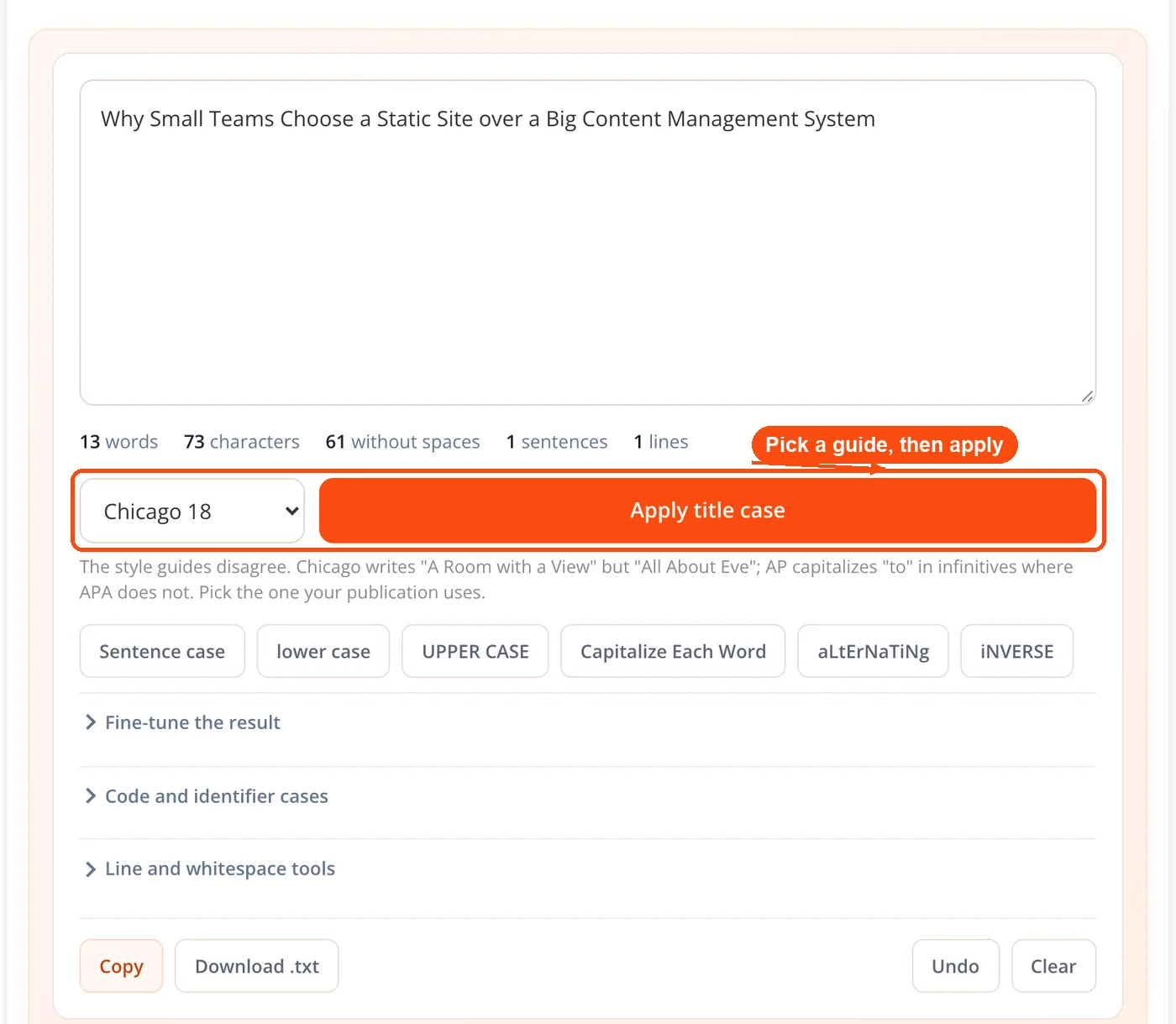
- Pick a style guide if you want title case. Choose APA 7, AP, Chicago 18, MLA 9 or New York Times from the menu, then click Apply title case. Skip this step for the other formats.
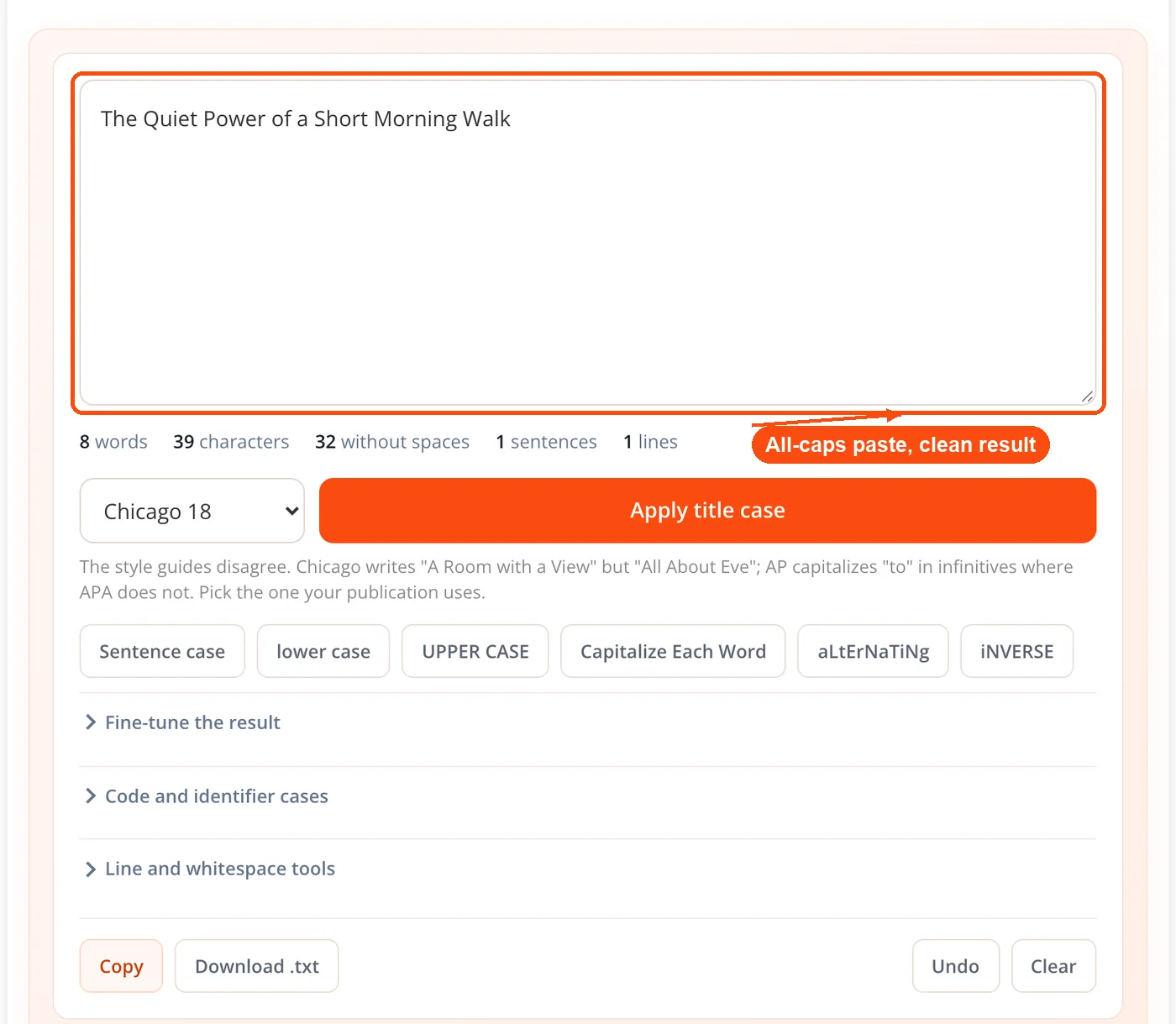
- The engine reads the input before converting. It measures what share of your words are all-capitals and adjusts its acronym handling accordingly, which is how a block-capitals paste actually converts instead of being frozen in place.
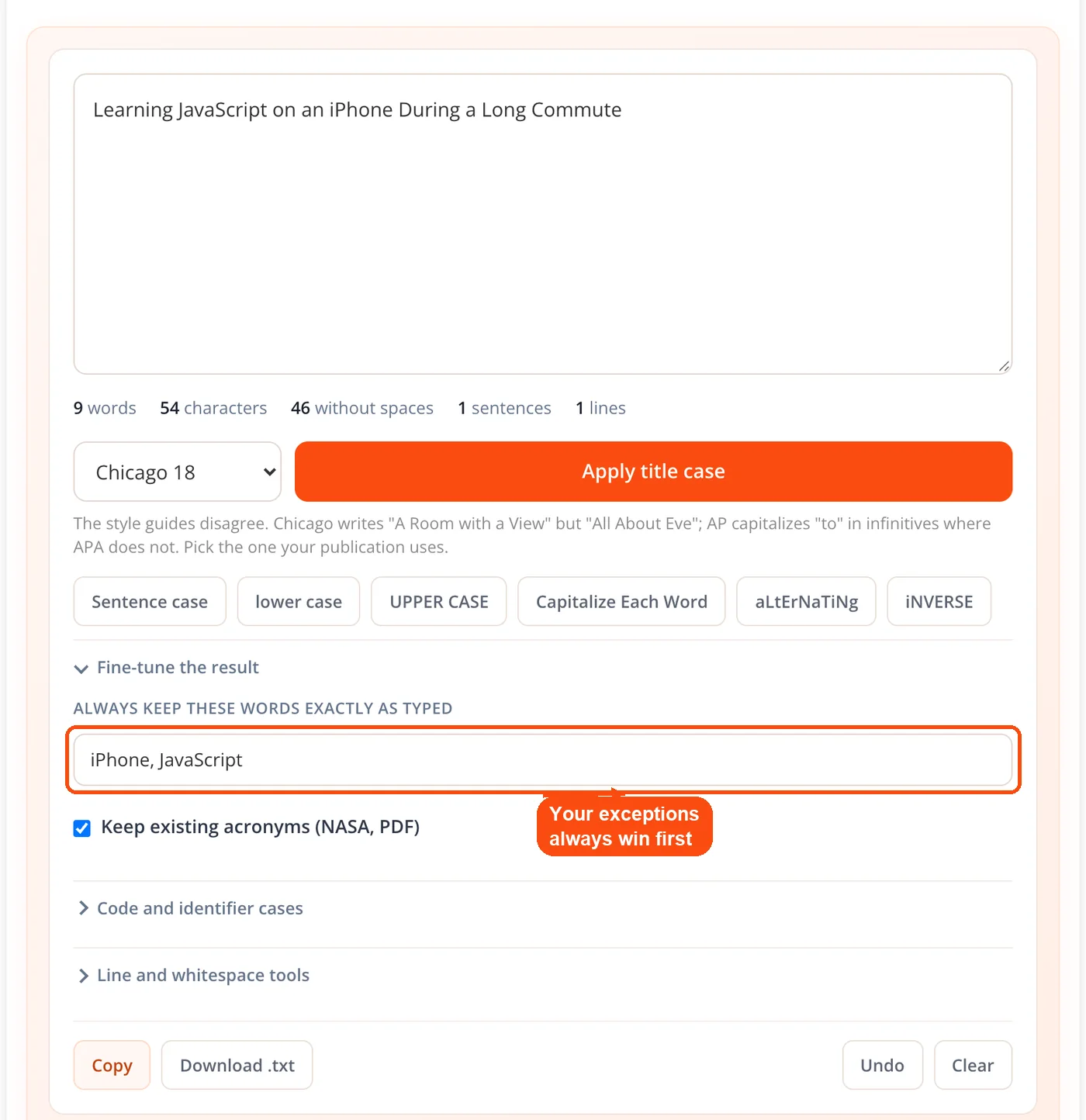
- Each word gets tested against the rules in order. Your own exceptions win first, then acronyms, then roman numerals, then hyphenated parts, which are handled piece by piece.
- Take the result. Copy it, download it as a .txt file, or keep converting. The previous version goes onto a 50-step undo stack, so a wrong button press costs you nothing.
The Edge Cases That Break Other Converters
Apostrophes. This is the one that catches almost every naive implementation. The usual approach capitalizes any letter that follows a non-letter character, which gets O'Brien right by accident and gets contractions badly wrong: Excel's PROPER turns "isn't" into "Isn'T," Python's built-in string title method produces "This Isn'T Right," and PostgreSQL's initcap returns "John'S Parents." The rule here is length-based instead. A prefix of one or two letters before an apostrophe is treated as a name, so O'Brien and D'Angelo capitalize. Anything longer is a contraction, so isn't, don't and wouldn't stay down.
Acronyms in shouty text. Preserving acronyms is easy until someone pastes an entire paragraph in capitals, at which point a naive acronym rule decides every word is an acronym and refuses to convert anything. The engine measures the proportion of all-capitals words first. At 40 percent or above it treats the text as shouting and stands the acronym rule down, so the paste converts.
Hyphenated compounds. Each side of the hyphen is cased on its own merits rather than the whole thing being treated as one word, which is what turns "state-of-the-art" into a sensible result instead of a capitalized run-on.
Words you need left alone. Brand names, product names and deliberate lowercase styling do not follow any rule set. The exception field lets you list words that should come back exactly as typed, and a separate toggle keeps existing acronyms like NASA and PDF intact.
Seven Developer Identifier Cases
The same input box doubles as a camel case converter, turning text into camelCase, PascalCase, snake_case, kebab-case, CONSTANT_CASE, dot.case and Train-Case. The useful part is that word-boundary detection works across formats, so pasting an existing identifier and switching it to another convention works without a manual cleanup pass first.
These map onto real conventions rather than being novelty formats. camelCase for JavaScript variables, PascalCase for class names, snake_case for Python and database columns, kebab-case for CSS classes and URL slugs, CONSTANT_CASE for environment variables and constants. If you are generating slugs, run the kebab-case output through the URL encoder and decoder to confirm nothing needs escaping, and use the diff checker when you want to see exactly what a bulk rename changed.
Six Line and Whitespace Tools
Pasted text arrives broken. PDF copy adds hard line breaks mid-sentence, spreadsheet exports carry trailing spaces, and scraped lists come with blank rows between every entry. ToolsPivot keeps six tools inline with the case buttons: remove line breaks, trim extra spaces, remove blank lines, sort lines A to Z, remove duplicate lines and reverse line order.
Keeping them on the same page as the case conversion is the point. Cleaning a list usually means two or three of these operations plus a case change, and doing that across separate tabs means copying the text out and back three times. For heavier deduplication work across larger files, the standalone duplicate line remover gives you more room, and the line counter confirms how many rows survived.
Where This Fits in Real Work
Writers and editors on a house style. A publication that runs AP and a client that runs Chicago will want different capitalization for the same headline. Pick AP and it works as an AP title case converter, pick Chicago 18 for the client, and stop arguing about "About." Run the finished headline through the grammar checker before it ships.
SEO and content teams. Title case on a page title is a click-through decision, not a ranking one. Google does not rank pages differently for capitalization, but a headline in consistent title case reads as more credible in a results page than one in random caps. Draft the tag with the AI meta title generator, case it here, then pair it with a matching meta description. Checking your keyword density afterwards confirms the rewrite did not thin out the target phrase.
Developers cleaning up data. Normalizing a CSV column of names, converting API field names between two services' conventions, or lowercasing a batch of email addresses before a case-sensitive comparison. The line tools and identifier cases cover most of that without a script.
Students and academics. Switching a bibliography between APA and MLA means changing capitalization on every title in the list, since MLA lowercases prepositions that APA capitalizes. Convert the batch, then check the result against your original with text compare to be sure nothing but the casing moved.
Anyone who left caps lock on. Paste the paragraph, hit sentence case, done. This is still the single most common reason people go looking for an online case converter, and the shouty-text handling described above is what makes it work on a full page rather than a single line.
How It Compares to Other Free Converters
Being accurate about this matters more than winning the comparison. The free market splits into two camps, and each does one thing well.
Dedicated title case sites are the specialists. Several of them cover eight or nine style guides, including AMA, Bluebook and Wikipedia alongside the four or five most people need, and they document their rules in real depth. If your only job is capitalizing academic titles in Bluebook style, one of those is a better fit than this tool, and there is no point pretending otherwise.
General case converters are the other camp. They typically offer a dozen or more formats including the developer cases, and plenty of them run client-side too. Browser-based processing is common now rather than remarkable. What they usually do not offer is selectable style guide title case: you get one generic "Title Case" button with undisclosed rules behind it.
The gap this fills is the overlap. Style guide title case, developer identifier cases and line cleanup in a single input box, with an exception list and an undo stack. If your work moves between prose and code in the same afternoon, that combination saves the tab-switching. If it does not, a specialist tool may serve you better, and the ToolsPivot readability checker or the small text generator may be closer to what you actually came for.
Honest Limitations
Title case is rule-based, not semantic. The engine reads word lists and positions, not meaning. It cannot tell that "Apple" is a company in one sentence and a fruit in the next, and it cannot detect when "up" is an adverb rather than a preposition. That is what the exception list exists for.
Acronym detection is a heuristic. It is based on capitalization patterns, not a dictionary. Mixed input like a capitalized fragment followed by normal sentences can sit just under the 40 percent threshold, in which case those capitalized words are read as acronyms and left alone.
Casing is locale-invariant. Turkish dotted and dotless i are not special-cased. A capital I lowercases to i rather than the Turkish dotless form, so this is not the right tool for Turkish text.
MLA hyphenated compounds follow the APA pattern. MLA's specific rules for hyphenated compounds could not be verified against a primary source, so every guide uses the APA behavior for those. If your department is strict about MLA hyphenation, check that output by hand.
Style guides are sometimes silent. Where a stylebook does not explicitly address a case, implementations have to interpret, and different converters interpret differently. The treatment of "to" in AP infinitives is the clearest example: the AP Stylebook addresses it, but you will find free tools that capitalize it and free tools that do not.
Frequently Asked Questions
A text case converter rewrites the capitalization of text without changing the words. It switches between formats like upper case, lower case, sentence case, title case and programming conventions such as camelCase and snake_case.
Use whichever one your publication, employer or institution requires. AP is standard in journalism, APA in psychology and the social sciences, MLA in the humanities, and Chicago across book publishing. If nobody has specified, APA or AP are the safest defaults.
Because the 18th edition of the Chicago Manual of Style capitalizes prepositions of five or more letters. "About" has five letters and "with" has four, which is why Chicago now produces "All About Eve" but still produces "A Room with a View."
No. AP capitalizes "to" when it is part of an infinitive, while APA, Chicago, MLA and New York Times style all keep it lowercase. That one word is a common source of inconsistency between publications.
It converts normally. The engine checks what proportion of words are all-capitals before applying its acronym rule, and at 40 percent or above it treats the text as shouting rather than as a page full of acronyms.
It uses the length of the prefix before the apostrophe. One or two letters is treated as a name and capitalized, so you get O'Brien. Anything longer is treated as a contraction and left lowercase, so you get isn't rather than Isn'T.
Yes. A toggle keeps existing acronyms intact, and a separate exception field lets you list any words that should be returned exactly as you typed them, which is useful for brand names with deliberate styling.
No. Every conversion runs in JavaScript on your own device, with no server call and no logging. The page continues working if you disconnect from the internet.
Title case follows a style guide and leaves minor words like articles and short prepositions lowercase. Capitalize each word capitalizes every word without exception, which is what most people expect from a capital case converter and what Microsoft Word and Excel's PROPER function do.
Seven: camelCase, PascalCase, snake_case, kebab-case, CONSTANT_CASE, dot.case and Train-Case. Word boundaries are detected across existing formats, so you can convert one identifier convention straight into another.
Yes. Every conversion pushes the previous version onto a 50-step undo stack, so you can step back through changes rather than retyping or re-pasting your original text.
No. Because processing happens in your browser rather than on a server, the only practical limit is your own device memory. There is no signup and no daily cap.


