Website Hit Counter
Create a free hit counter for your website in seconds. Pick a style, copy the code, and paste it on your page. No account needed, no cookies, and your visitors' IP addresses are never stored.
Manage or recover a counter
Enter your counter ID and key to see its stats, reset it, or set a new starting number.
About Website Hit Counter
A website hit counter is a small embedded widget that counts how many times a page has been loaded and displays that number publicly on the page itself. The ToolsPivot Website Hit Counter builds one in about ten seconds: pick a style, copy the code, paste it into your site. Version 2.0 adds sharp SVG counter graphics, a secret key that lets you recover and manage a counter without ever creating an account, real statistics with a 30-day chart, bot filtering, and the ability to exclude your own visits. It sets no cookies and never stores a visitor's IP address.
What a Hit Counter Actually Measures
A hit counter measures page loads, not people. Every time a browser requests the counter image or script, the number goes up by one, and that number is visible to anyone who looks at your page. This is the opposite of an analytics platform, where the data sits behind a login and only you can see it.
The distinction matters because the two answer different questions. Analytics tells you how visitors behaved; a counter tells everyone how many times the page has been seen. That second question is about visible proof, which is why a public site hit counter still appears on blogs, portfolios, campaign pages and community sites decades later.
You can run both. Many owners keep a counter on the page for readers and run a separate site-wide SEO check for data visitors never see.
What Changed in Version 2.0
The ToolsPivot rebuild fixed the three things that made free counters frustrating: you could not get back into your counter, the graphics looked dated, and the number included bot traffic. Every counter already embedded on a website keeps working exactly as before, because backward compatibility was a hard requirement of the rebuild.
- Secret manage key: A random key is generated when you create a counter and shown once. It replaces the account most services demand.
- SVG counter graphics: Seven vector styles render sharp on retina and high-density displays at any size.
- Real statistics: Totals, today's count, and a rolling 30-day chart, instead of a single number.
- Bot filtering: Self-identifying crawlers and link unfurlers go into a separate tally rather than your visitor count.
- Self-exclusion: A personal "do not count me" embed keeps your own page loads out of the total.
- Two embed types: An image tag for locked-down platforms, or a script snippet that returns the number as plain text.
- Editable totals: Set a new starting number or reset the counter from the manage panel.
- 18 languages: The builder and manage panel are localized.
How ToolsPivot Website Hit Counter Works
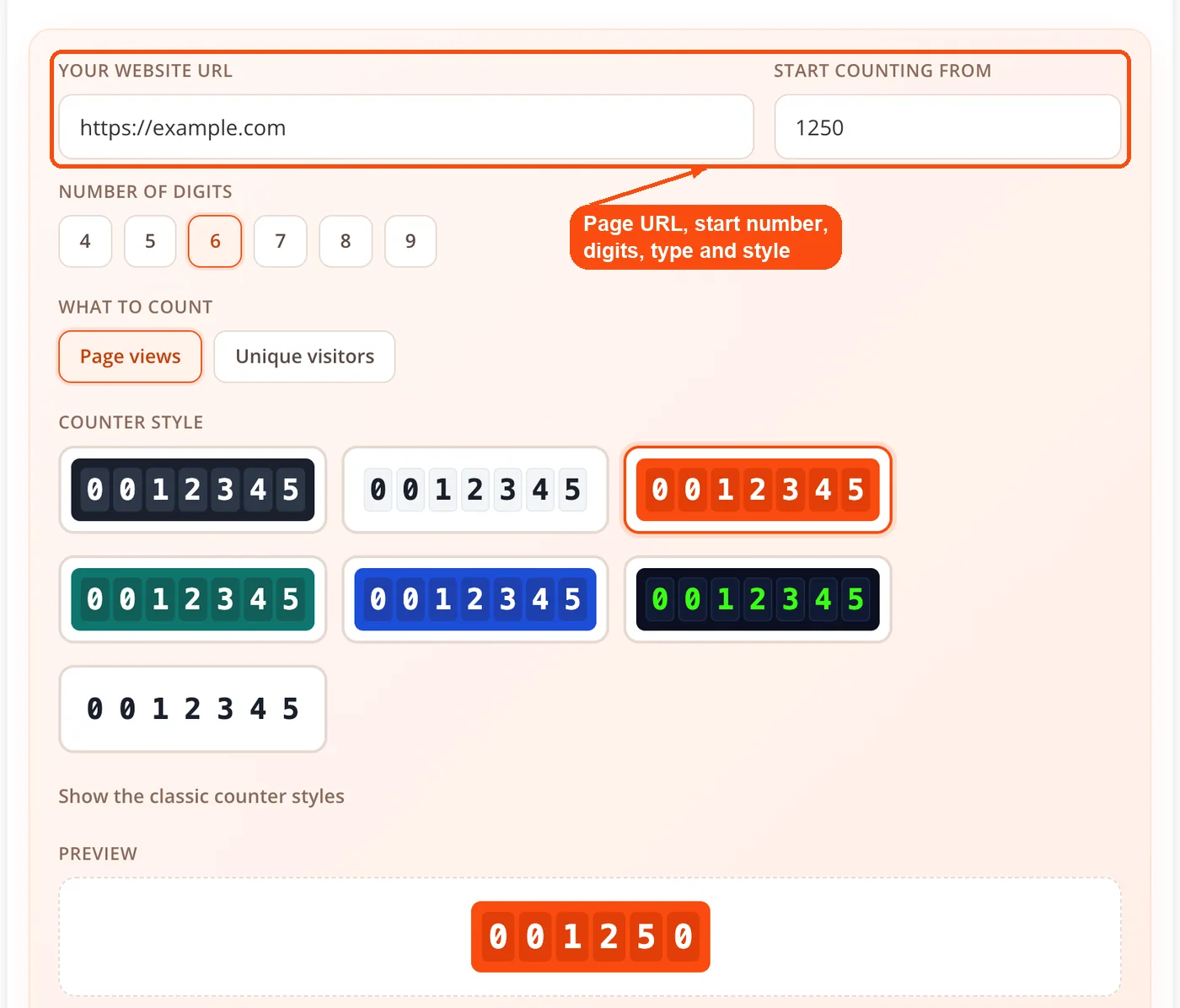
- Create: Enter your page URL, a starting number, digit count, whether to count page views or unique visitors, and a style. Your counter is saved with a secret manage key, displayed once.
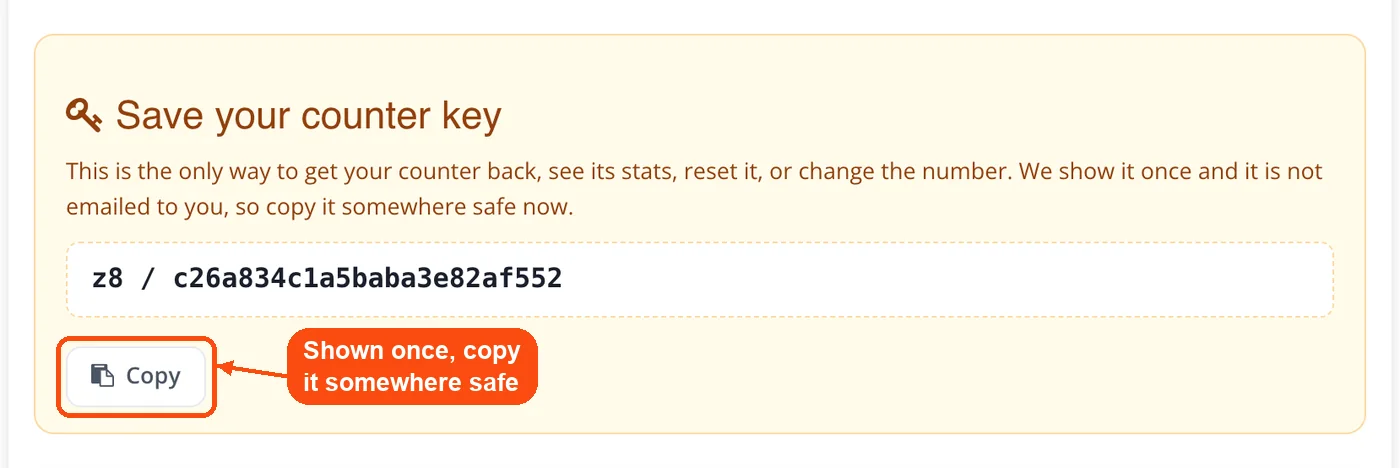
- Copy your key: Save the key somewhere durable before you leave the page. It is the only way back into your counter, and there is no email reset because no email was collected.
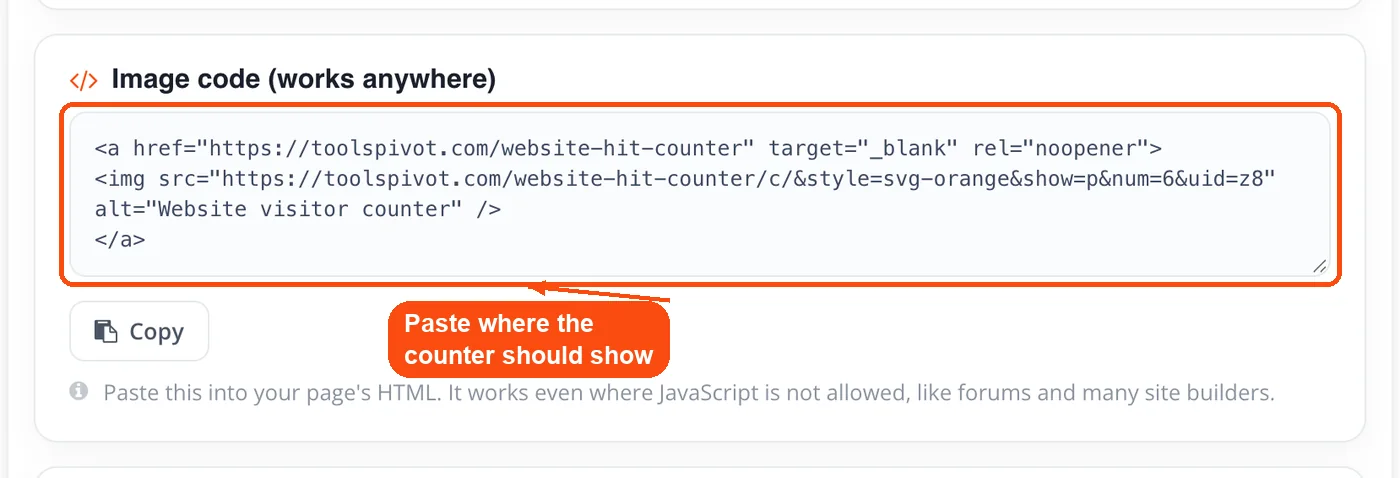
- Embed: Copy the hit counter code, either the image tag or the script snippet, and paste it wherever the counter should appear.
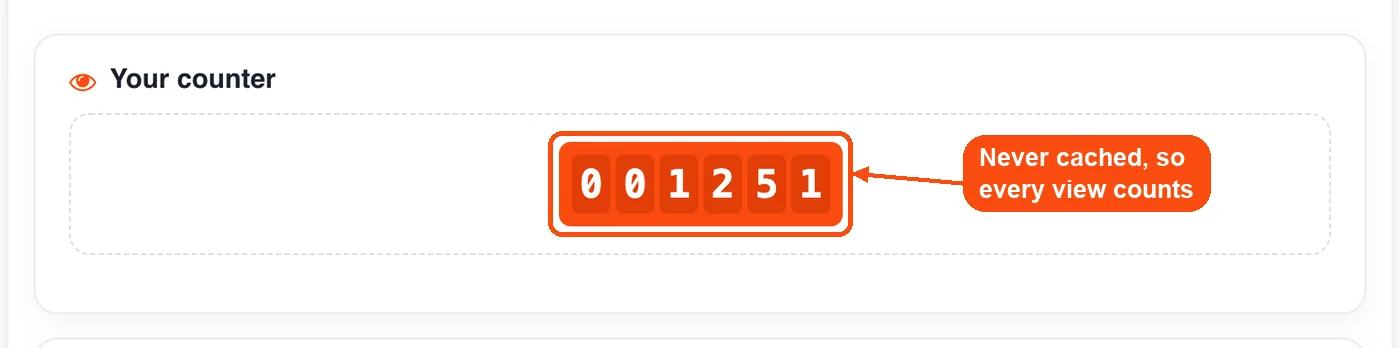
- Count: Each request is served with no-store cache headers, because a cached counter image never reaches the server and that view would be lost. Known bots are diverted to the bot tally, and requests carrying your key are skipped entirely.
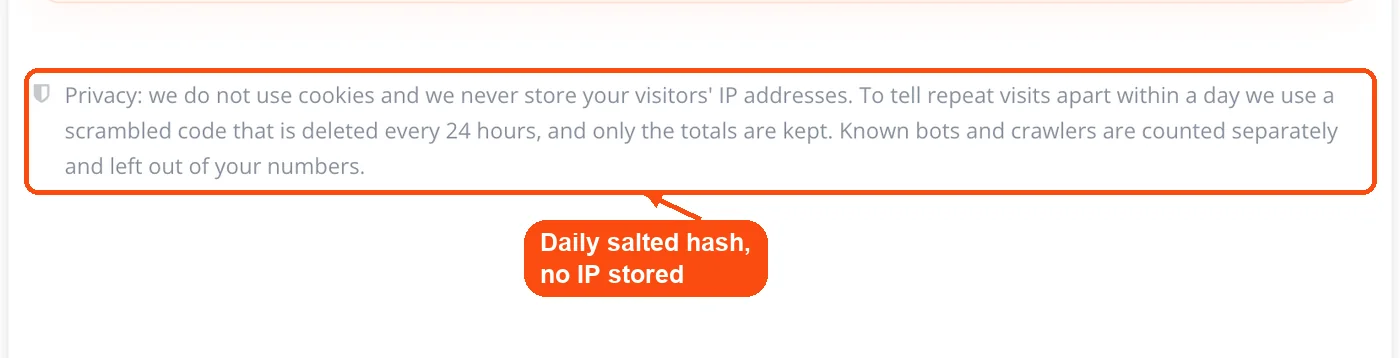
- Identify without tracking: To tell a repeat visit from a new one inside the same day, the visitor is reduced to a salted hash built from that day's secret salt, the counter ID, the IP and the user agent. The salt is regenerated every day, so hashes cannot be linked across days and no raw IP is ever written to disk.
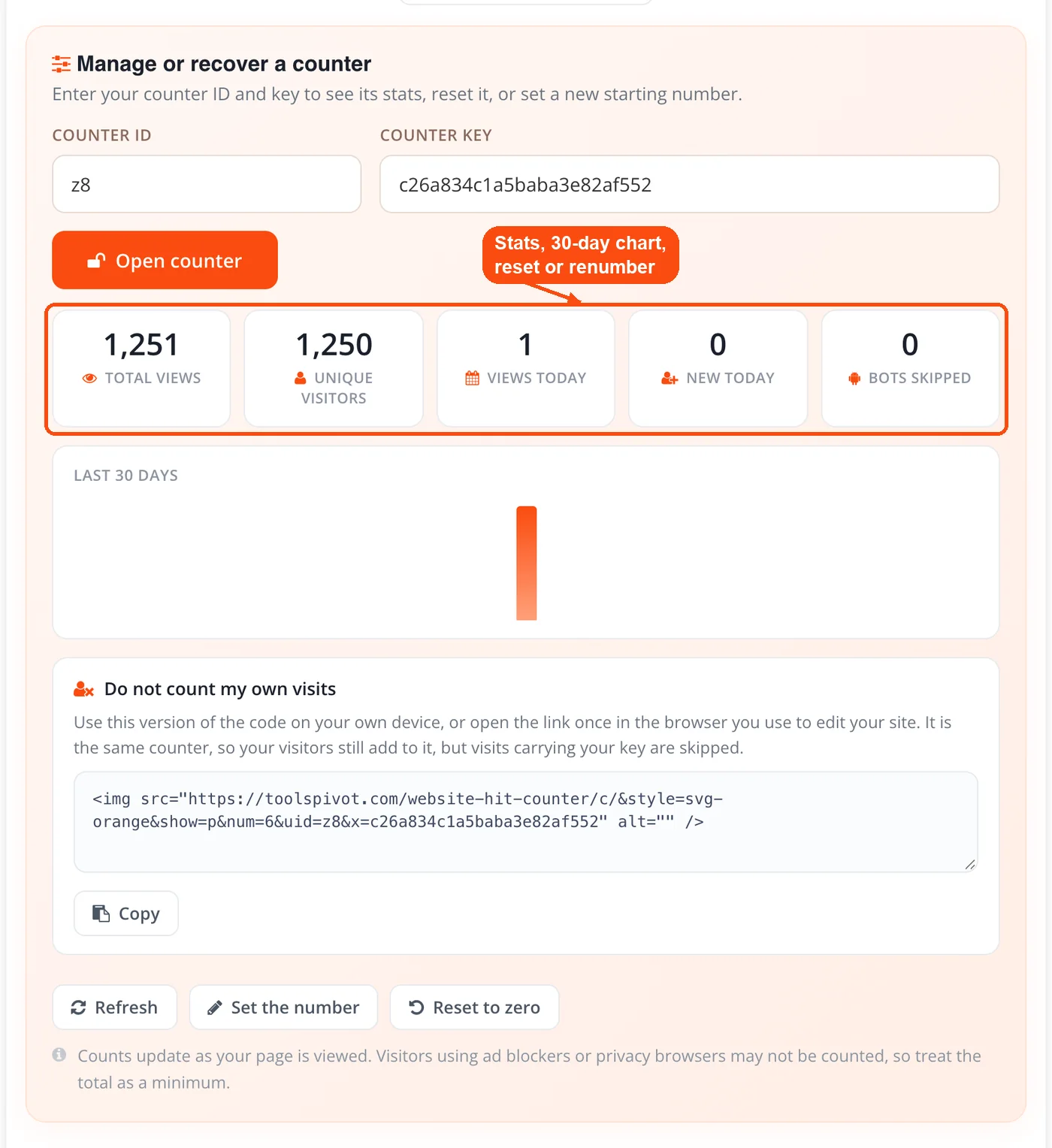
- Manage: Enter your counter ID and key to see statistics, the 30-day chart, your personal exclusion embed, and the controls to reset or renumber.
Picking a Counter Style
Version 2.0 ships seven SVG styles and keeps the nine original classic PNG designs. The SVG set covers dark, light, orange, green, blue, retro LCD, and minimal. Because they are vector graphics, they stay crisp when a visitor zooms in or views your page on a high-density phone screen, which is exactly where the old fixed-size PNG counters looked blurry.
The nine classic PNG styles remain behind a toggle for anyone who wants the original look or visual continuity on an older page. There is no functional penalty; counting, filtering and privacy behave identically either way.
Match the style to your page rather than picking the boldest one. Dark and retro LCD suit tech blogs and dark themes, minimal and light disappear neatly into a clean layout, and the colored variants work when the counter sits inside a sidebar that already uses that hue. After embedding, take a screenshot of the live page to check the counter sits where you expected.
Page Views or Unique Visitors
Page views count every load; unique visitors count each device once per day, so the same widget works as a page hit counter or a visitor hit counter. If one reader refreshes your page five times in an afternoon, page view mode records five and unique visitor mode records one.
Page views climb faster and suit content sites, forums and blogs where repeat reading is the point. Unique visitors give a more defensible figure for portfolios, client-facing pages and anything where someone might reasonably ask what the number means. Pick unique visitors if you would be uncomfortable explaining that a refresh counts again.
One thing to be precise about: unique visitor mode estimates devices within a single day, not people. One person on a laptop and a phone counts twice, and identification resets at midnight by design, because the daily salt that makes counting private also stops it following anyone across days.
The Manage Key and Why It Exists
The manage key solves the standard trade-off in free counters: services that skip registration give you no way back in, and services that let you manage a counter want an email address first. Flag Counter, for example, offers a management area with statistics, code recovery and self-exclusion, but asks for an email at creation and warns you cannot add one later.
Here the key is generated at creation and displayed once. Entering the counter ID and key opens the manage panel, where you can read your totals, view the 30-day chart, copy your personal exclusion embed, change the starting number, or reset the counter to zero.
The trade-off is real and worth stating plainly: no email means no recovery path. Lose the key and the counter keeps counting and keeps displaying, but you cannot manage it any more, and you would need to create a new one. Treat the key like the output of a password generator and store it accordingly.
What Gets Stored and What Never Does
No visitor IP address is ever stored by the ToolsPivot counter. It sets no cookies on your visitors' browsers, which is what makes its privacy disclosure obligations light compared with a full analytics install.
| Data | Stored? | Kept for |
|---|---|---|
| Visitor IP address | Never | Not applicable |
| Daily visitor hash | Yes, for same-day deduplication | Replaced daily |
| Total views and unique visitors | Yes | Indefinitely |
| Today's counts and 30-day history | Yes, aggregate only | 30 days |
| Bot hits | Yes, aggregate only | Indefinitely |
The daily hash deserves a note, because "we hash the IP" is a claim plenty of trackers make while still keeping something durable. The salt here changes every day, so a hash generated on Tuesday cannot be matched against Wednesday's hash for the same visitor. That is the mechanism that makes cross-day tracking impossible rather than merely discouraged. It is still sensible to mention any embedded widget in your site's privacy policy.
Bot Filtering and Excluding Yourself
Bots are counted separately, not silently mixed into your total. Crawlers, link unfurlers and HTTP tooling that identify themselves in the user agent are detected and recorded in a bot tally you can see in the manage panel, which means the visitor number in front of your readers reflects browsers rather than infrastructure.
Self-exclusion closes the other obvious gap. Your own visits inflate a counter more than anything else while you are actively building a page, and the manage panel gives you a personal embed carrying your key so those requests are skipped. To see what a crawler actually receives from your page, the spider simulator renders it from a bot's point of view.
The honest ceiling on this is worth knowing. A scraper that presents an ordinary browser user agent is indistinguishable from a reader as far as an image counter is concerned, so bot filtering catches the polite majority and cannot catch the deliberately disguised.
Website Hit Counter Code: Image Embed or Script Embed
The image embed is an ordinary tag that works everywhere, including platforms that strip JavaScript from user content. Blogger gadgets, restricted CMS widget areas and locked-down page builders all accept it, and the hit counter widget keeps working with JavaScript disabled in the browser.
The script embed fetches the number as plain text, which lets you place the count inside a sentence or style it with your own CSS instead of displaying a fixed graphic. Choose it when you want the number to inherit your site's typography rather than sit in its own image.
New embeds use a neutral URL path, and that choice is deliberate. EasyPrivacy, the tracking list bundled with most blockers, applies generic blocks built on common URL and tracking filter patterns rather than only known domains, so a tracker-shaped path gets those visitors dropped before the request ever arrives. Because no-store headers prevent caching, the counter adds a request on every page load, worth watching if your page weight is already high.
How to Add a Hit Counter to Your Website: WordPress, Blogger, Wix and Squarespace
The generated code is plain HTML, so installation is a matter of finding where your platform accepts it.
- WordPress: Add a Custom HTML widget under Appearance then Widgets, or drop a Custom HTML block into a template through the Site Editor on block themes.
- Blogger: Layout, then Add a Gadget, then HTML/JavaScript. Paste and save the arrangement.
- Wix: Use an HTML embed element and resize the frame so the counter is not clipped.
- Squarespace: Insert a Code Block into any section and apply.
- Static HTML: Paste directly into your markup, or use the online HTML editor to preview placement before uploading.
Two checks after installing. Confirm the counter does not push your layout around on narrow screens with a mobile-friendly test, since a nine-digit counter in a narrow sidebar is the usual culprit. Then load the page yourself and confirm the number moves, proving the code survived your CMS's HTML sanitizer.
Who Gets Real Value From a Counter
- Bloggers building an audience: A visible, growing number gives readers a reason to take a new site seriously and gives the writer a reason to keep publishing.
- Freelancers and portfolio owners: A project page showing genuine views carries more weight with a prospective client than a page showing nothing.
- Small business sites: Owners who will never open an analytics dashboard still want one number that says people are visiting.
- Campaign and event pages: Visible interest encourages registration, and organizers get a figure they can quote to sponsors.
- Nonprofits reporting reach: Board and grant reporting benefits from a number on the page, especially alongside a flag counter showing which countries visitors came from.
- Community and hobby sites: Forums and fan pages use counters as a shared, visible signal of activity.
Honest Limitations
Your total is a minimum, not a precise figure, and the tool says so on the page. Around 29.5% of internet users worldwide used an ad blocker at least sometimes as of Q2 2025 according to GWI data, and privacy browsers and blockers may drop the counter request entirely. The neutral URL path reduces this but cannot eliminate it.
Bot filtering only catches bots that identify themselves. Unique visitors estimate devices inside a day rather than people, and identification resets daily by design. The counter will also always differ from a JavaScript analytics tag, which misses visitors who leave before the script runs.
Compare the number against a second source before drawing conclusions from a spike. A sudden jump often turns out to be uptime monitoring or a scraper rather than readers, and a quick look at server response checks or a cross-reference against social engagement figures usually settles which one it was.
Counter or Analytics Platform
Use a counter for a visible number and an analytics platform for behaviour data. Statcounter's free tier analyzes only the most recent 500 page views, with paid plans starting around $9 per month for 100,000 page views, and like Google Analytics it is built for reports you read privately rather than a figure your readers see.
The ToolsPivot counter has no view cap, no plan and no account. What it does not give you is bounce rate, session duration, traffic sources or conversion paths, and no counter will. If those matter, run analytics too and let the counter do its one job.
Frequently Asked Questions
A website hit counter is an embedded widget that counts page loads and displays the running total publicly on the page. It increments each time a browser requests the counter, then renders the number as an image or as text.
It is the short HTML snippet the tool gives you after you pick a style, as either an image embed or a script embed. Paste it wherever the number should appear, such as a footer, a sidebar or a custom HTML block, and the count starts with the next page load.
Yes, it is a free hit counter with no view caps, no plan tiers and no payment details required. You can create as many counters as you need for different pages and sites.
No account and no email address are required. You get a secret manage key instead, which is what lets you return to the counter later.
The counter keeps counting and displaying, but you can no longer manage it. There is no email reset because no email was collected, so store the key when it is shown and create a new counter if it is lost.
No cookies are set and no visitor IP address is ever stored. Repeat visits within a day are identified by a hash built on a salt that is regenerated daily, so the identifiers cannot be linked across days.
It adds one request per page load, which is small but not free, and the counter is intentionally not cached so that no view is missed. Measure the real effect on your own pages with a page speed check before and after installing.
Yes. Open the manage panel with your counter ID and key and copy the personal exclusion embed, which carries your key so those requests are skipped.
Self-identifying bots, crawlers and link unfurlers are recorded in a separate tally and excluded from your visitor number. A scraper disguised as an ordinary browser cannot be detected by an image counter.
Page views count every load, including repeats from the same person. Unique visitors count each device once per day, which is a lower and more defensible number.
Yes, both are available in the manage panel. Setting a starting number is useful when you are migrating from another counter service and want to carry your old total across.
Yes. Backward compatibility was a requirement of the rebuild, so counters embedded before version 2.0 continue working without any change to your page.
Yes, on any platform that accepts custom HTML. Use the image embed on platforms that strip JavaScript from user content, and the script embed when you want the number as styleable text.
Blockers and privacy browsers drop some counter requests, and bots excluded here may be counted elsewhere. Treat the counter as a floor rather than assuming either number is wrong.


