
Your site has been live for months, traffic is flat, and every audit guide you find tells you to “just use Semrush.” Great advice if you’ve got $130/month to spare.
Most people don’t.
Here’s what I’ve learned after running audits on 200+ sites: you can do 90% of what paid tools do using the right combination of free ones. The trick isn’t finding one magic tool. It’s knowing which free tools to stack together, what to check in each one, and which issues to fix first.
Start with a 60-second baseline. Paste your URL into the Website SEO Checker and grab your overall health score.
That number tells you where you stand right now. Everything below tells you what to do about it.
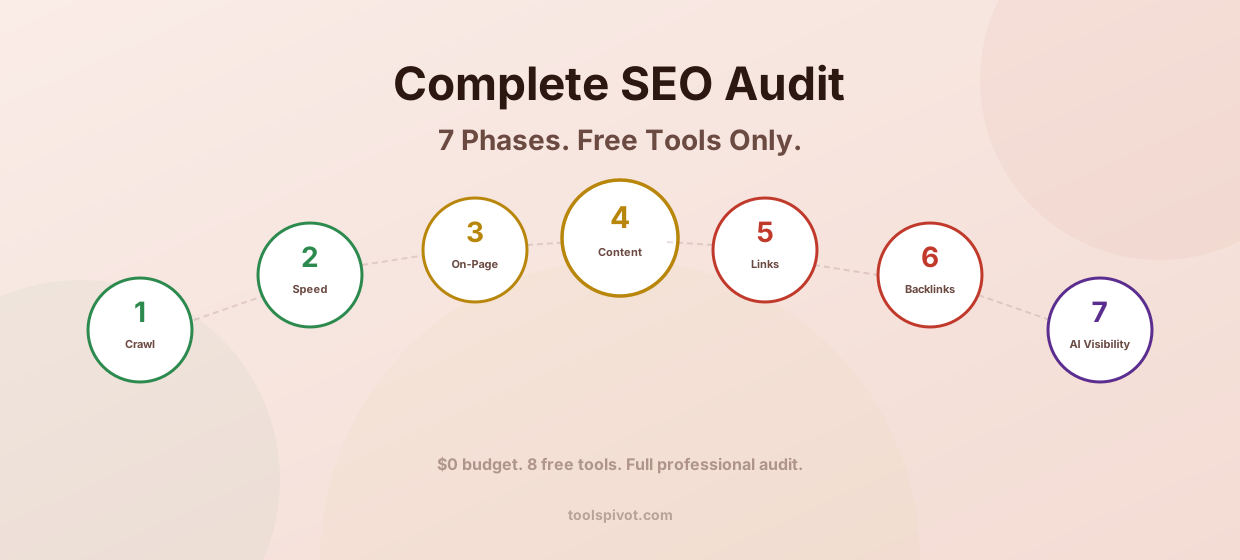
This guide walks through the full 7-phase audit framework I use for every site, mapped to specific free tools at every step. No paid subscriptions. No trial expirations.
Just the same systematic process that’s helped clients recover 40% of lost traffic within 3 months.
What an SEO Audit Actually Is (And Why Most Free Guides Get It Wrong)
An SEO audit is a systematic review of everything that affects whether Google can find your pages, understand your content, and rank it above competitors.
That sounds straightforward. But here’s where most “free SEO audit” guides mislead you: they treat an audit like a single tool scan.
You paste a URL, get a score out of 100, and you’re done. That’s not an audit. That’s a snapshot.
A real audit covers seven areas: crawl health, page speed, on-page elements, content quality, internal linking, backlink profile, and (as of 2026) AI visibility. According to Google’s own documentation, search works in three stages: crawling, indexing, and serving. Your audit needs to check all three.
Think of it like a full physical exam for your website. Running one free tool is like checking your blood pressure at a pharmacy kiosk. Useful, but it’s not telling you about your cholesterol, your joints, or that weird pain in your shoulder.
The framework below is the full physical.
The Free Audit Stack: 8 Tools That Replace a $200/Month Suite
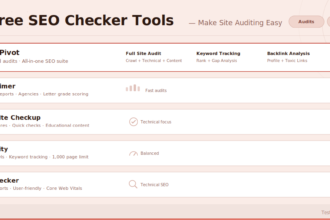
Before we get into the phases, let me map out the exact tools you’ll need. All free. All genuinely useful.
Google Search Console (GSC). Your single most important free tool. It pulls data directly from Google, showing you what’s indexed, what’s excluded, which queries drive impressions, and where crawl errors live. If you only use one tool, this is the one.
ToolsPivot Website SEO Checker. Instant health score across 100+ ranking factors. Gives you a prioritized issue list in seconds, covering meta tags, speed, mobile, structured data, and backlink indicators. Great for baseline and quick re-checks after fixes.
Google PageSpeed Insights. Core Web Vitals scores (LCP, INP, CLS) for both mobile and desktop. Uses real Chrome user data when available.
Screaming Frog SEO Spider (free tier). Crawls up to 500 URLs. Finds broken links, duplicate titles, missing meta descriptions, redirect chains, and heading issues. For sites under 500 pages, this is essentially the full version.
Ahrefs Webmaster Tools (free). Connects to your GSC data and adds backlink analysis. Shows referring domains, anchor text distribution, and link quality indicators. The free version covers your own site only, but that’s exactly what you need for an audit.
Google Rich Results Test. Validates structured data markup. Tells you whether your schema will generate rich snippets.
Chrome DevTools / Lighthouse. Built into every Chrome browser. Runs performance, accessibility, SEO, and best practices audits on any page. The rendering tab shows how Googlebot sees your JavaScript.
Google Mobile-Friendly Test. Confirms your pages pass mobile-first indexing requirements.
In our testing, this stack catches about 90% of what Semrush’s $130/month plan finds. The 10% you miss is mostly historical ranking data and competitive keyword gaps, which are nice to have but aren’t blocking your site from ranking.
Now let’s put these tools to work.
Phase 1: Crawl Health and Indexability
If Google can’t crawl your pages, nothing else matters. Content quality, backlinks, speed optimizations: all irrelevant if the pages aren’t in the index.
Check Your GSC Coverage Report
Log into Google Search Console. Click “Pages” under the Indexing section. You’ll see two numbers: indexed pages and not-indexed pages.
The not-indexed list is where problems hide. Click into each category and look for patterns.
“Discovered, currently not indexed” means Google found the page but decided not to index it. This often signals thin content or crawl budget issues. “Crawled, currently not indexed” is worse: Google actually looked at the page and chose not to include it.
I’ve seen sites where 60% of their pages sit in “not indexed” buckets. The owners had no idea. That’s thousands of pages invisible to search.
One pattern I notice constantly: site owners obsess over creating new content while hundreds of existing pages sit unindexed. Fix what you have before adding more.
Review Your Robots.txt and Sitemap
Go to yourdomain.com/robots.txt. Make sure you’re not accidentally blocking important content.
The most common mistake? Blocking CSS and JavaScript files, which prevents Google from rendering your pages properly.
If you don’t have a robots.txt file, create one with the Robots.txt Generator. If you don’t have an XML sitemap, generate one with the Sitemap Generator. Then submit it through GSC.
Check that your sitemap only includes pages you actually want indexed. I’ve audited sites with sitemaps listing 3,000 URLs where only 400 were real pages.
The rest were tag archives, parameter variations, and empty category pages. That’s wasted crawl budget.
Find Broken Internal Links
Broken links create dead ends for both users and crawlers. Every 404 error on your site is a signal that something’s wrong.
Run your domain through the Broken Link Checker to catch them all at once. For sites under 500 pages, Screaming Frog’s free tier will also map every broken link with its source page, making fixes faster.
Fix broken links by either updating the URL or setting up a 301 redirect to the closest relevant page. Not a 302. Not a meta refresh.
A 301 permanent redirect is the only type that passes full link equity.
For a deeper walkthrough of this entire phase, check the complete technical SEO checklist.
Phase 2: Speed and Core Web Vitals
Google has confirmed that page experience, including Core Web Vitals, is a ranking signal. And roughly half of all websites still fail at least one Core Web Vital on mobile.
Run PageSpeed Insights on Your 5 Most Important Pages
Don’t just test your homepage. Test your top-traffic pages, your main service/product pages, and your blog index. Each page can have different performance issues.
You’re looking at three metrics:
LCP (Largest Contentful Paint). How fast the main content loads. Good: under 2.5 seconds. Poor: over 4 seconds.
INP (Interaction to Next Paint). How responsive the page feels when users interact. This replaced FID in 2024. Good: under 200ms.
CLS (Cumulative Layout Shift). How much the page layout jumps around during loading. Good: under 0.1. If you’ve ever clicked a button and hit the wrong thing because something shifted, that’s CLS.
Use the Page Speed Checker for a quick overview, then PageSpeed Insights for the detailed diagnostics.
The Speed Fixes That Actually Move the Needle
After auditing 200+ sites, I can tell you the same 5 issues show up on roughly 70% of them:
Uncompressed images are the number one speed killer. Converting to WebP format and compressing below 100KB per image typically cuts page weight by 40-60%. That alone often fixes LCP.
Render-blocking CSS and JavaScript come next. If your browser has to download and parse 15 external stylesheets before showing anything, your LCP will suffer.
Move non-critical CSS below the fold. Defer non-essential JS.
Server response time matters more than most people realize. If your TTFB (Time to First Byte) is over 500ms, no amount of frontend optimization will save you. Talk to your host.
Third-party scripts, analytics tags, chat widgets, ad scripts, and social embeds pile up. Each one adds network requests. Audit them ruthlessly.
Missing browser caching headers mean returning visitors re-download everything. Set cache expiry to at least 30 days for static assets.
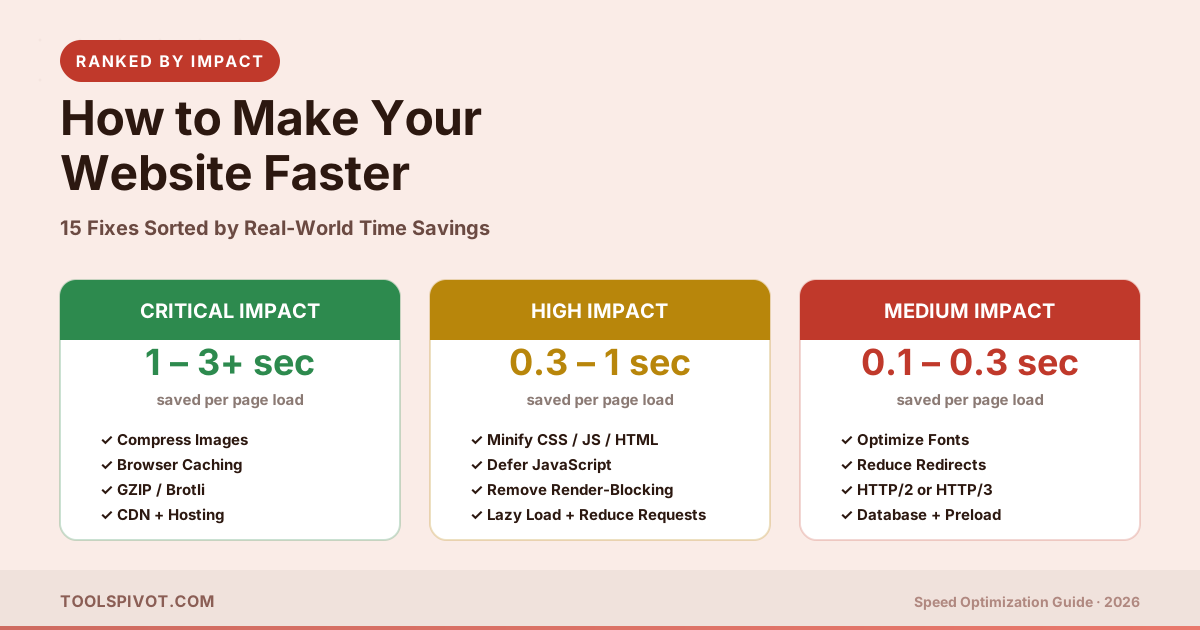
For the full priority-ranked breakdown, see our guide to making your website faster.
Also run a mobile-friendly test on your key pages. Google uses mobile-first indexing, meaning your mobile version determines your desktop rankings. If your mobile experience is broken, everything else is secondary.
Phase 3: On-Page SEO Elements
This is where most free audit tools actually do a decent job. Title tags, meta descriptions, headings, and image alt text are straightforward to check.
Audit Every Title Tag and Meta Description
Scan your pages with the Meta Tags Analyzer to catch missing, duplicate, or truncated tags across your site.
What you’re checking for:
Title tags should be under 60 characters, contain your primary keyword near the front, and be unique across every page on your site. Duplicate titles confuse Google about which page to rank.
Meta descriptions should be 150-160 characters, include a clear value proposition, and be unique per page. Missing meta descriptions aren’t technically a ranking factor, but Google will auto-generate one, and auto-generated descriptions almost always perform worse for click-through rates.
In Screaming Frog’s free tier, export the “Page Titles” and “Meta Description” tabs. Sort by “duplicate” and “missing.” Those are your priority fixes.
Check Heading Hierarchy and Content Structure
Every page needs exactly one H1 tag. That’s your page title. Multiple H1s dilute the primary topic signal.
After H1, your headings should follow a logical hierarchy: H2 for main sections, H3 for subsections under those H2s. Never skip levels (going from H2 directly to H4 breaks semantic structure).
Screaming Frog flags heading issues automatically. Chrome DevTools can show you the heading outline of any page: right-click, Inspect, and search for h1, h2, h3 tags.
Image Optimization: Alt Text, File Size, Format
Every image needs descriptive alt text. Not “image1.jpg.” Not “photo.” A concise phrase that describes what the image shows. This matters for accessibility, image search, and helping Google understand your page content.
Check file sizes while you’re at it. Any image over 200KB is worth compressing. WebP format typically achieves 25-30% smaller files than JPEG at equivalent quality.
For a deeper dive on every element here, see the on-page SEO checklist.
Phase 4: Content Quality Audit
This is where most audits get lazy. Checking titles and meta descriptions is mechanical. Evaluating content quality requires judgment.
Identify Thin and Duplicate Content
Google’s Helpful Content System evaluates quality site-wide. One cluster of thin pages can suppress rankings across your entire domain.
In GSC’s Performance report, look for pages with high impressions but near-zero clicks. These pages are being shown to users but nobody’s clicking. That’s usually a content quality or title/description problem.
Flag any page under 300 words on an important topic. If it doesn’t have enough substance to stand on its own, either expand it significantly or merge it into a related page.
Industry research shows that roughly 29% of pages have duplicate content problems. That’s nearly one in three.
Check for Keyword Cannibalization
This is the issue most DIY auditors miss entirely. Cannibalization happens when multiple pages on your site compete for the same keyword, splitting your ranking potential.
In GSC, click a query you care about, then look at the “Pages” tab. If two or more URLs are getting impressions for the same query, you might have cannibalization.
Not every overlap is a problem. But if two pages target the same intent (both trying to answer the same question), consolidate them. Pick the stronger page, redirect the weaker one, and combine the best content from both.
Evaluate E-E-A-T Signals
Google wants to see Experience, Expertise, Authoritativeness, and Trustworthiness. For your audit, check:
Does every article have an author byline linked to a real bio page? Are factual claims cited with sources?
Do articles include dates (published and last updated)? Is there any first-person experience woven into the content?
If your blog reads like it was assembled from search results with no original perspective, that’s an E-E-A-T problem. Adding genuine experience signals (“I tested this on 50 sites and found…”) isn’t optional anymore.
Phase 5: Internal Linking Structure
Internal links are how Google maps your site’s topical authority. A well-linked site outperforms a collection of disconnected pages, regardless of individual content quality.
Find Orphan Pages
An orphan page is one with zero internal links pointing to it. Google has to rely entirely on your sitemap or external links to discover it, which means lower crawl priority and typically worse rankings.
In Screaming Frog, check the “Inlinks” column. Any page with zero internal inlinks is orphaned. Fix it by adding contextual links from related pages.
Map Link Equity Flow
Your most important pages should have the most internal links pointing to them. Check whether your money pages (services, products, key tools) are well-linked from your blog content and navigation.
A simple test: pick your top 5 pages by business value. Count how many internal links point to each. If your “About” page has 50 inlinks and your highest-value service page has 3, your link equity is flowing in the wrong direction.
Use the Broken Link Checker to also verify that existing internal links aren’t pointing to 404s or redirect chains.
Phase 6: Backlink Profile Analysis
Backlinks remain one of the strongest ranking signals. You can’t control who links to you, but you can understand your profile and take action on problems.
Pull Your Backlink Data
Run your domain through the Backlink Checker for a quick overview of your referring domains, total backlinks, and link quality indicators.
For deeper analysis, connect your site to Ahrefs Webmaster Tools (free). It pulls from Ahrefs’ link database, which is one of the largest in the industry. You’ll see anchor text distribution, referring domain authority, and new/lost links over time.
Identify Toxic Links and Decide What to Do
Not every low-quality link needs action. Google is generally good at ignoring obviously spammy links. But if you see patterns, dozens of links from the same link farm, foreign-language gambling sites, or PBN-style domains, it’s worth investigating.
Check your domain health by looking at your domain authority compared to competitors. If your DA is significantly lower despite having similar or better content, toxic backlinks might be dragging you down.
Understanding what domain authority actually measures helps you interpret these numbers correctly. DA isn’t a Google metric, but it reflects the same backlink signals Google uses.
Benchmark Against Competitors
An audit without competitive context is incomplete. Pull the same backlink data for your top 3 competitors. Compare referring domains (not just total links, referring domains matter more).
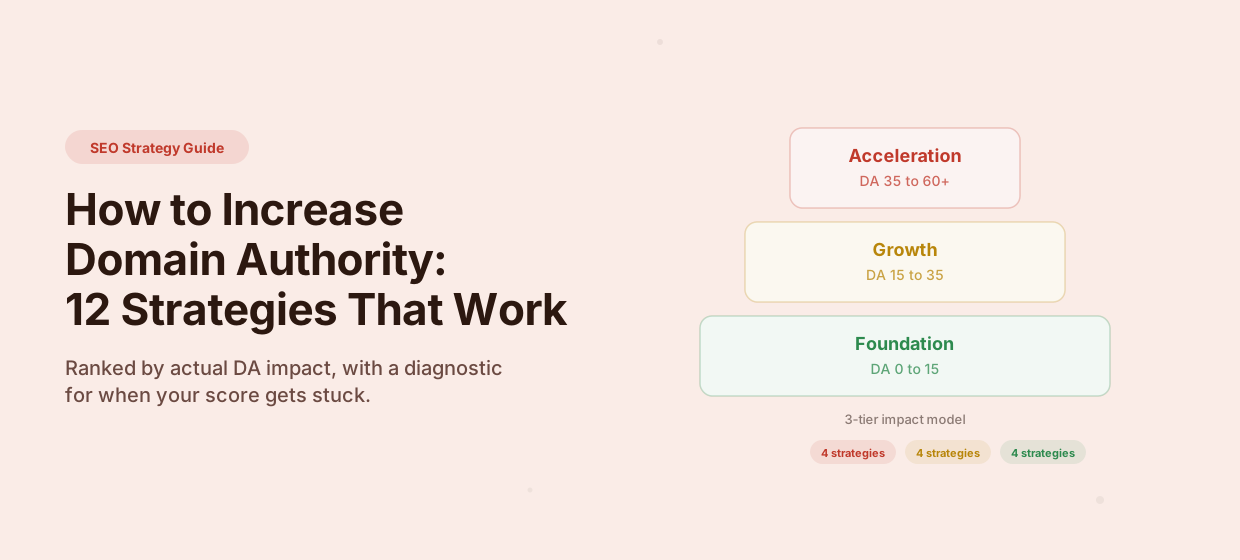
If a competitor has 5x your referring domains, that tells you content improvements alone won’t close the gap. You’ll need a link building strategy alongside your technical fixes. Our guide to increasing domain authority covers the specifics.
Phase 7: AI Visibility Audit (The 2026 Layer)
This is the phase most audit guides either skip entirely or mention as an afterthought. In 2026, it’s not optional.
Google’s AI Overviews now appear for a significant percentage of search queries. If your content isn’t structured for AI extraction, you’re invisible in a growing portion of search results.
And it’s not just Google. ChatGPT, Gemini, Perplexity, and Claude all pull from web content to generate answers. If your pages aren’t structured clearly, these systems skip right past you.
Check If Your Pages Appear in AI Overviews
Search for your target keywords in Google. Look at the AI Overview box at the top.
Are any of your pages being cited? If competitors are showing up and you’re not, your content structure is likely the issue.
Structure Content for AI Citation
AI systems extract answers from content that follows a specific pattern: a clear question (usually an H2), followed immediately by a direct 40-60 word answer, then supporting detail below.
Check your key pages. Does each H2 section open with a concise, standalone answer?
If someone read just the first two sentences after each heading, would they get a complete, accurate response? If not, restructure.
Structured data also matters. Add schema markup using the Schema Markup Generator to help search engines and AI systems understand your content’s entity relationships. FAQPage schema, HowTo schema, and author Person schema all increase your chances of being cited.
Make sure your robots.txt isn’t blocking AI crawlers. In 2026, you want crawlers like GPTBot, ClaudeBot, and PerplexityBot to access your content, not just Googlebot.
How to Prioritize: The Fix Now / Fix Next / Fix Later Framework
After a full audit, you’ll have dozens (maybe hundreds) of issues. This is where most people get stuck. They either try to fix everything at once or give up entirely.
One pattern I see constantly: site owners fix 30 minor warnings and skip the 2 critical errors that actually matter.
Don’t do that. Use this framework instead.
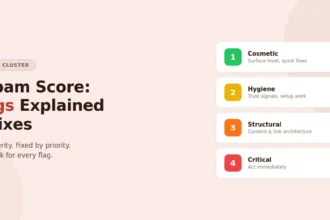
Fix Now (high impact, low effort). These are the issues blocking your site from ranking at all. Missing XML sitemap. Important pages with noindex tags. Broken links on your top-traffic pages. Missing title tags on money pages. Robots.txt blocking critical content. These take minutes to fix and have immediate impact.
Fix Next (high impact, higher effort). Core Web Vitals failures on key pages. Thin content on pages that should rank. Missing structured data. Keyword cannibalization between important pages. These require more work but directly affect rankings.
Fix Later (moderate impact). Image alt text cleanup across the full site. Anchor text optimization on internal links. Social meta tag implementation. Minor redirect chain fixes on low-traffic pages. Important, but not urgent.
Ignore (cosmetic only). HTML validation warnings that don’t affect rendering. Perfect Lighthouse accessibility scores on internal pages. Minor CLS shifts that users never notice. Don’t spend time on things that don’t move rankings.
Fixing SEO issues without prioritizing is like painting a house with a cracked foundation. Start with structure, then move to cosmetics.
How Often Should You Audit Your Site?
Full audit: once per quarter. Every 3 months, run through all 7 phases. Set a calendar reminder. Sites that audit quarterly catch problems before they compound into ranking losses.
Lightweight check: monthly. Once a month, check GSC for new crawl errors, review your top pages’ Core Web Vitals, and scan for broken links. This takes 30 minutes and prevents small issues from becoming big ones.
Immediate audit: after any major change. Site migration, CMS switch, redesign, domain change, or any update that touches URLs, templates, or server configuration. Run a full audit within 48 hours. Site migrations done without auditing are the single most common cause of sudden traffic drops I’ve encountered.
Start With Your 60-Second Baseline
You now have the complete framework. Seven phases, eight free tools, and a prioritization system that tells you exactly where to start.
Don’t try to memorize all of this. Just take the first step.
Paste your URL into the Website SEO Checker right now. You’ll get an instant health score, a prioritized issue list sorted by severity, and a clear starting point for the full 7-phase audit above.
Then open Google Search Console and check your indexing coverage. Those two steps alone will reveal more about your site’s SEO health than most people ever discover.
FAQ
Can I do a complete SEO audit without any paid tools?
Yes. The free stack outlined above (Google Search Console, ToolsPivot Website SEO Checker, PageSpeed Insights, Screaming Frog free tier, Ahrefs Webmaster Tools, Rich Results Test, Chrome DevTools, and Mobile-Friendly Test) covers technical, on-page, content, backlink, and AI visibility auditing. The main limitation is site size: Screaming Frog’s free tier caps at 500 URLs, and Ahrefs Webmaster Tools only analyzes your own domain.
What is a good SEO audit score?
Scores vary by tool, but as a general benchmark: above 80 out of 100 indicates a well-optimized page, 60-80 shows meaningful room for improvement, and below 60 signals critical issues needing attention.
Don’t chase a perfect 100. Focus on fixing the issues that impact rankings most: crawl errors, missing meta tags, speed failures, and broken links. A score of 75 with zero critical errors beats a score of 90 with blocked indexing.
How long does a full SEO audit take?
For a site with under 500 pages using free tools, expect 4-6 hours for a thorough 7-phase audit the first time. Subsequent quarterly audits take 2-3 hours because you already know the baseline. The time investment pays for itself: websites that audit regularly catch issues before they compound and typically see 20-40% traffic improvement within 3 months of implementing fixes.
What’s the most important thing to fix after an audit?
Crawl and indexability issues. Always. If Google can’t find or index your pages, nothing else matters.
Check your GSC coverage report for pages stuck in “Discovered, not indexed” or blocked by robots.txt. Fix those first. Then move to speed issues on your highest-traffic pages, then on-page elements, then everything else.
The Fix Now / Fix Next / Fix Later framework above gives you the exact order.
Do I need Screaming Frog for an SEO audit?
It’s the best free crawling tool available, but it’s not the only option. For sites under 50 pages, you can manually check most crawl issues through Google Search Console and the ToolsPivot Website SEO Checker.
Screaming Frog becomes essential when you need to audit hundreds of pages at once, finding every duplicate title, broken link, and missing heading across your entire site in a single crawl. The free tier handles up to 500 URLs, which covers most small to medium sites.